Youtube Coach
A website that acts under the service of YouTube, oriented towards providing the user with procedural instructional videos — functioning as an independent, "how-to" version of YouTube.
| Year | Category | Duration | Platform |
|---|---|---|---|
| 2022 | Academic | 1 Week | Web |
Team: Amit Patjoshi, Soumyoprabho Mukherjee, Jribh Shandilya, Shraddha Prabhu
Problem statement
There are potentially billions of instructional "how-to" videos on the internet, the majority of them on YouTube. The problem with the existing videos is that they're unstructured and random. This reduces the opportunity of YouTube being an excellent instructional platform. There are many instances where a certain step in one video is better explained than the same step in another — but the rest of that other video's steps might be better elsewhere.
Our goal was to introduce a system that could extract the most relevant steps from instructional videos on YouTube, categorised by topic, and compile those steps into a single, final instructional sequence.
What is Youtube Coach?
YouTube Coach is an online tutorial compiler for YouTube that, based on a search query, goes through all available videos, takes the most helpful snippets from some of them, and combines those snippets into one instructional compilation — each snippet a relevant step, sourced from a different video.
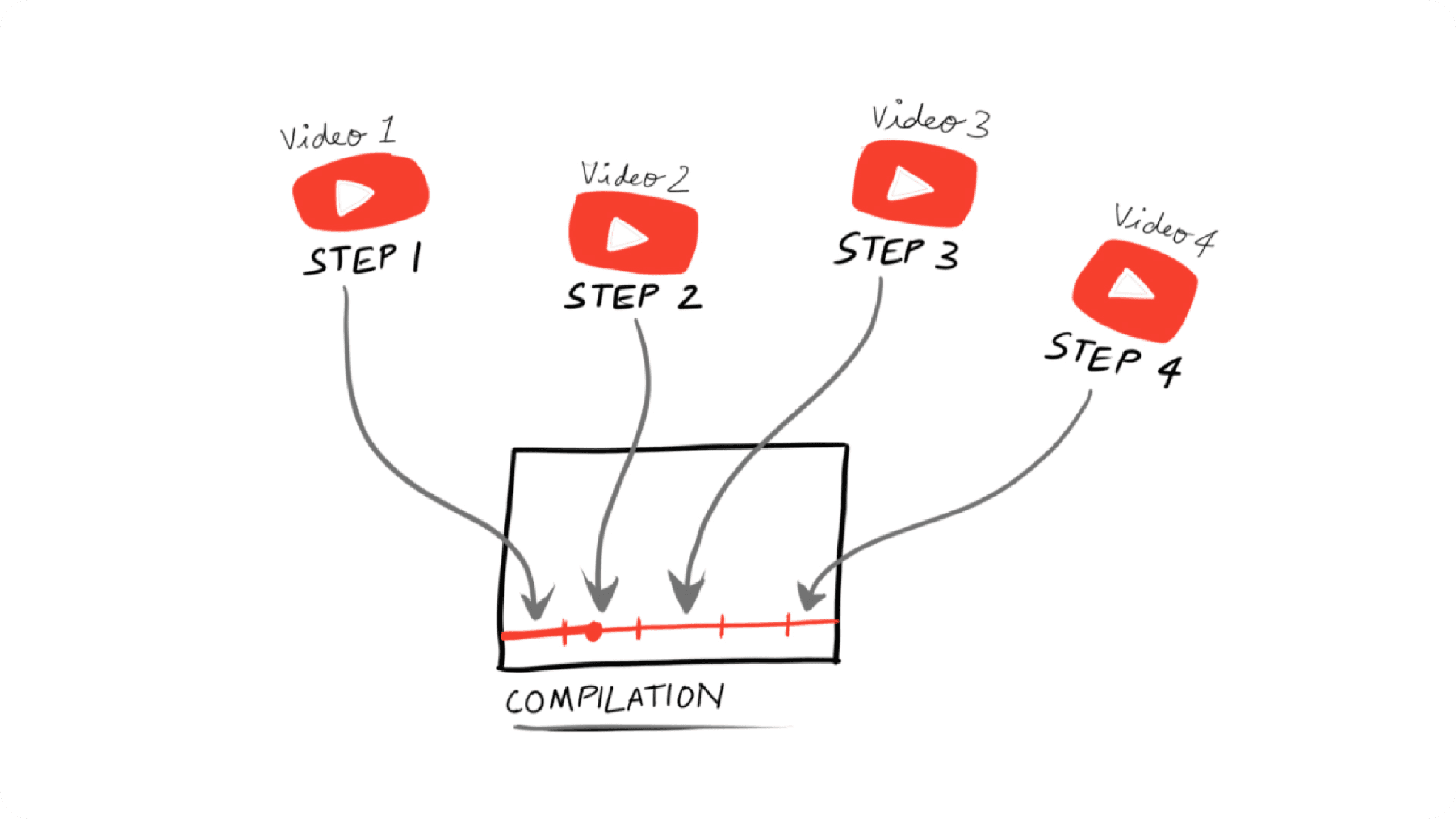
Being a subset of YouTube, the product only works with YouTube videos, and videos need to be either in English or silent — regional-language processing was out of scope for this project, since properly avoiding multi-language compilations would need much more extensive filtering.
How people learn from video
Learning from video has grown enormously over the past few decades. Video training is especially suited to microlearning — receiving information in small, focused chunks. People are 75% more likely to watch a video than to read a written article (Forrester Research), and when both audio and visual formats are available, 72% of people would still rather watch (Wyzowl, 2019).
Video also boosts learning by providing relatable, visual narratives. Microlearning gives the viewer "just-in-time" knowledge exactly when they need it, and knowledge delivered in small pieces has a better chance of retention (Raman, 2010) — which is exactly the shape a short instructional video takes.
YouTube in particular works well as a learning tool for a few reasons: its short, precise videos support effective microlearning; it's easy to learn on the go across devices; it generates and promotes discussion through comments, unlike learning in isolation; and it lets viewers become teachers themselves, giving everyone an equal opportunity to contribute.
What makes a 'how-to' video good?
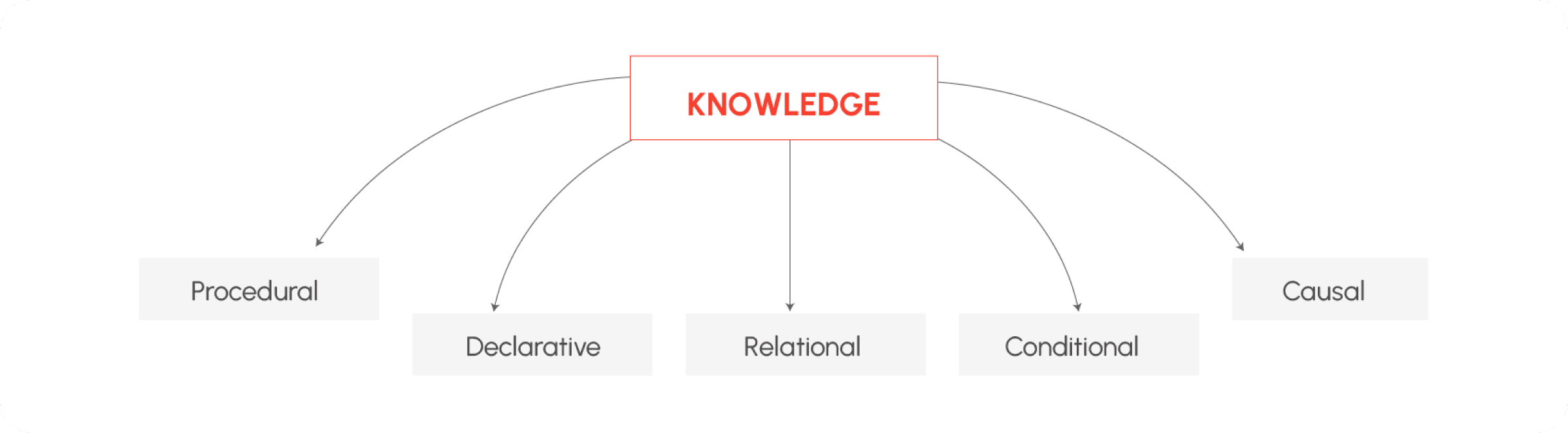
Instructional videos generally help people answer a question or complete a task. Knowledge itself can be divided into several types — declarative, procedural, causal, conditional, and relational — and this project focused specifically on procedural knowledge: the kind that helps someone develop the skill to do a specific task, as opposed to just facts.
A procedural knowledge component has seven content elements: the object or situation being modified (the task), the name of the procedure, the list of steps or activities, the sequence for executing those steps, a demonstration illustrating each step, and the consequence of each step and of the whole procedure.
How is procedural knowledge taught effectively?
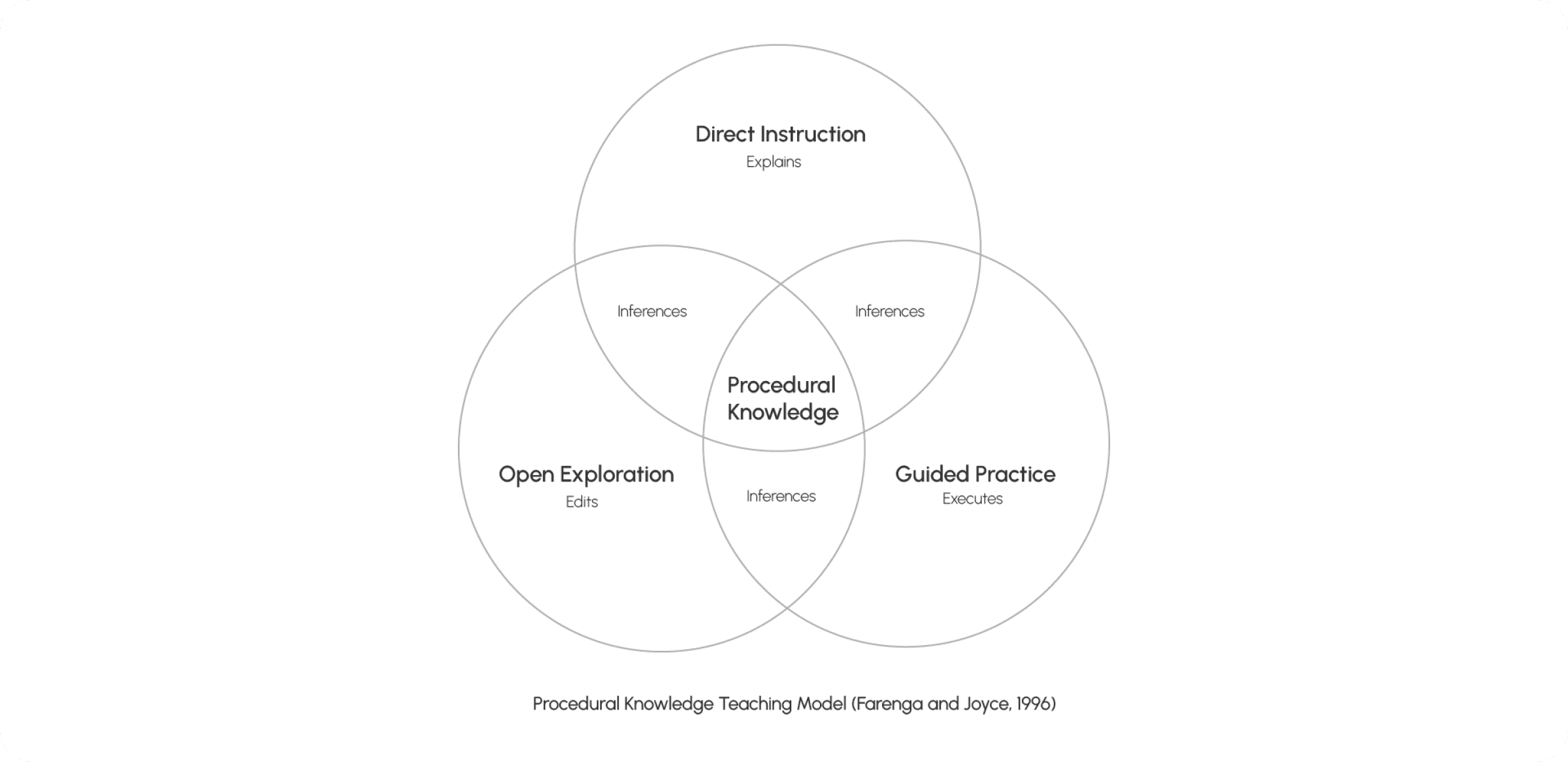
Effective procedural teaching draws on three overlapping approaches — direct instruction that explains, open exploration that lets the learner edit and experiment, and guided practice that has them execute the task themselves. The overlap between all three, plus the inferences drawn along the way, is where real procedural knowledge forms.
Designing the product
Low-fidelity wireframes
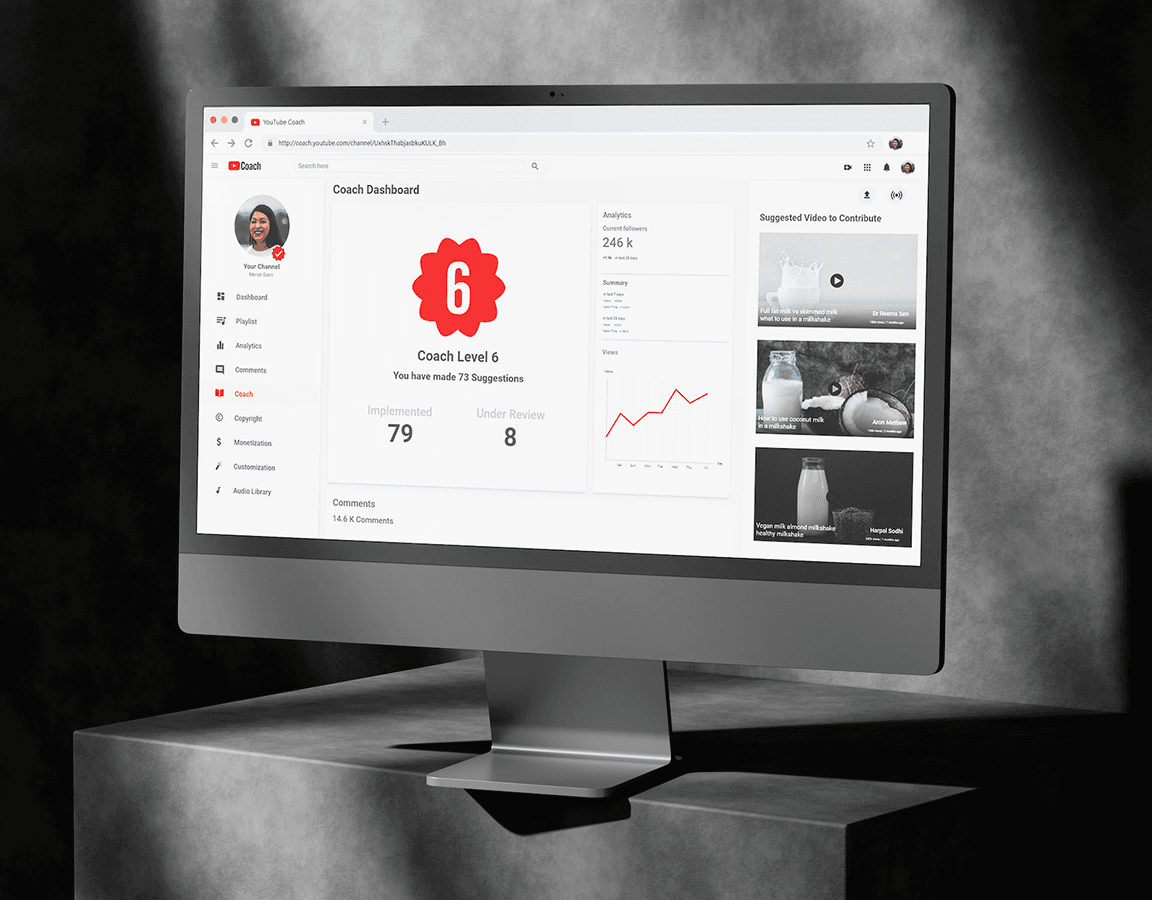
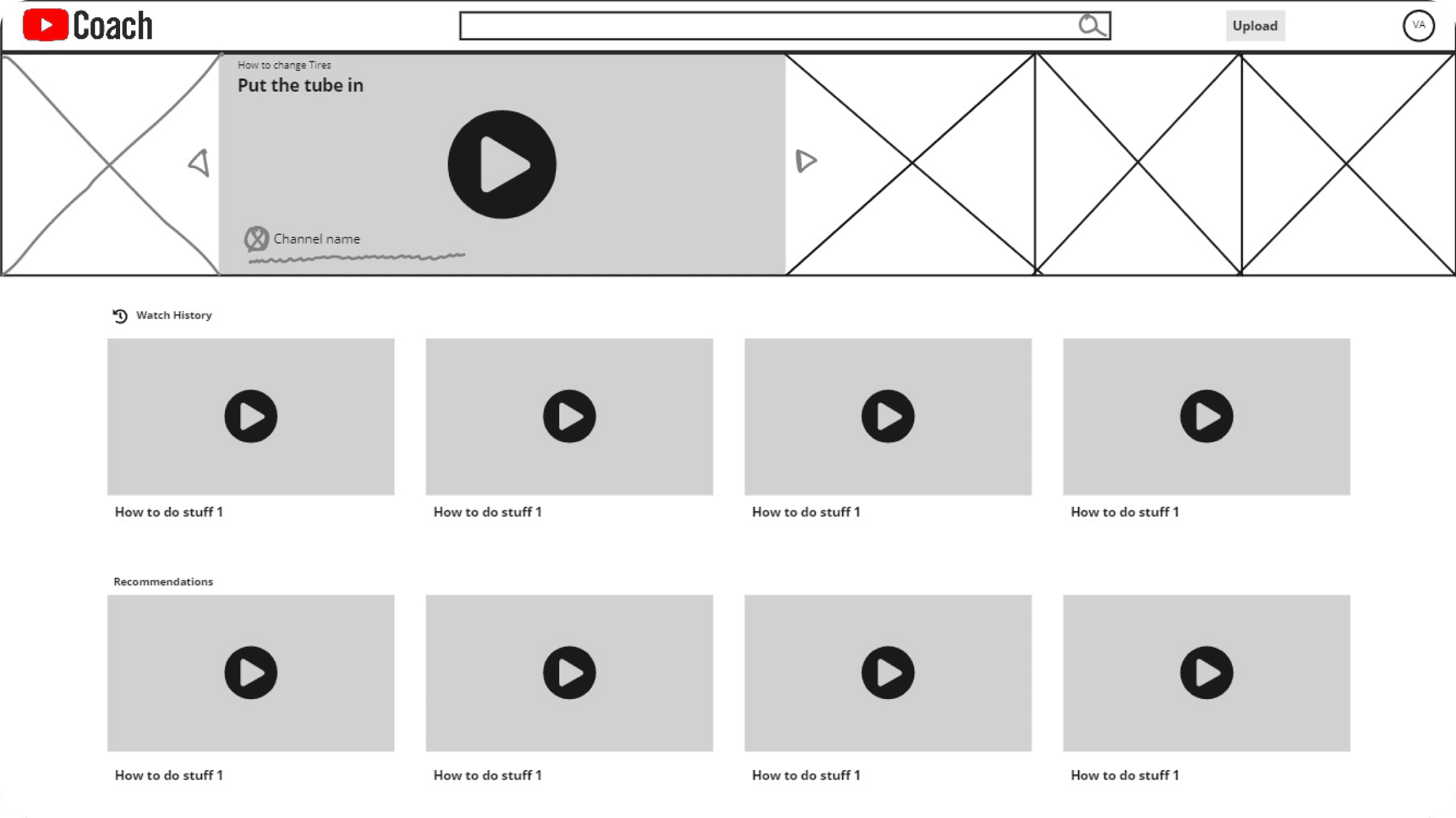
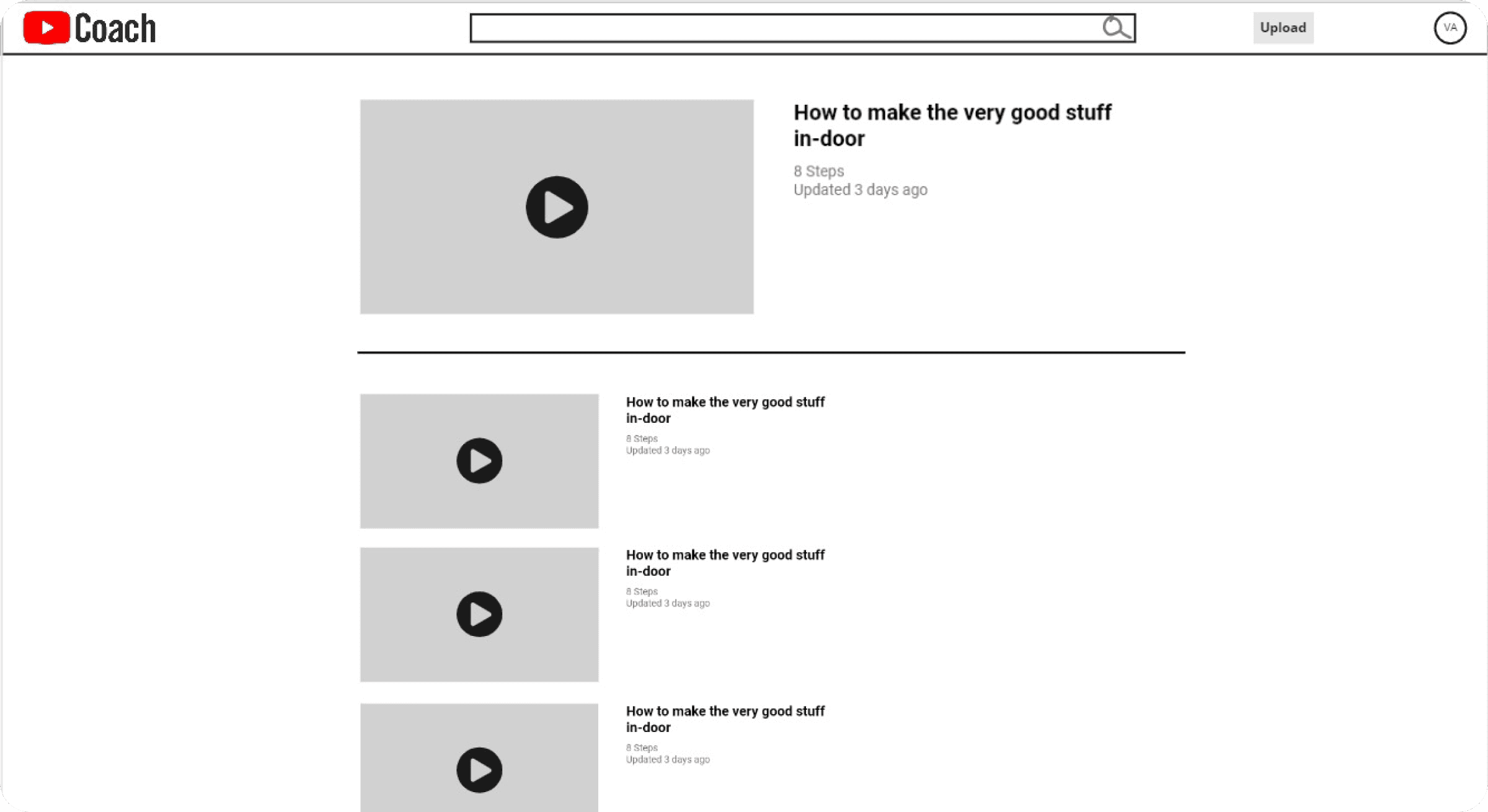
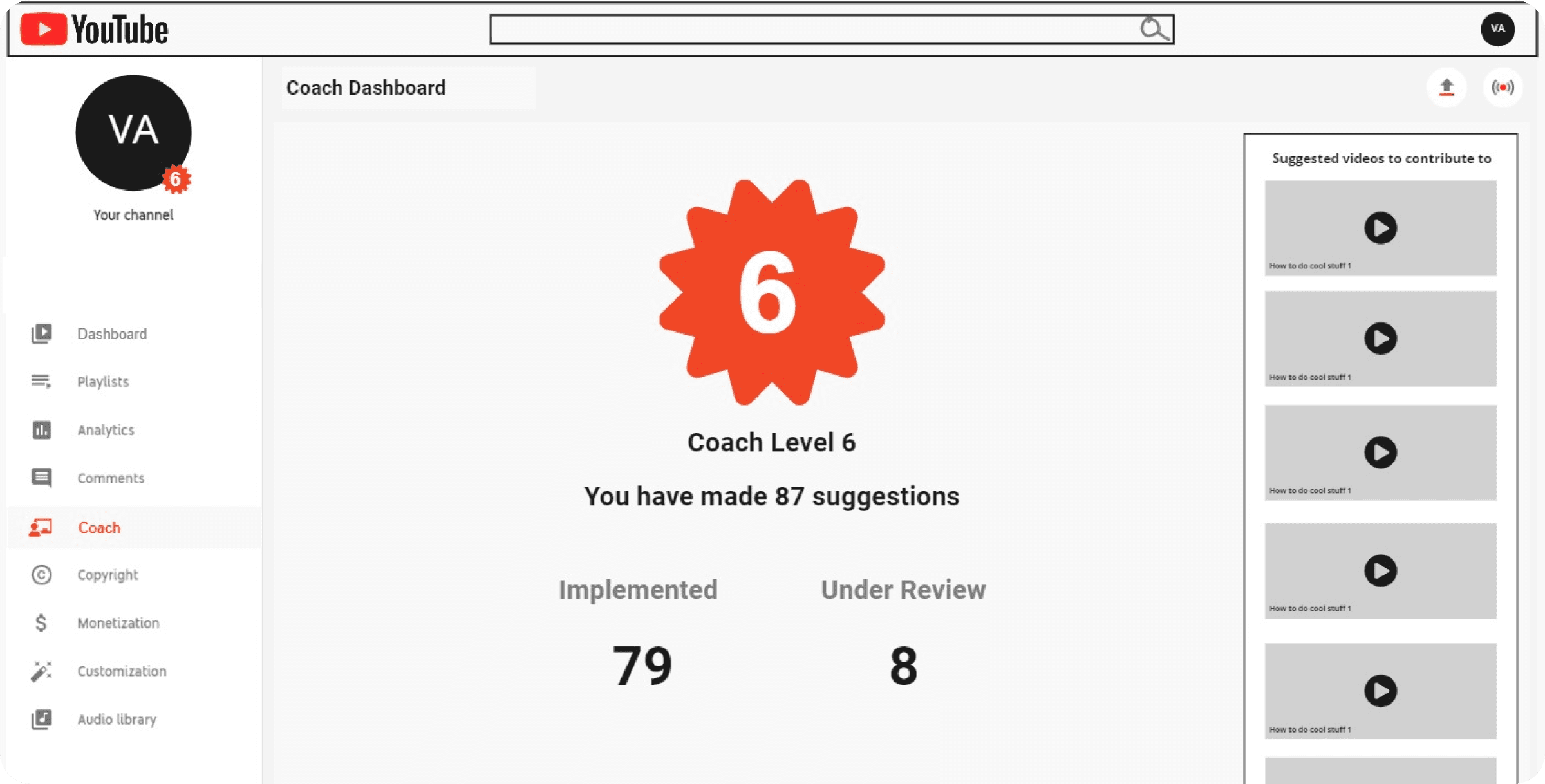
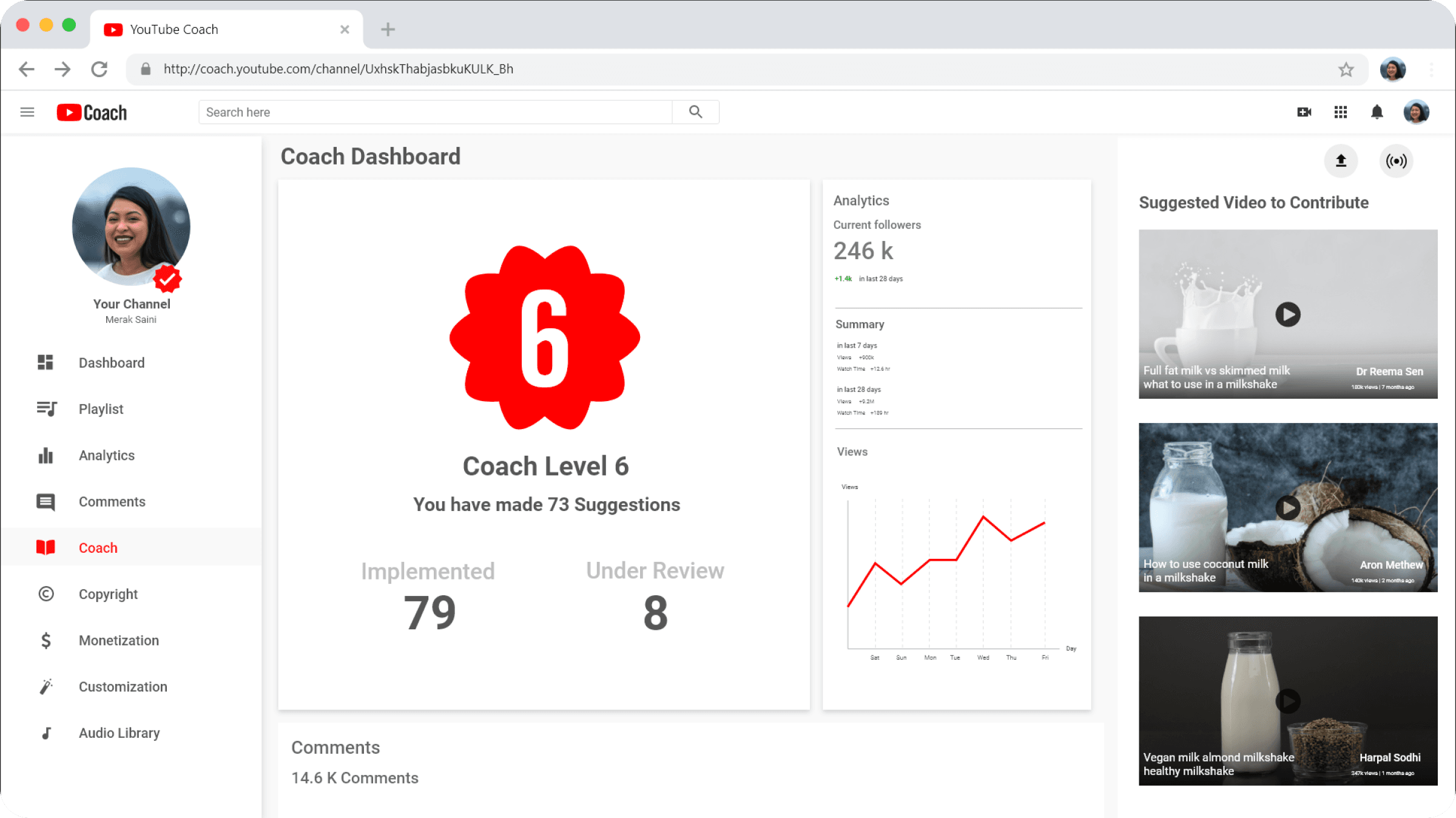
Early wireframes established the core screens: a home page surfacing watch history and recommendations, a search results listing, and a dashboard where contributors could track their standing as a "Coach."
High-fidelity screens
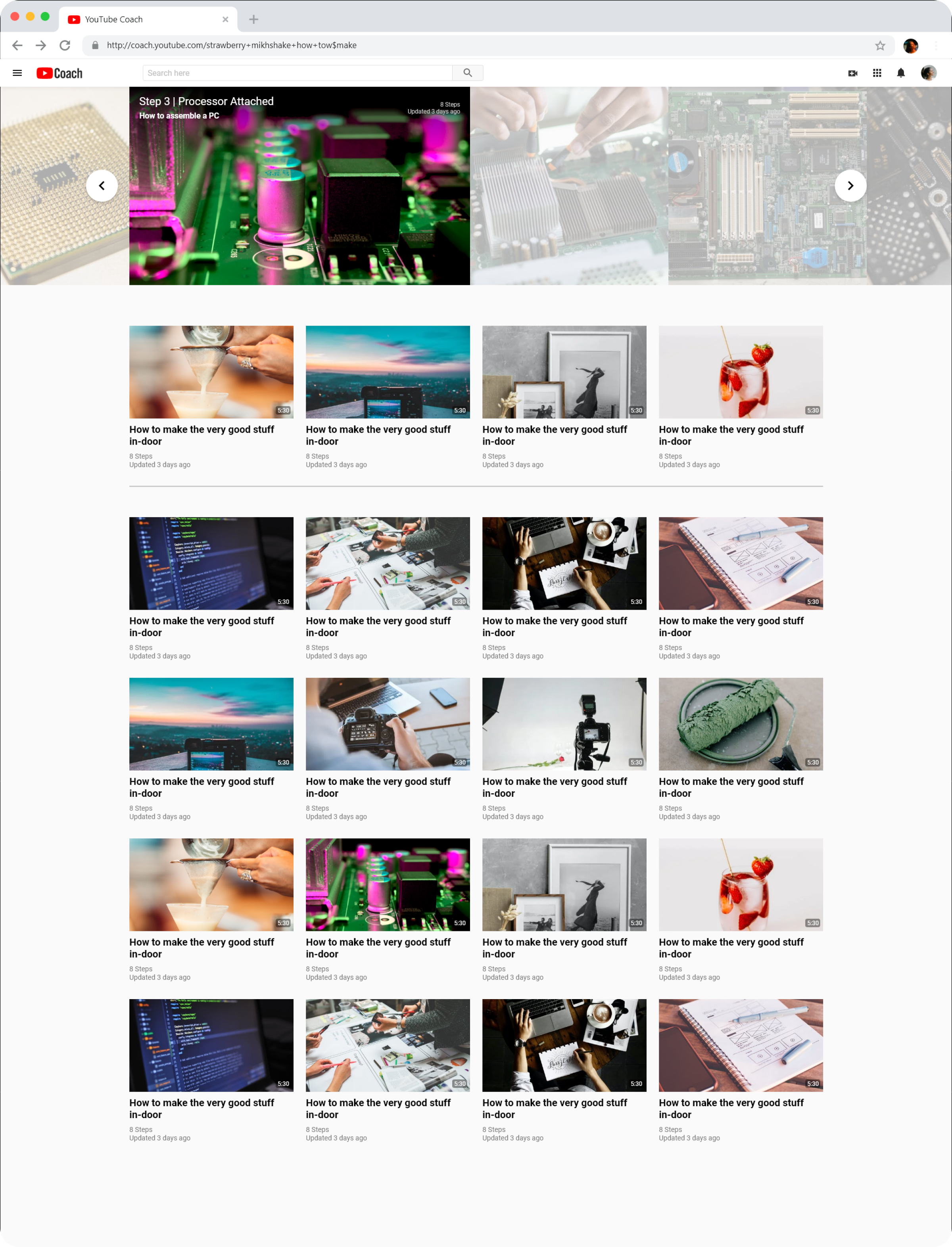
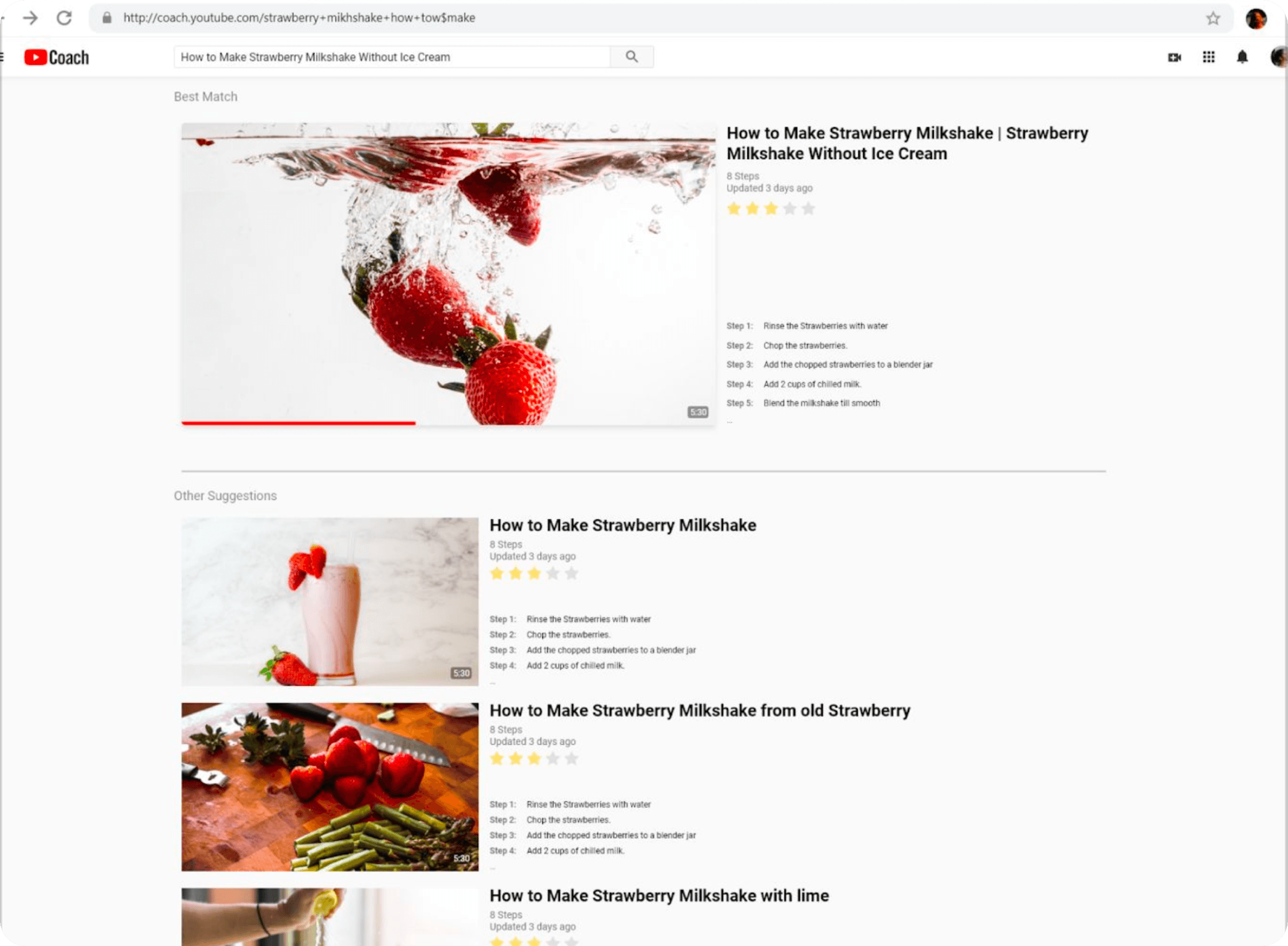
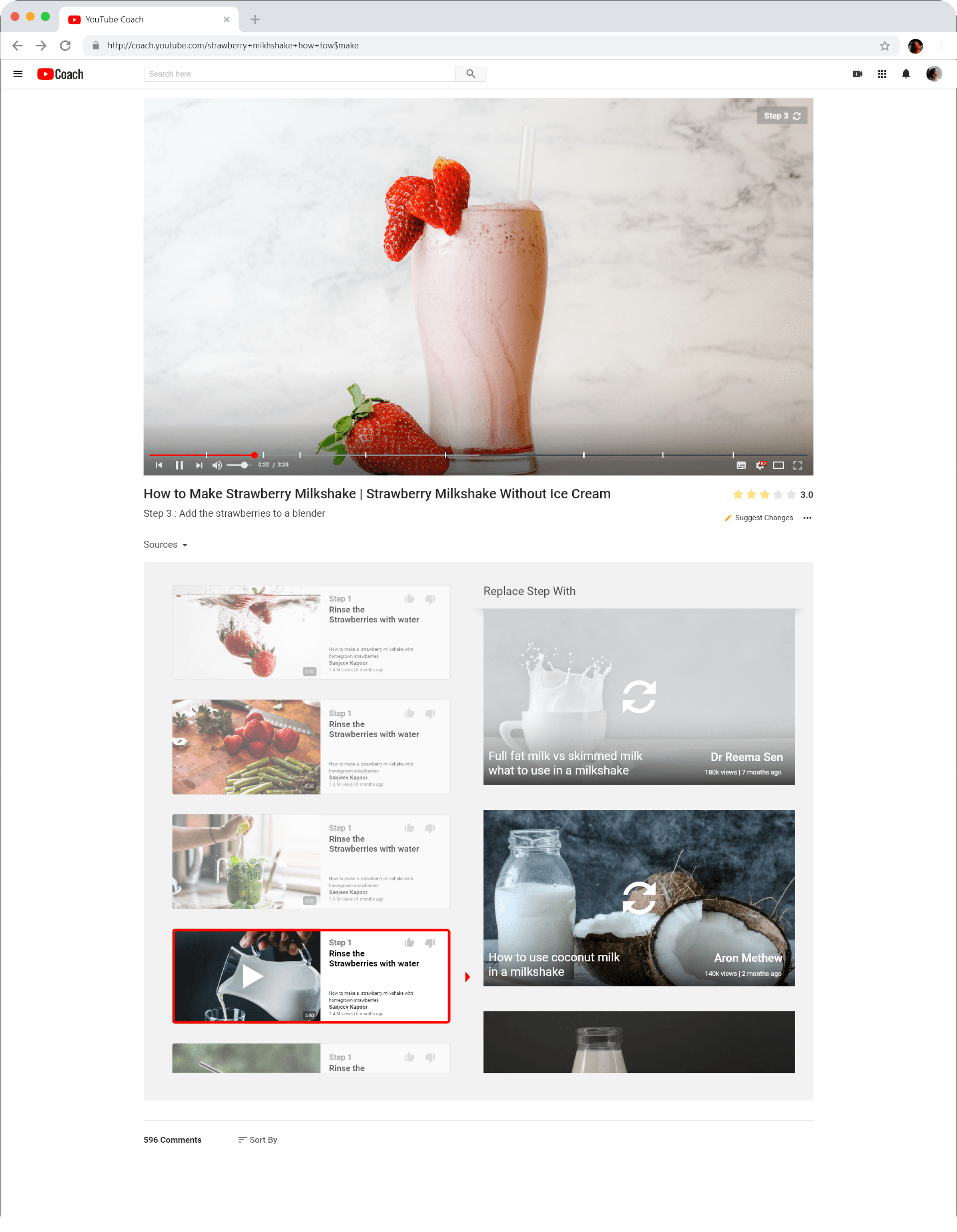
The finished screens carried the same structure through with real content: a browsable home page, ranked search results with a visible step preview, and — the centrepiece of the product — a compiled video player that shows each step's source video, a rating, and the option to swap in an alternative source for any given step.
Compiling the tutorials
Behind the product sits a pipeline for turning a raw pool of matching YouTube videos into one ranked, step-divided compilation. A parent algorithm takes a search query, pulls a matching set of videos, and routes each one — depending on whether it has a voice-over — through a pair of transcript-generating algorithms before dividing the result into ranked, timestamped steps.
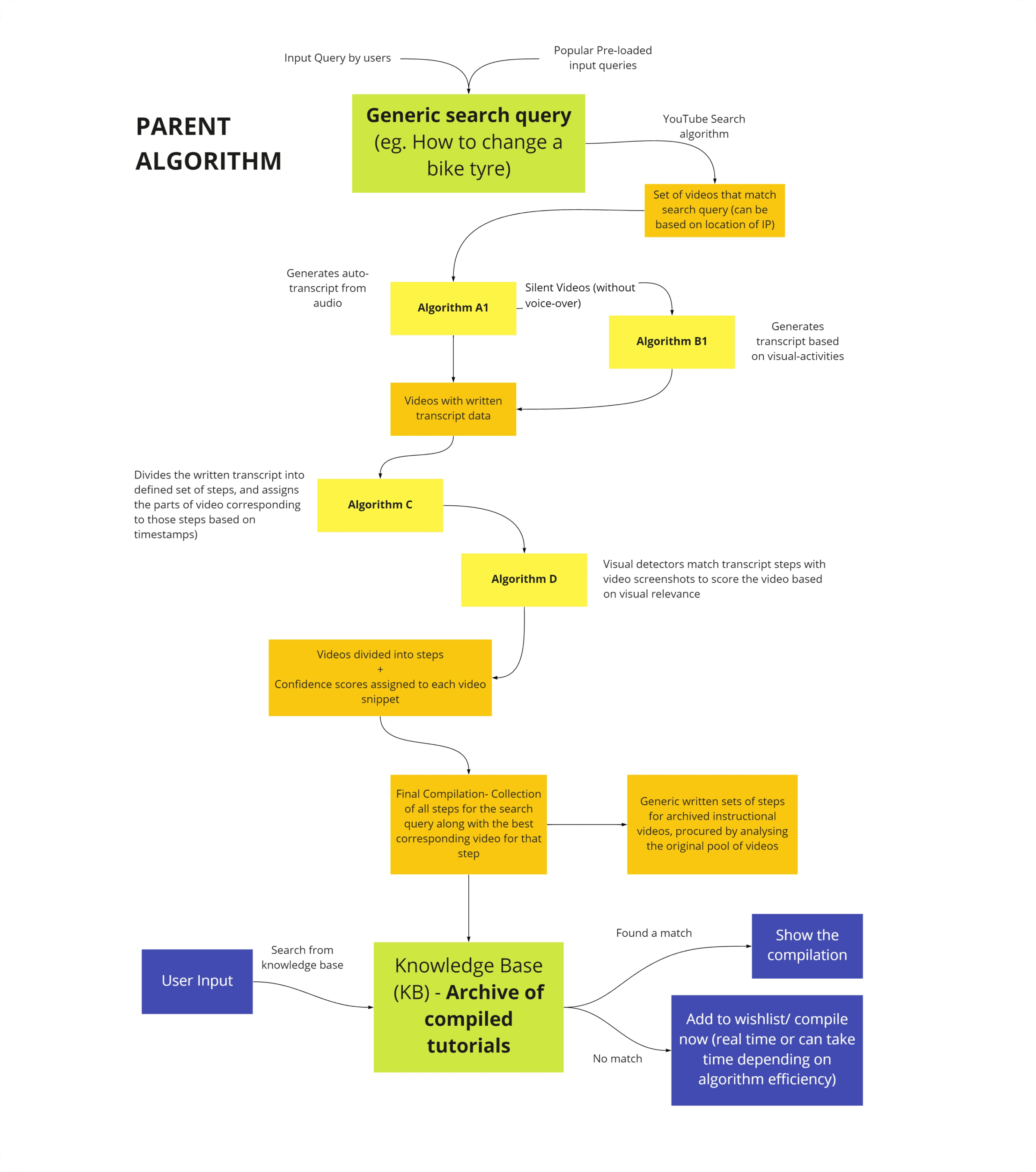
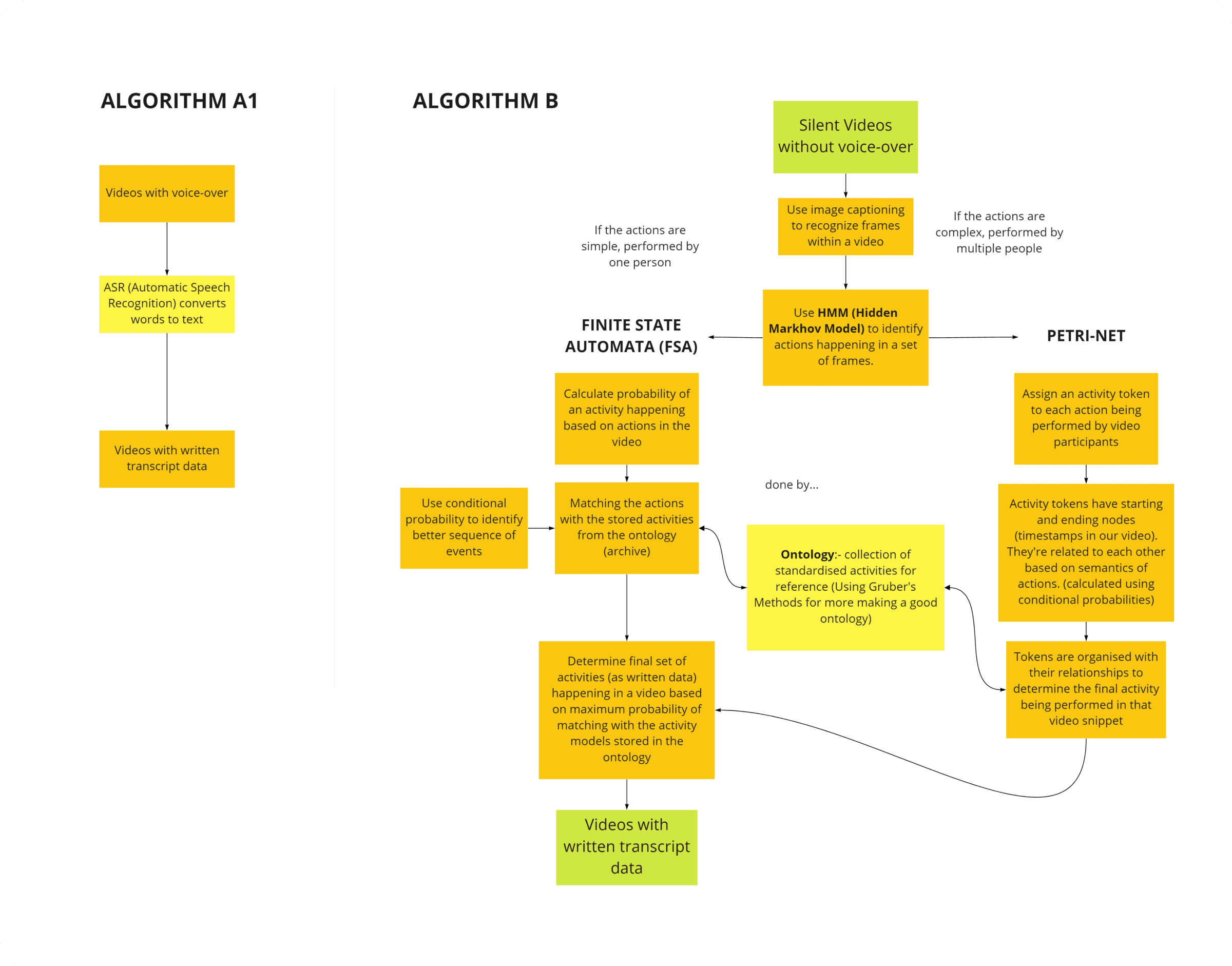
Videos with a voice-over go through Algorithm A1, which uses automatic speech recognition to convert spoken words directly into a transcript. Silent videos go through Algorithm B, which uses image captioning and either a Hidden Markov Model (for simple, single-person actions) or a Petri-net model (for complex, multi-person actions) to infer what's happening from the visuals alone, matched against a standardised ontology of activities.
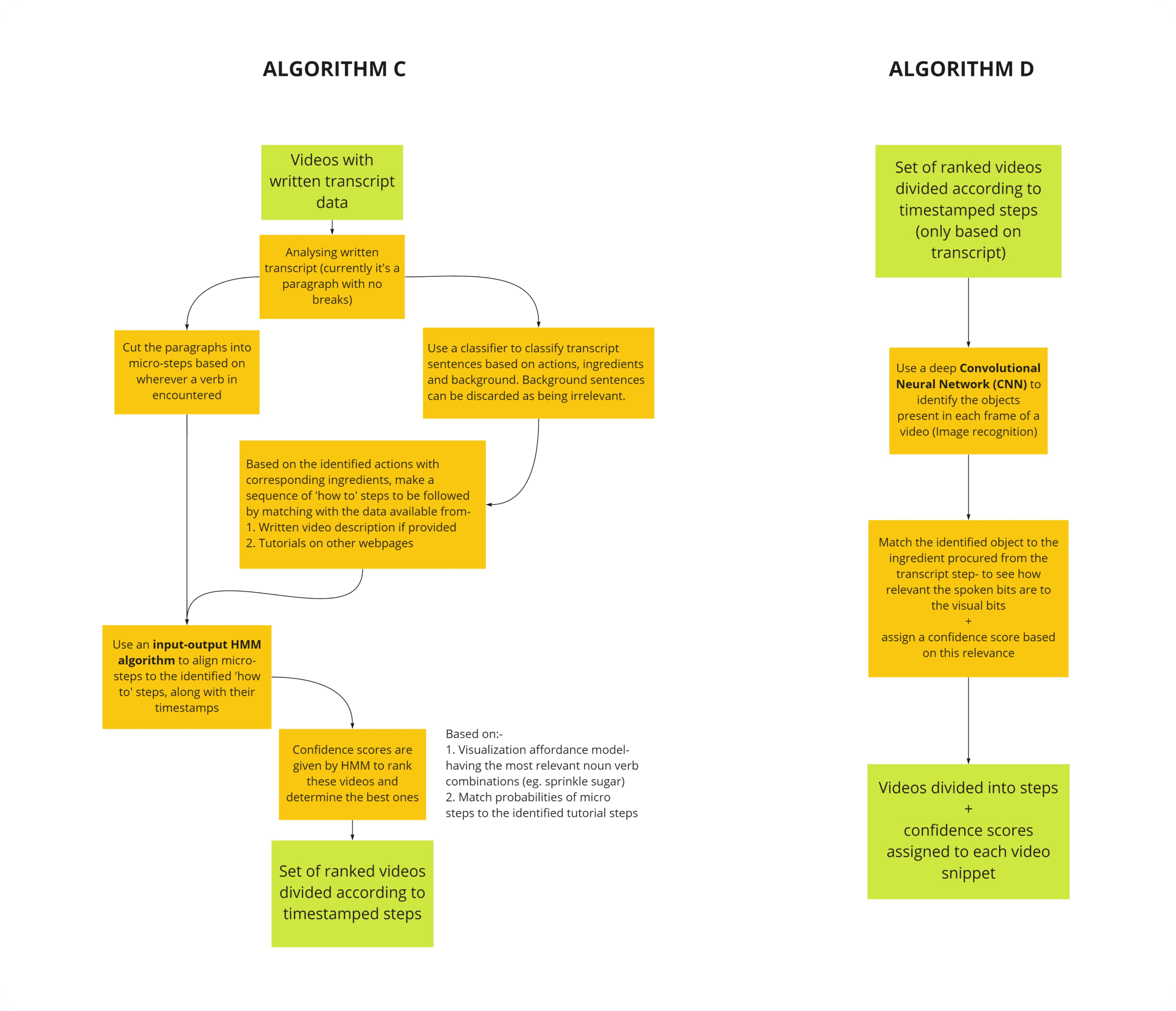
From there, Algorithm C splits the written transcript into micro-steps and aligns them, with timestamps, to a generic sequence of "how-to" steps using an input-output HMM — producing a set of ranked, step-divided videos. Algorithm D runs in parallel, using a convolutional neural network to recognise objects in each video frame and score how relevant the visuals are to what's being said at that timestamp.
Processing user feedback
YouTube's existing comment system already gives viewers a way to leave feedback — and on YouTube Coach specifically, comments from users who'd contributed a step carry a distinguishing "Coach user" badge.
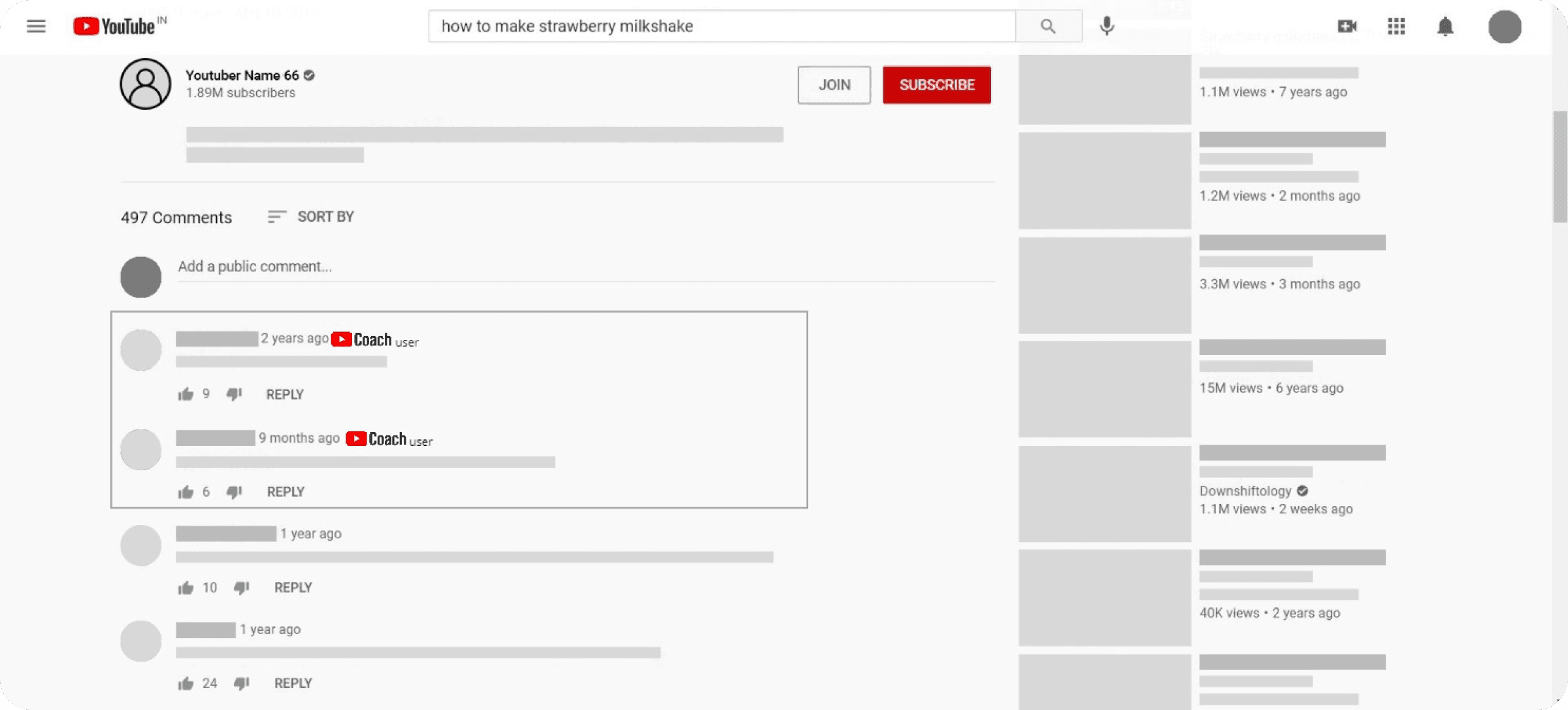
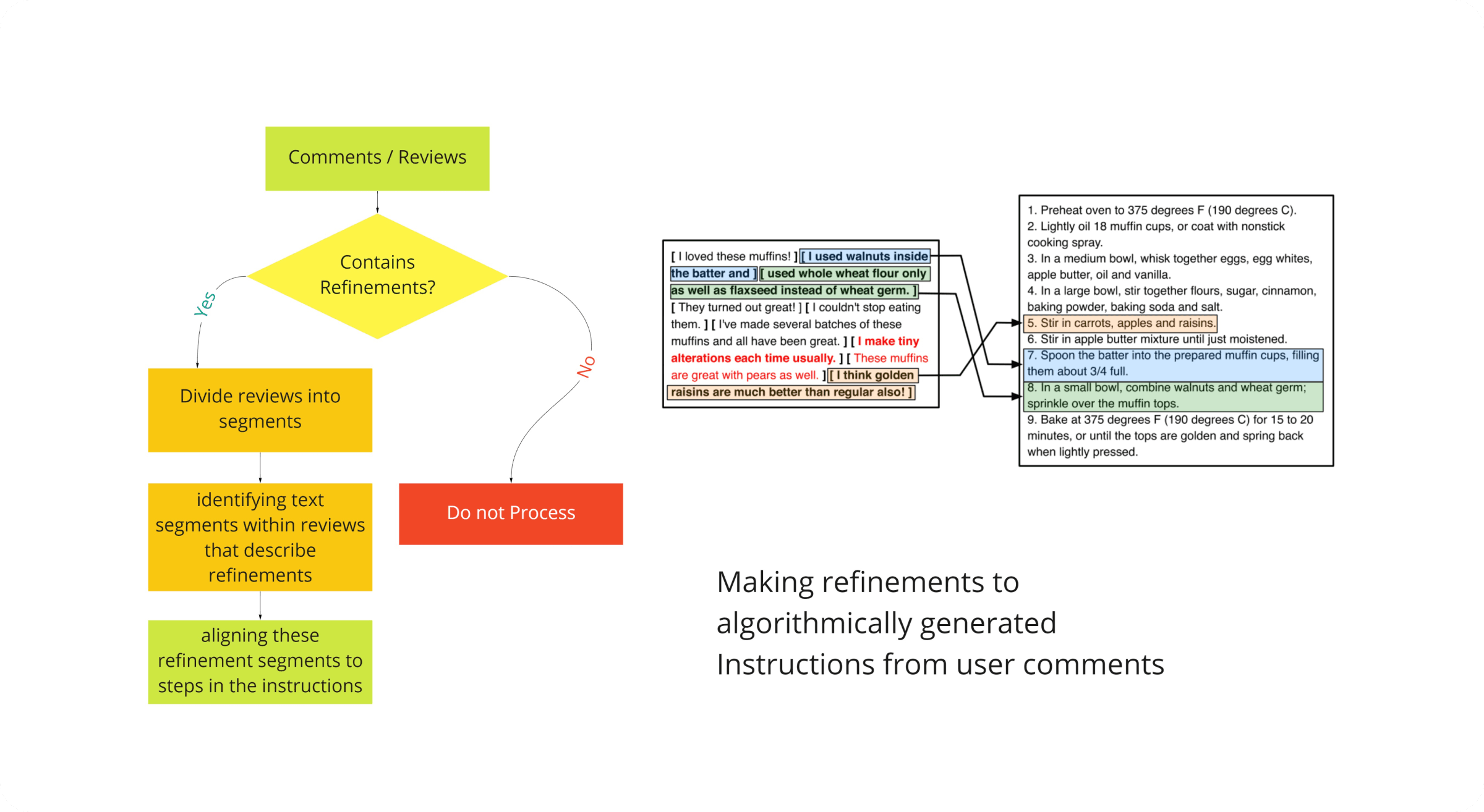
Beyond simple comments, the system also looks for refinements buried in reviews — a comment that describes a specific change to a step, rather than just general feedback — and aligns that refinement text to the exact instruction step it's describing, so algorithmically generated instructions can improve over time from real usage.
User journeys
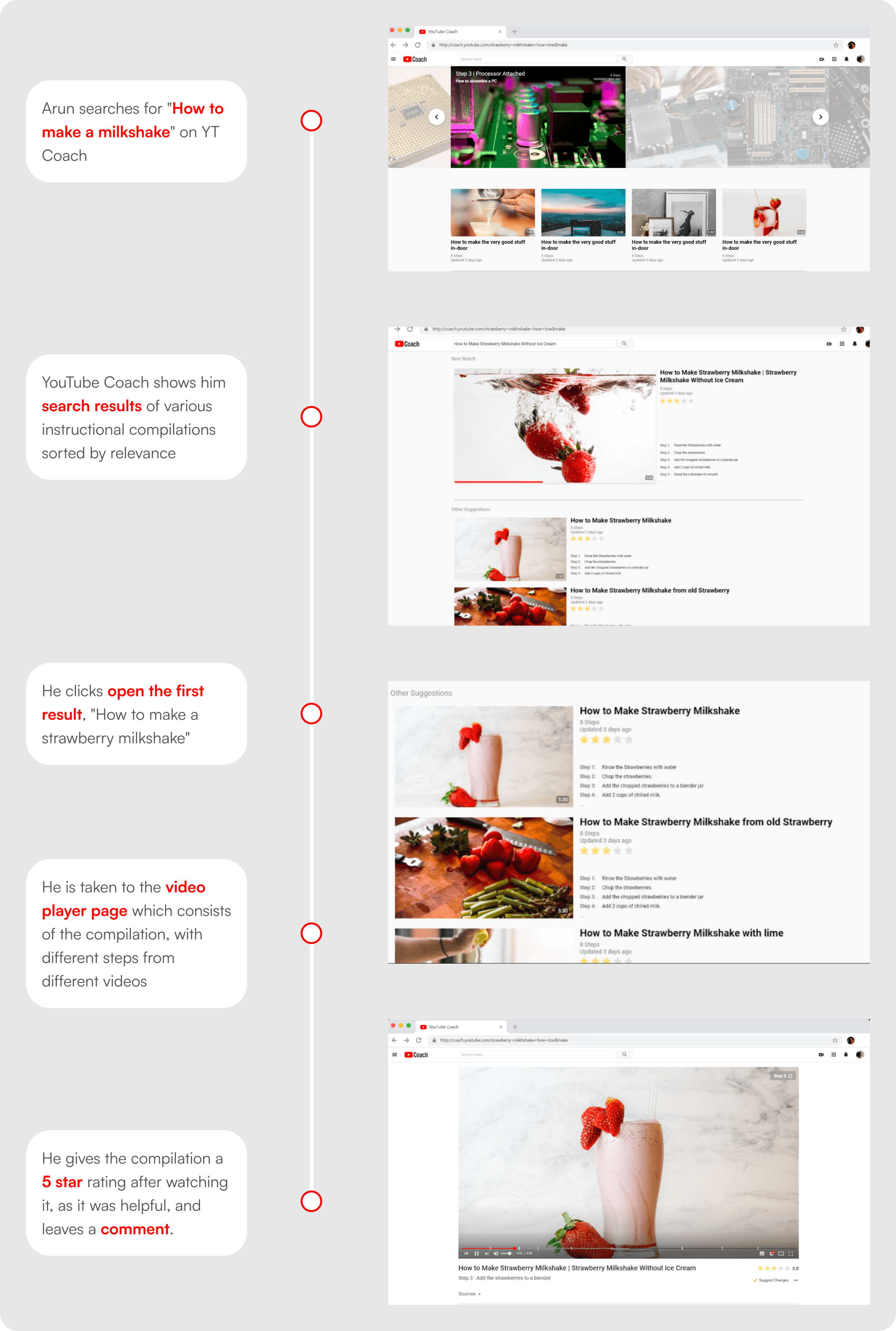
Arun searches YouTube Coach for "How to make a milkshake." He's shown search results sorted by relevance, opens the first one, and is taken to a video player compiled from steps across different source videos. Finding it helpful, he rates the compilation 5 stars and leaves a comment.
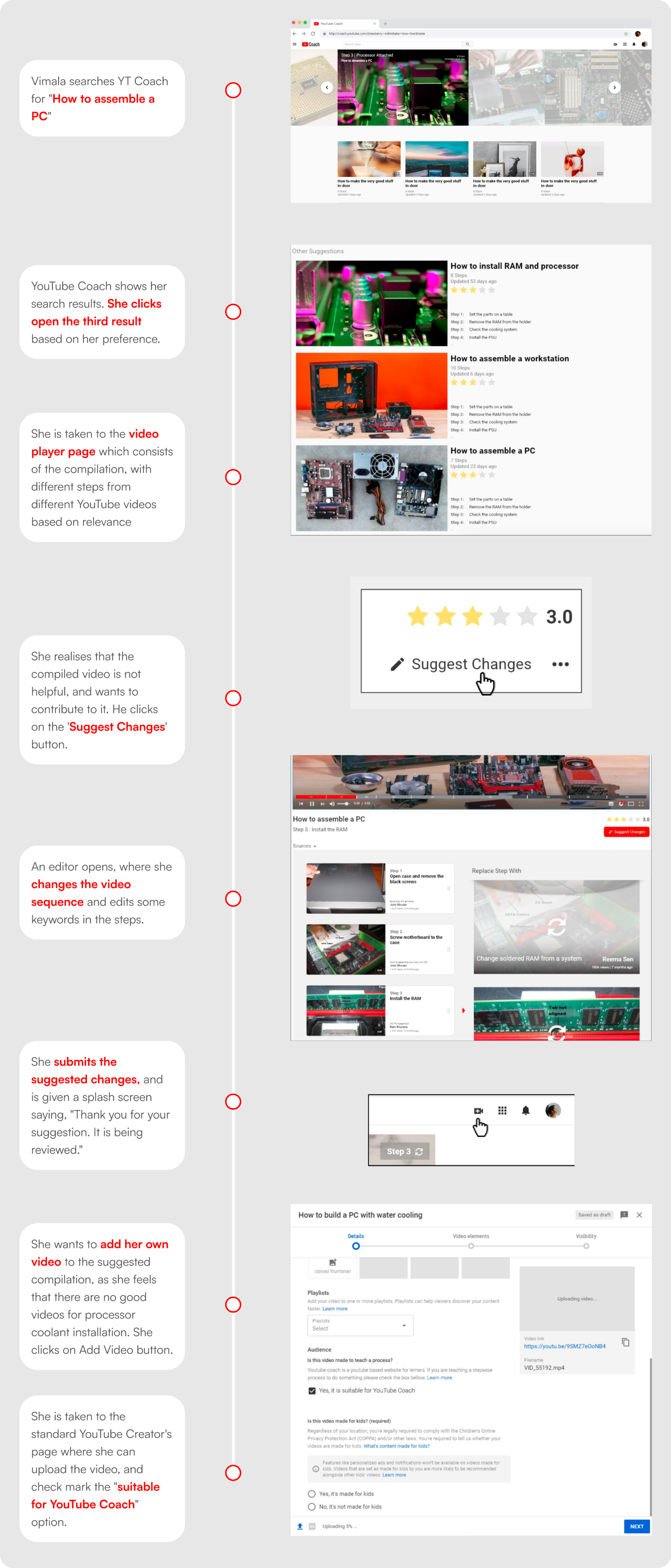
Vimala searches for "How to assemble a PC" and opens a different result based on her own preference. She finds the compiled video isn't quite helpful enough, and uses the "Suggest Changes" button to open an editor where she reorders the video sequence and edits some of the step keywords. After submitting her suggestion, she also notices there's no good video for the processor-coolant-installation step specifically, so she uploads her own video through the standard YouTube upload flow and marks it as suitable for YouTube Coach.