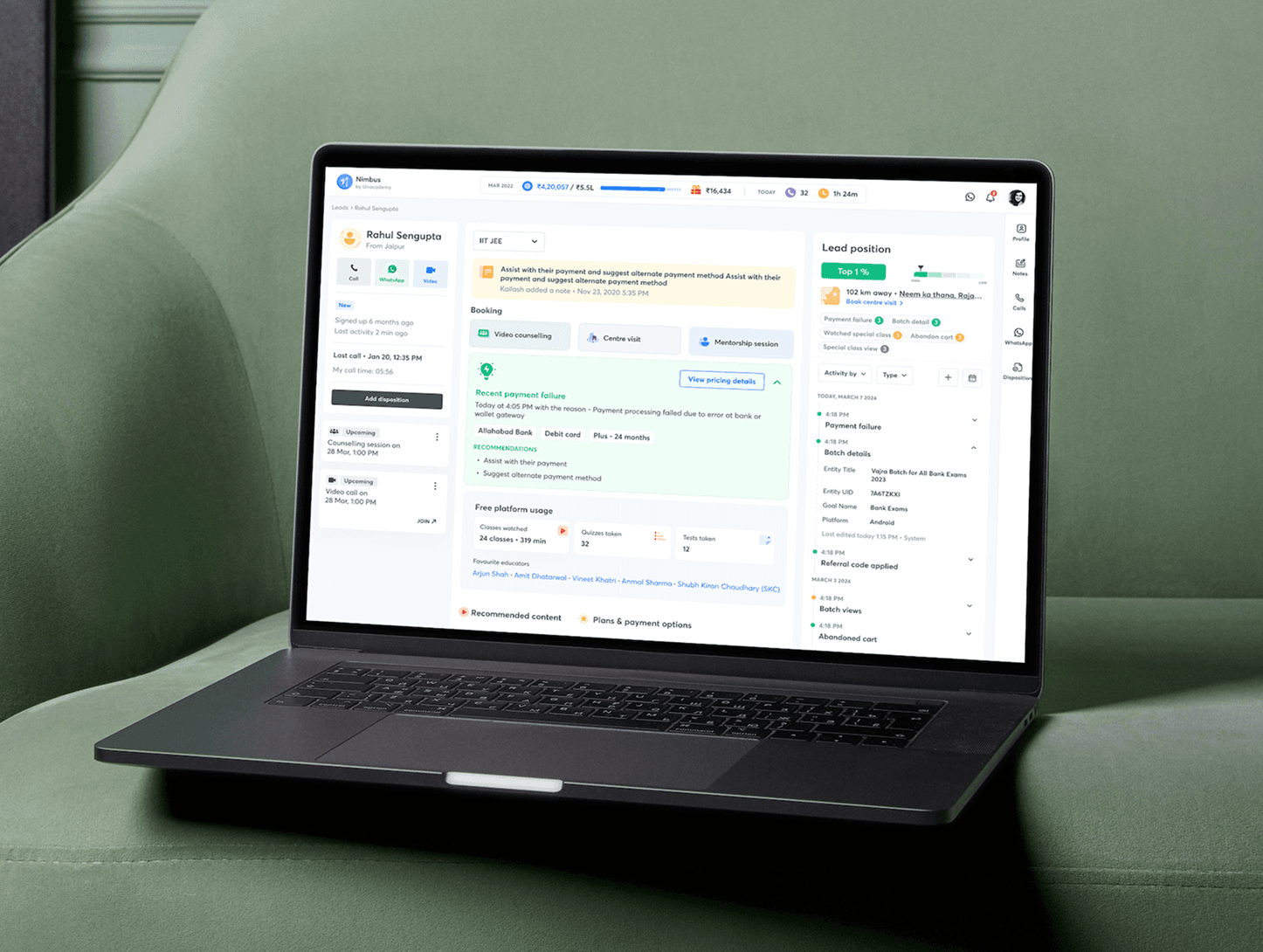
Improving coverage using a lead ranking mechanism in Nimbus
A new "lead position" feature for Unacademy's in-house CRM tool, simplifying how sales executives prioritise leads by their likelihood of converting.
At Unacademy we built an in-house CRM tool called Nimbus. A CRM (customer relationship management) system manages all of a company's interactions with current and potential customers — the main goal is to improve relationships to grow the business. Nimbus helps the sales team stay connected to customers, streamline processes, and improve profitability.
This project introduces "lead position," a feature that simplifies prioritising leads by their likelihood of converting, so BDEs (Business Development Executives) can focus their effort on the most promising opportunities.
| Year | Category | Duration | Platform |
|---|---|---|---|
| 2023 | Professional | 16 Weeks | Web |
Problem statement
The sales team dialled a certain number of leads every day, but coverage — the share of available leads actually connected with — was under 50%. That meant we were missing out on a large share of potential leads that never got contacted. With a limited workforce, there were only two ways to increase conversions: dial more leads, which wasn't possible without growing the team, or find which of the already-available leads had the highest potential to convert and route the existing workforce there instead.
Business needs
- Improve the sales team's efficiency with a system that prioritises high-scoring leads and makes it easy to sort and find them.
- Increase the conversion rate by increasing coverage of high-quality leads specifically.
- Support data-driven decision-making for sales efforts with a simplified, explainable lead score.
User stories
Mohan, a sales executive, manages a large volume of leads daily and struggles to know which to focus on first — he spends too much time on low-potential leads and misses high-value ones as a result. He wanted a lead score visible directly on each record in the lead list, so he could assess potential at a glance and sort by it.
Nitisha, a sales executive handling IIT JEE and NEET UG leads, needed to segregate a high volume of leads from various sources and tailor her outreach differently per segment — rather than treating every lead in her pool the same way.
Functional needs from the feature
- Lead position, along with details like probability to convert, should update in real time as new activity comes in.
- The top activities that drove a lead's score should show up alongside its position, so the executive understands why a lead ranks where it does.
- Activities shown with the lead position should be colour-coded by the conversion-rate bucket of that activity type.
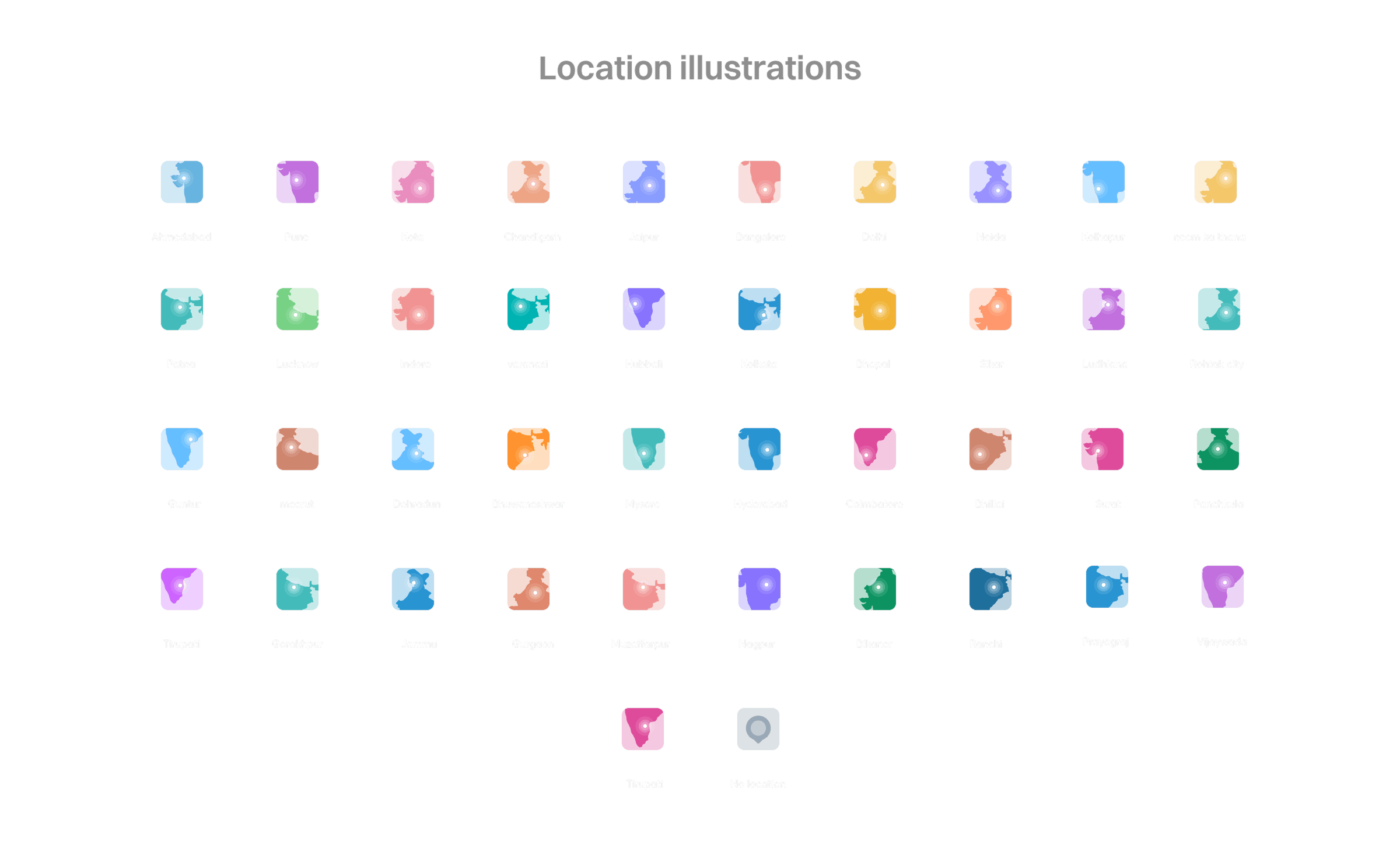
- The nearest centre should be shown, with the ability to book a visit directly — including a geolocation-based thumbnail, per-centre design variants, and a generic fallback image when location can't be determined.
- Colours stay consistent for the same activity across both the lead score tab and the activity panel.
- Clicking an activity in the lead score tab filters the same activity in the activity panel, with multiple selection supported.
- Activity counts shown in the lead score panel are calculated on a rolling 7-day window, with a tooltip explaining that.
Existing navigation and layout
The existing flow for a sales executive on Nimbus was to log in, land on one of the tabs of the lead list page to view assigned leads, then select a particular lead to open its detail page. That detail page used a 2-column layout that didn't leave much room for surfacing a lead's activity alongside its other details.
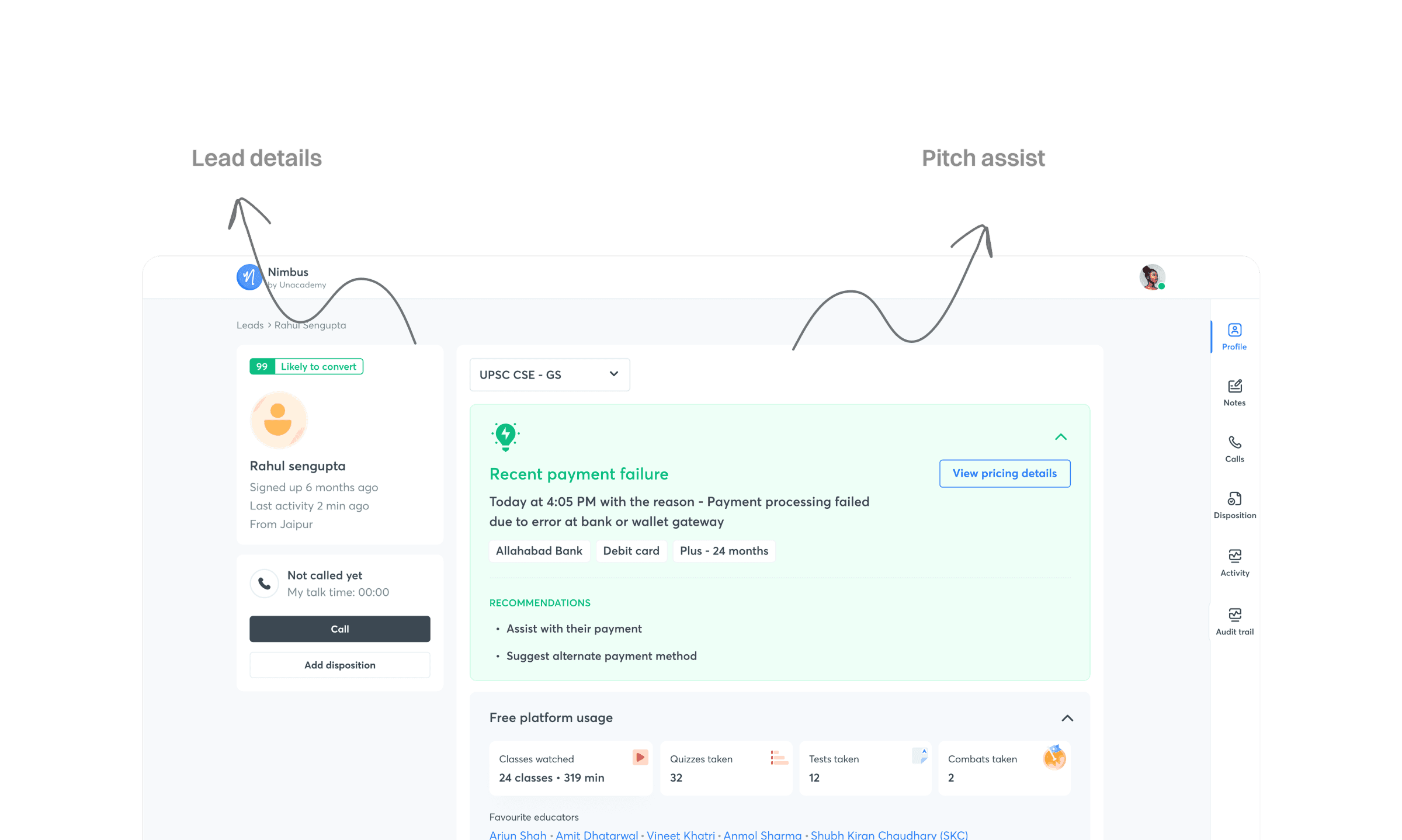
Change in the layout of the lead detail page
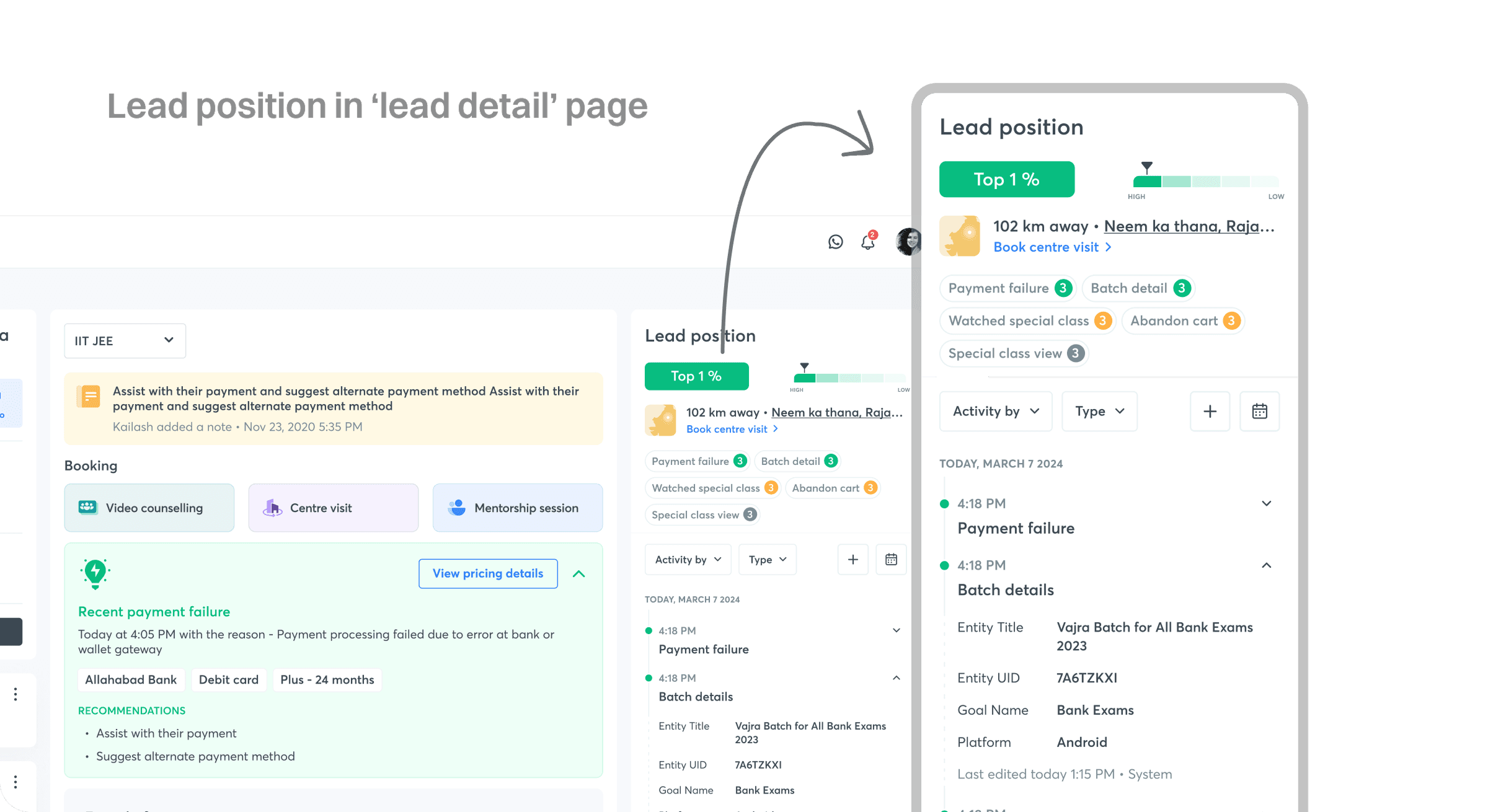
The old UI made it hard for BDEs to glance at the important activities a lead had performed. With lead position now part of the picture, it became more important than ever to see activity in context alongside the lead's details — so we moved from a 2-column to a 3-column layout. The left column (lead info and CTAs) stayed unchanged. The middle column narrowed slightly to make room. A new right column was introduced, holding both the activities and the lead position. The page width grew from a fixed 1060px to 1272px, based on the actual screen sizes BDEs use.
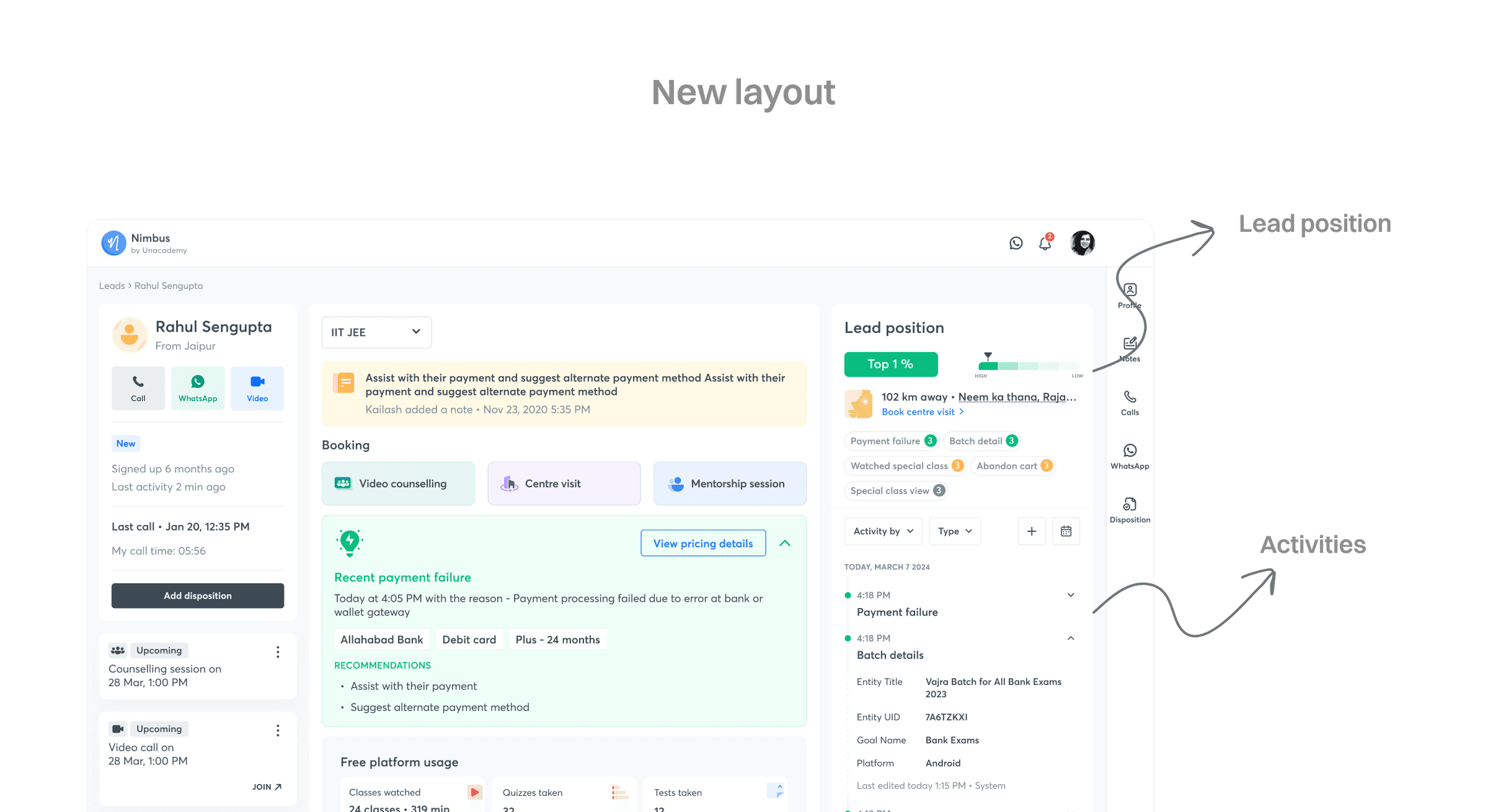
Lead position
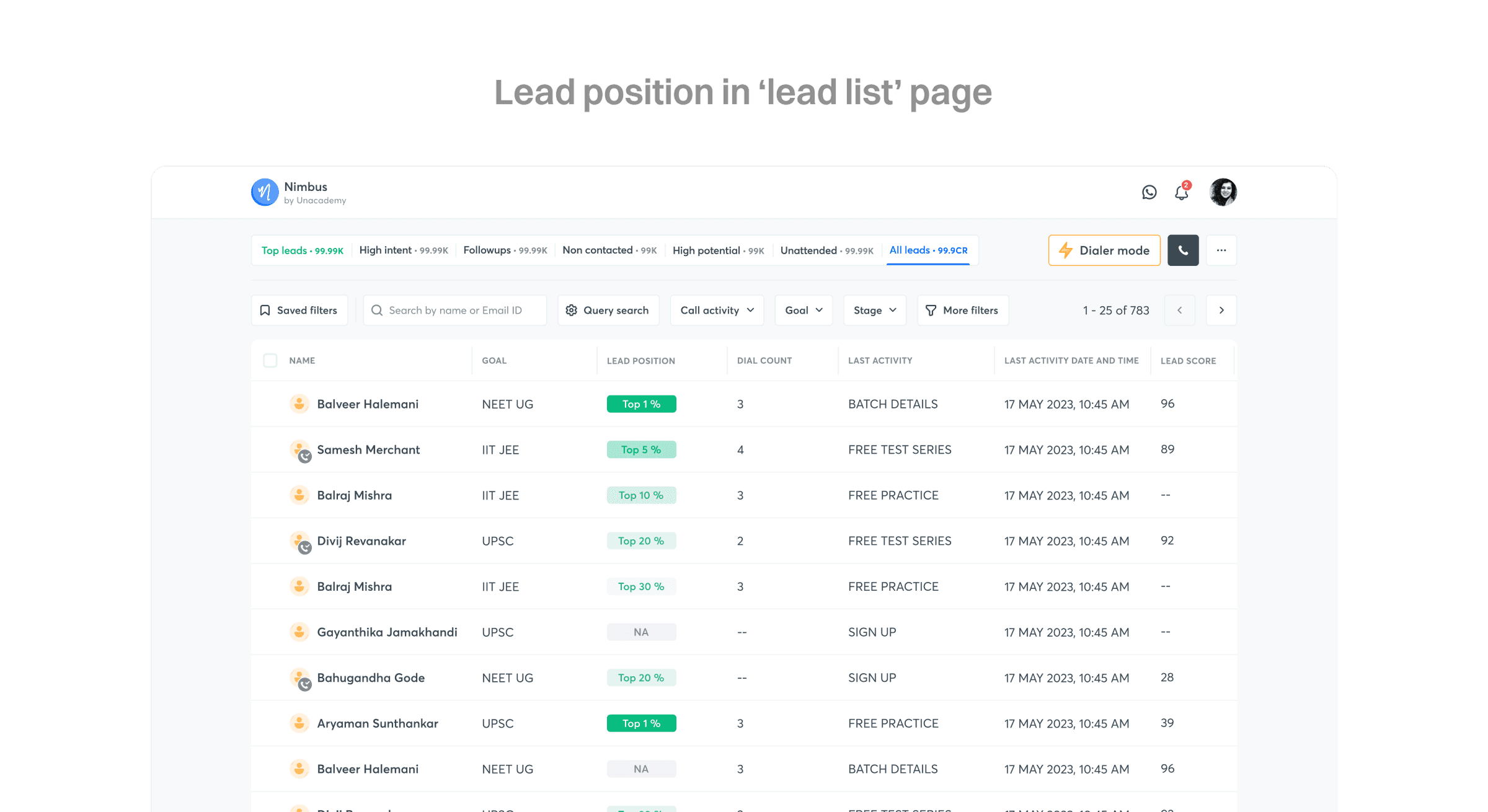
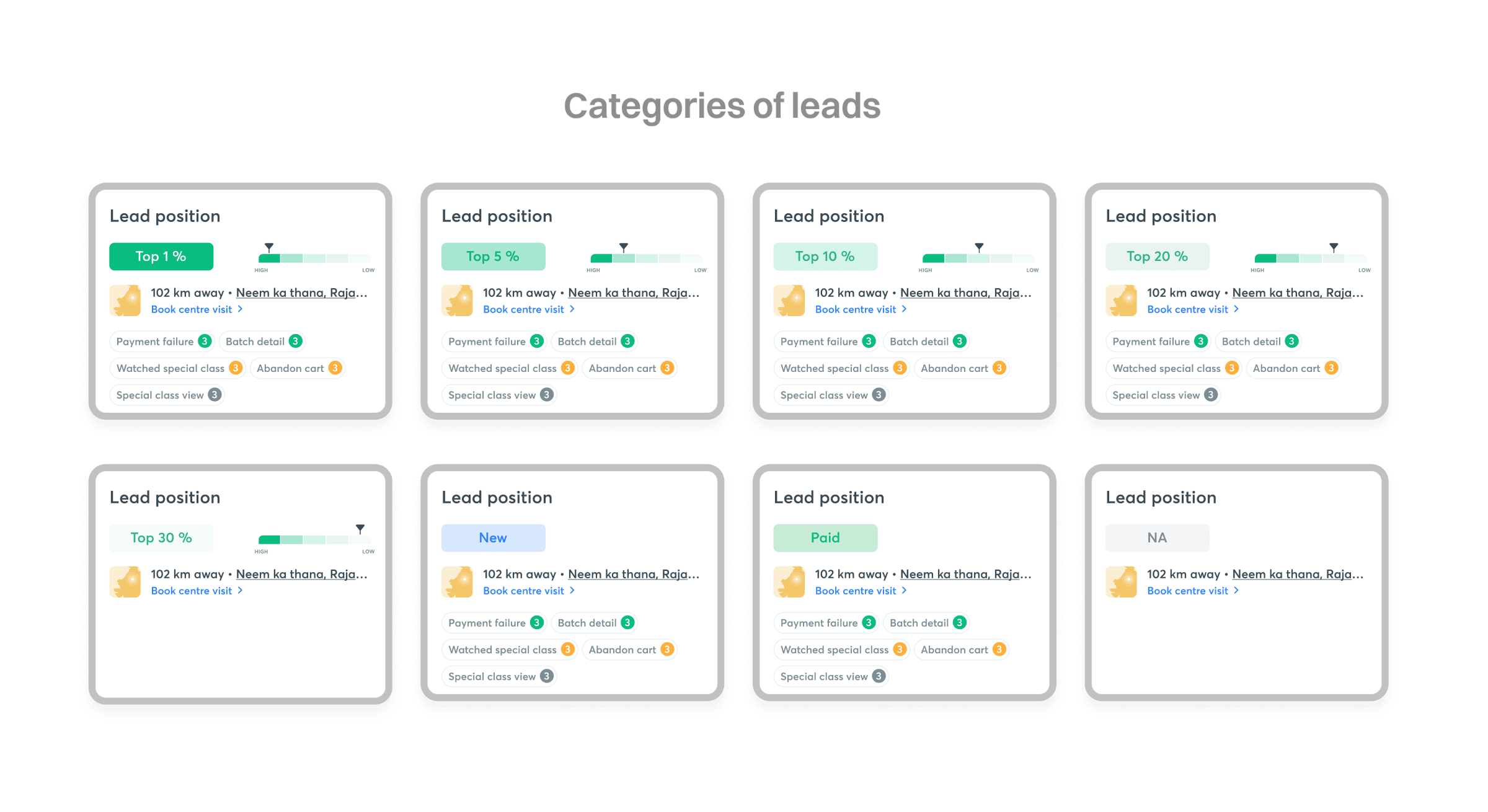
Lead position needed to show up in two places. On the lead list page, it appears as a new, sortable column, so an executive can compare leads at a glance. A few leads are handled specially here — those who signed up very recently, those who haven't yet performed any activity the scoring model considers, and those who've already paid for a subscription.
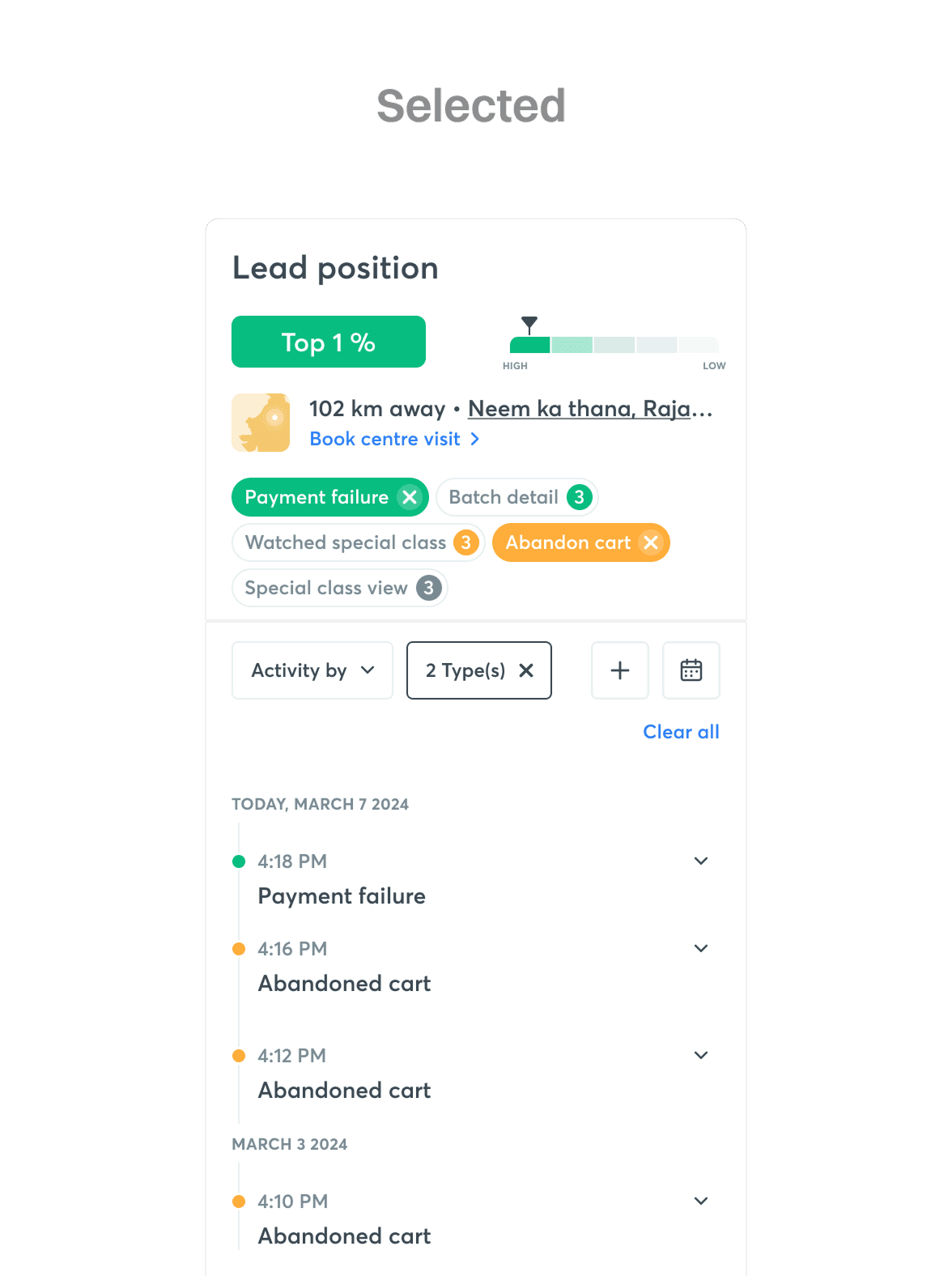
On the lead detail page, an individual lead's position is shown as a colour-coded container with its ranking number, plus a visual indicator as a fail-safe in case the colour itself doesn't read clearly or the display renders it incorrectly.
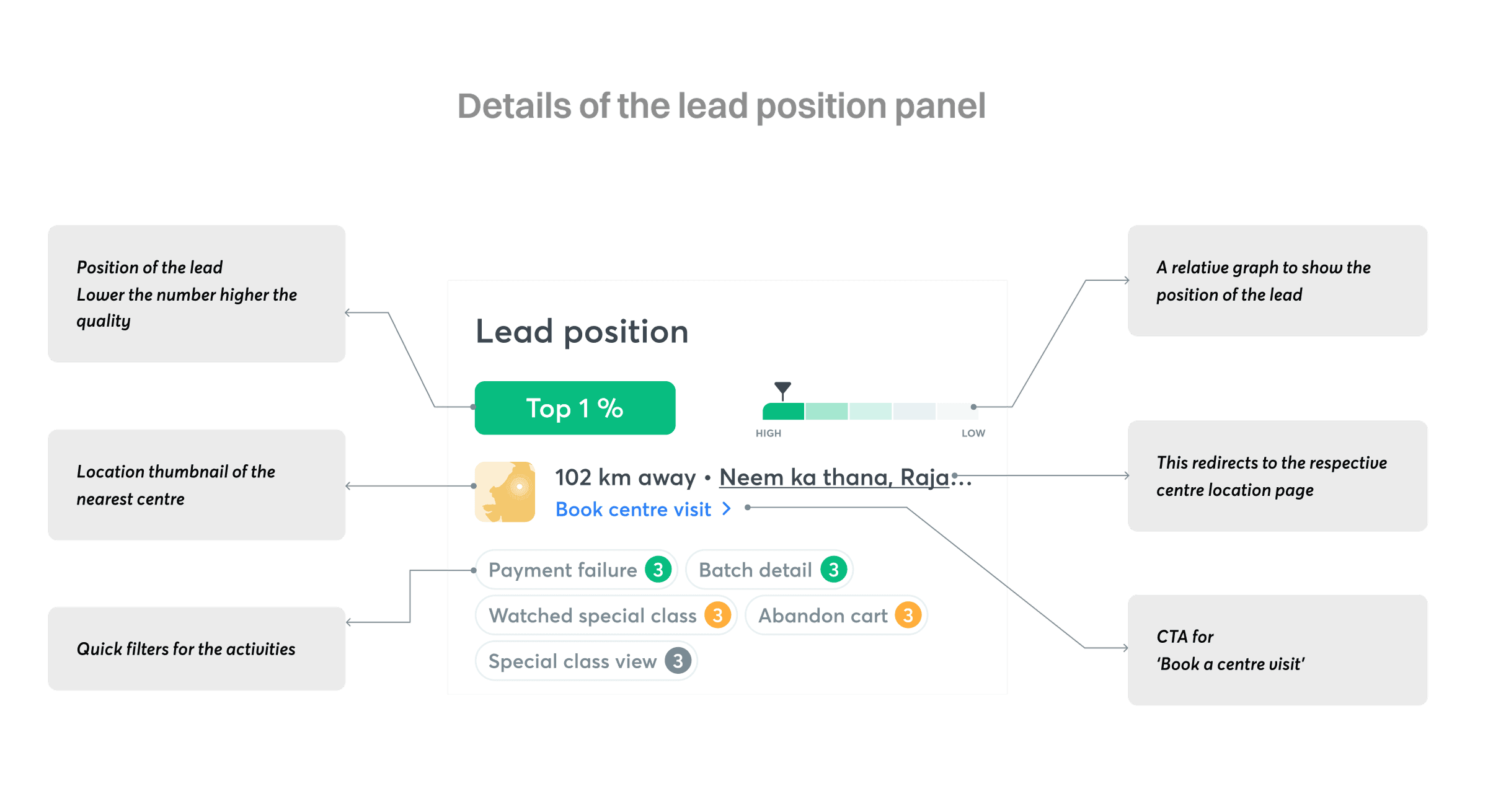
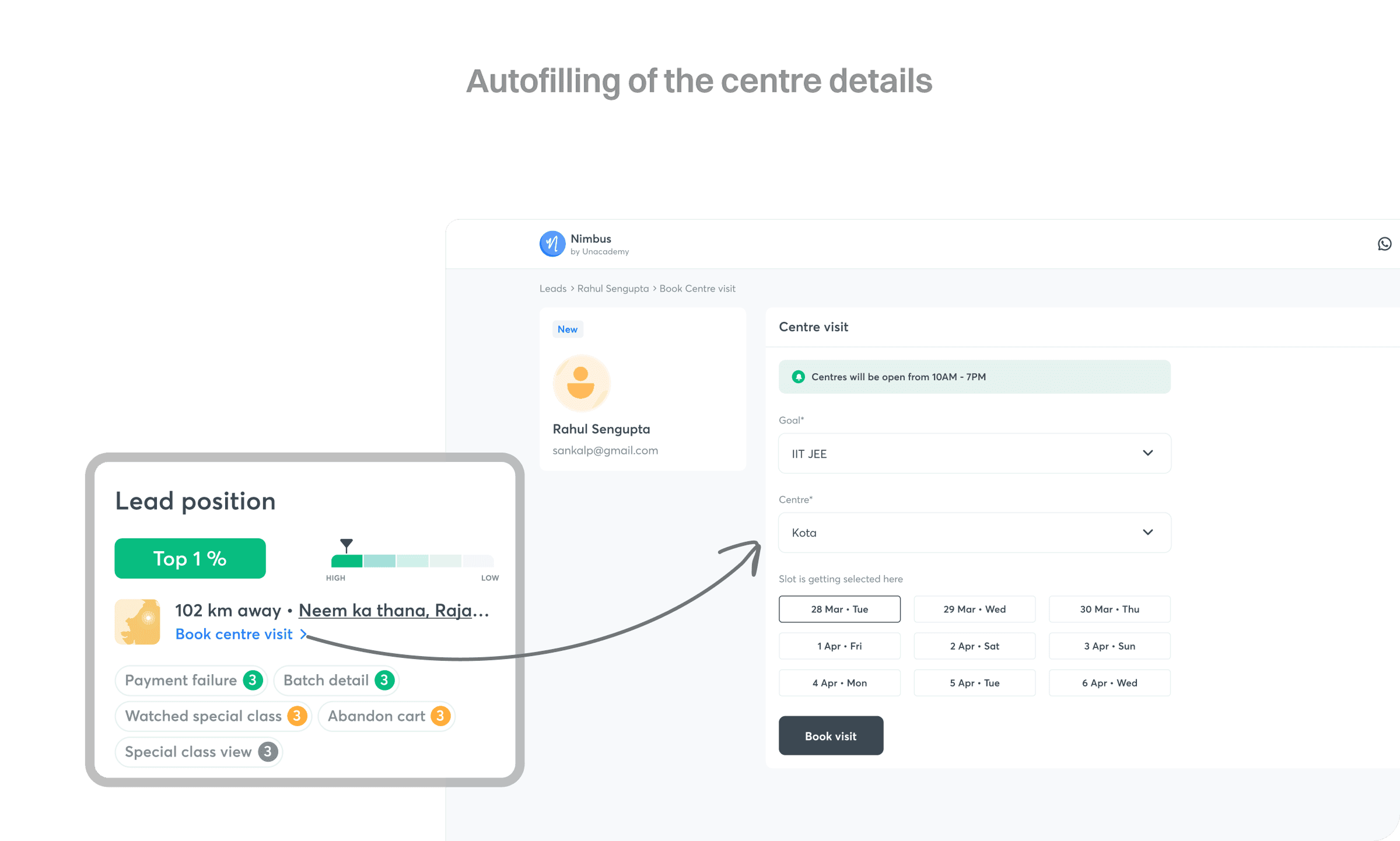
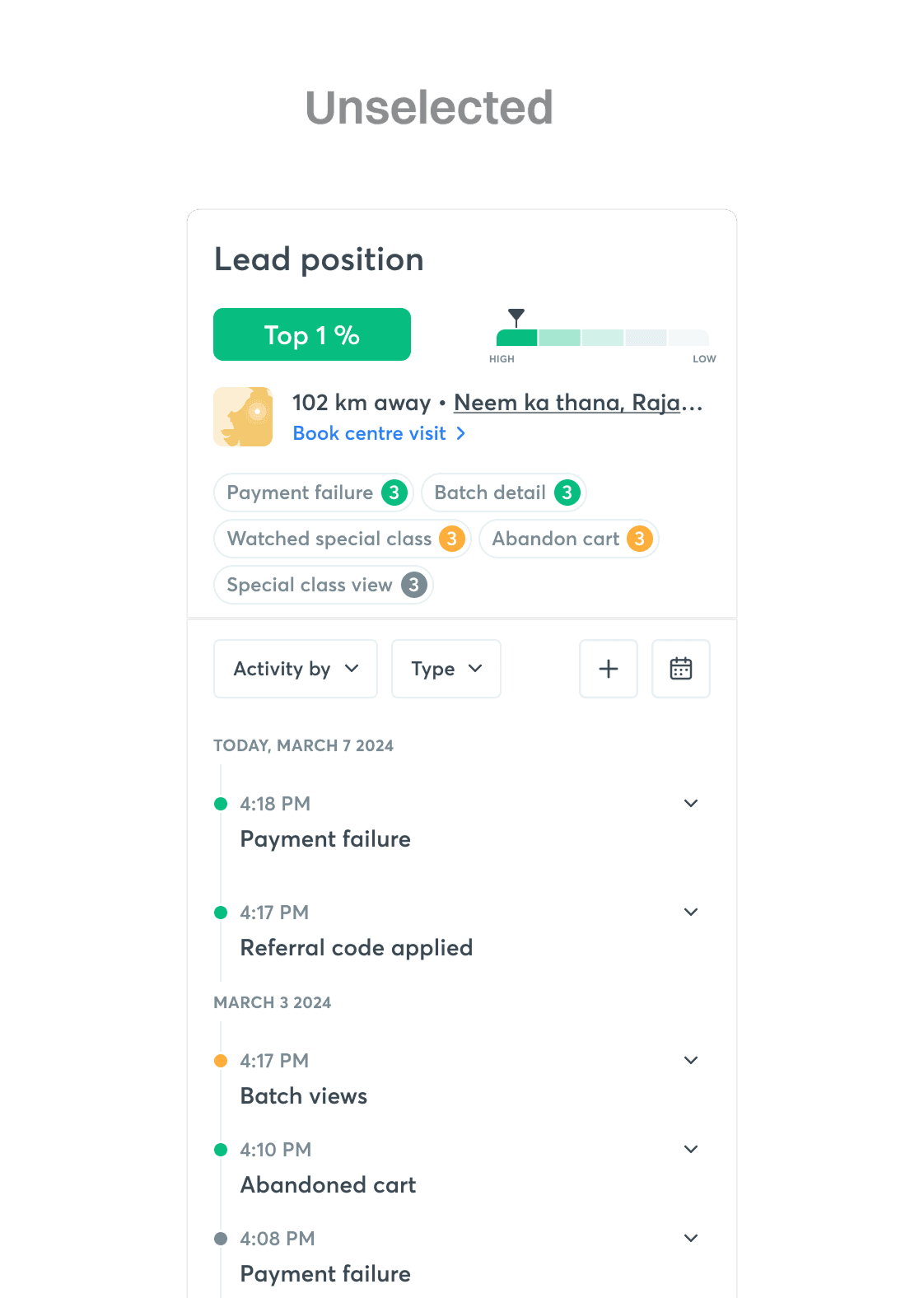
Every element of that panel was deliberate: the position number (lower is higher quality), a relative bar showing where the lead sits against others, a location thumbnail and link for the nearest centre with a direct "Book centre visit" CTA, and quick filter pills for the lead's top activities.
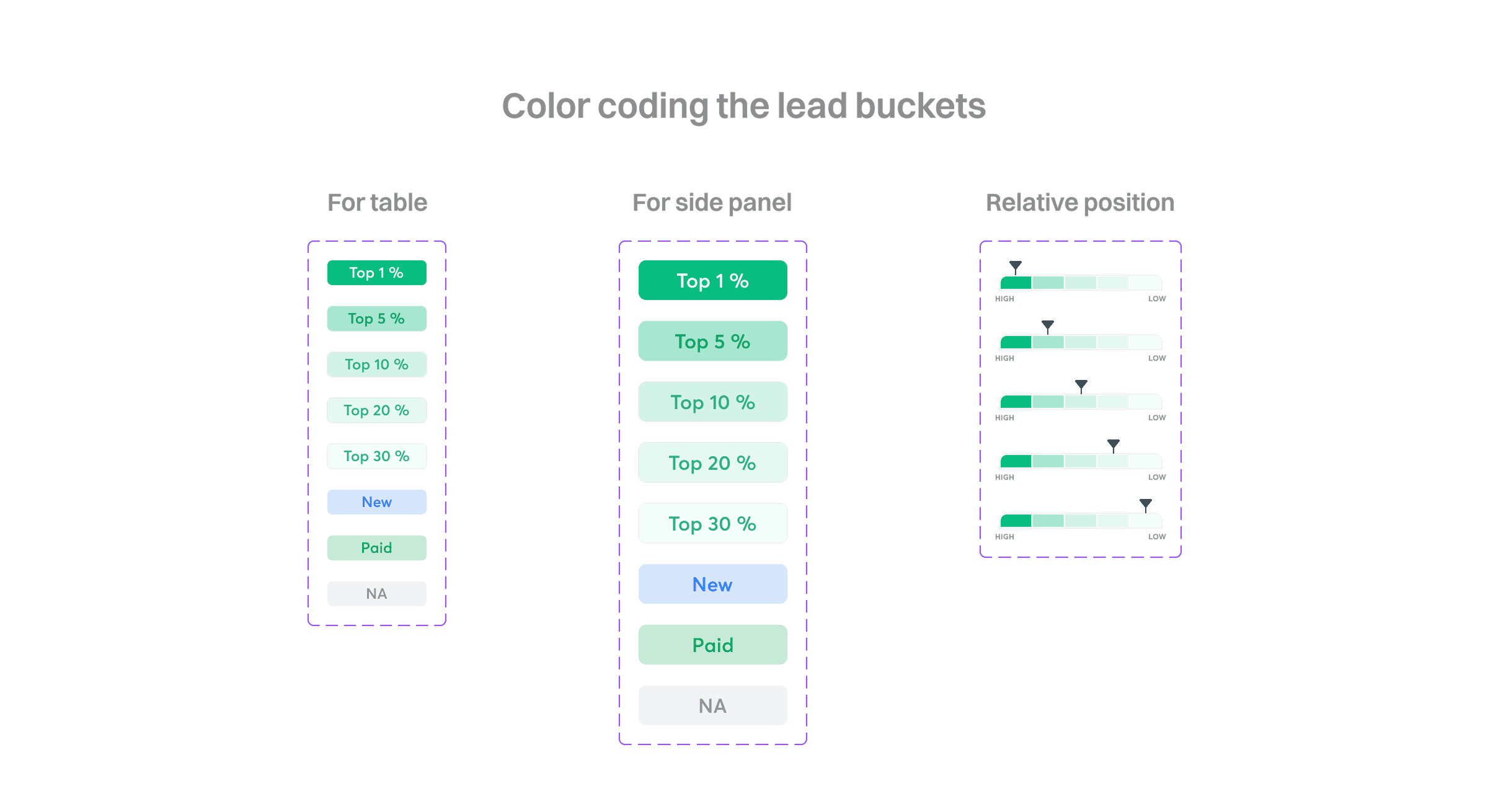
Color coding lead position
Leads were classified into four categories. Leads with an actual position number use a monochromatic scheme with varying contrast — the top lead gets the highest contrast for easy scanning in a long list, fading down toward the bottom. The top 1% specifically get an extra level of contrast with white text, since their conversion rate is 63% higher than the next bucket down. Leads who signed up recently use blue text on a blue fill to stand apart, since there can be a lot of them. Leads who've already paid use a distinct green hue, and are few in number since they move to a separate list after a cron job. Leads without a position yet use grey text on grey, making them easy to visually ignore.
The same colour logic was applied consistently across the table view, the side panel, and the relative-position graph.
Showing the location of the nearest centre
Since a major share of Unacademy's revenue comes from offline subscriptions, it became important to let BDEs book an offline centre visit for leads showing offline-specific activity. This section is goal-gated, since offline SKUs are only available for three exams — IIT JEE, NEET UG, and UPSC. If a lead has shared their GPS location, we can triangulate the nearest centre and show the distance, and the booking form gets pre-filled when the BDE clicks "Book centre visit." If they haven't, we fall back to an IP-based city location or a generic thumbnail, and the CTA opens an empty form for the BDE to fill in based on the conversation.
Showing activities of a lead
Unacademy's platform triggers events whenever a lead performs a certain action — useful context for a sales executive reaching out. If a lead tried to check out, applied for a loan, and hit a payment failure, the executive can open with that context instead of starting the conversation from scratch, saving time for both sides.
Previously, activities were hidden two clicks away, behind an icon that opened a side panel. That buried their value, and being an overlay meant losing context on the rest of the lead's details while viewing it.
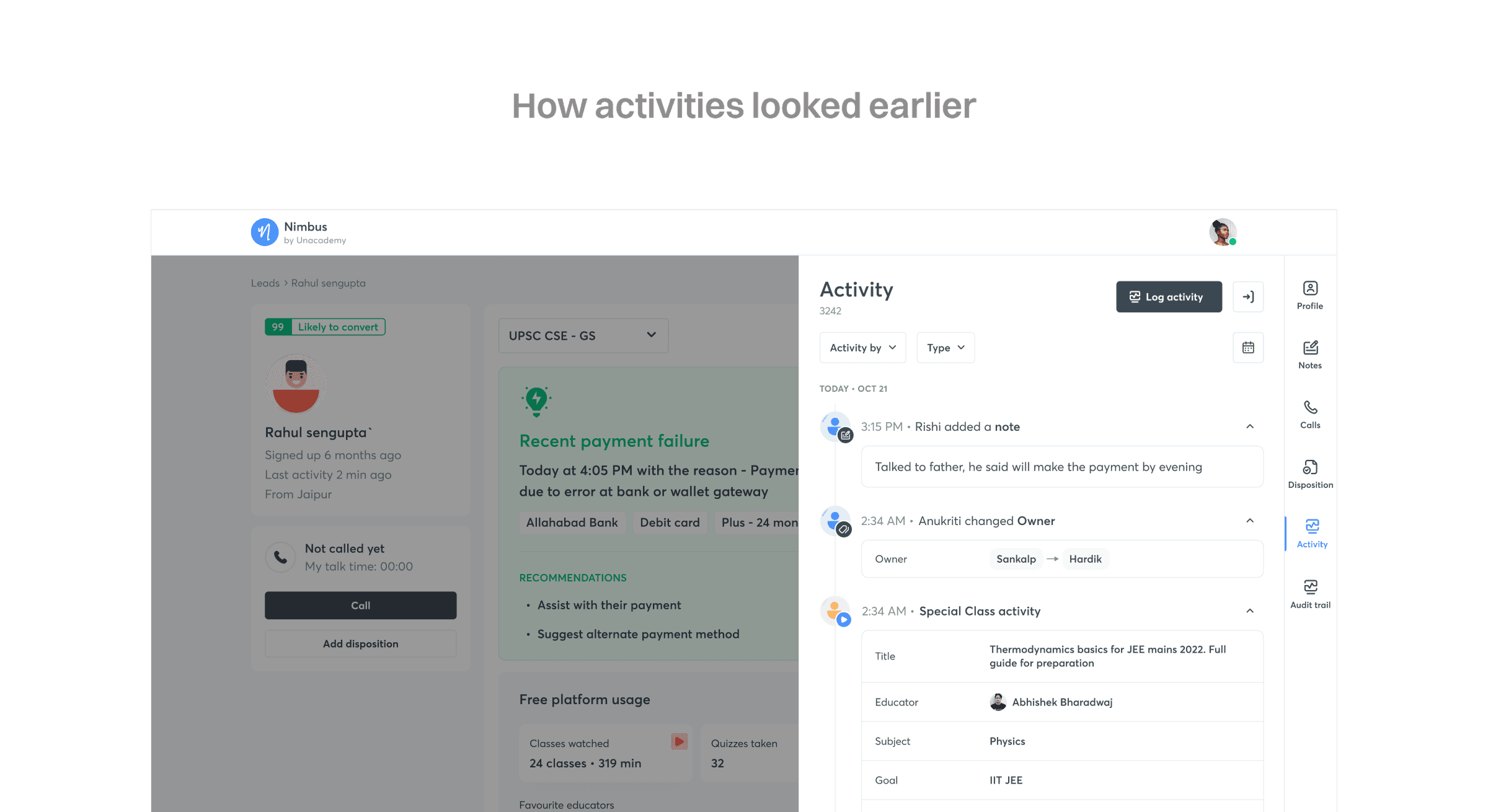
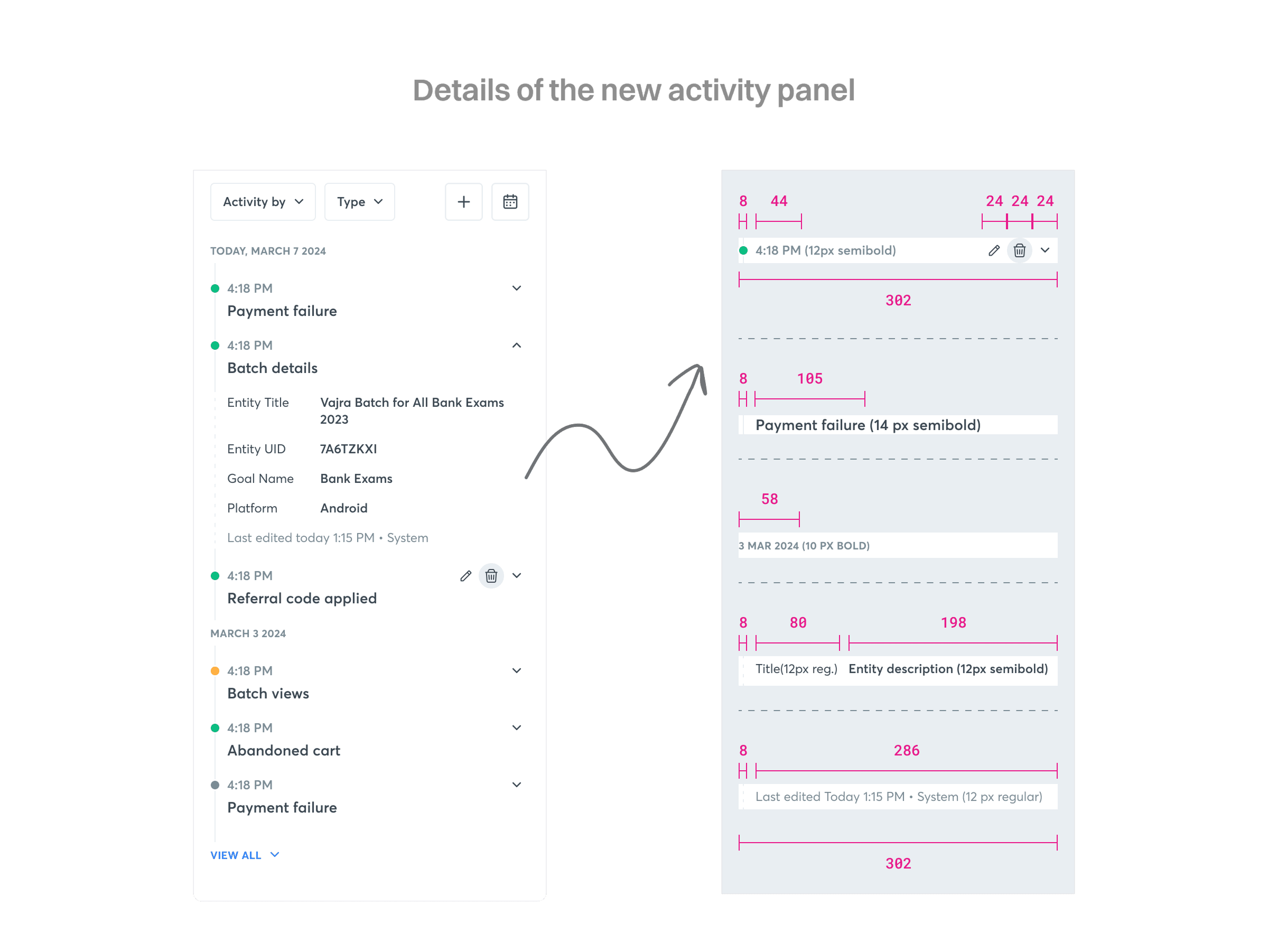
Bringing activities into the new third column meant a few adjustments to fit more at a glance: generic avatars were removed to save space, heading and content font sizes were reduced, and the chronology bullets were colour-coded using the same activity-importance logic — so a user can scan for what matters without applying a filter. Since editing or deleting an activity is rare, those buttons are hidden by default and only appear on hover, positioned in line with the timestamp so the activity name stays easy to read.
Query filtering
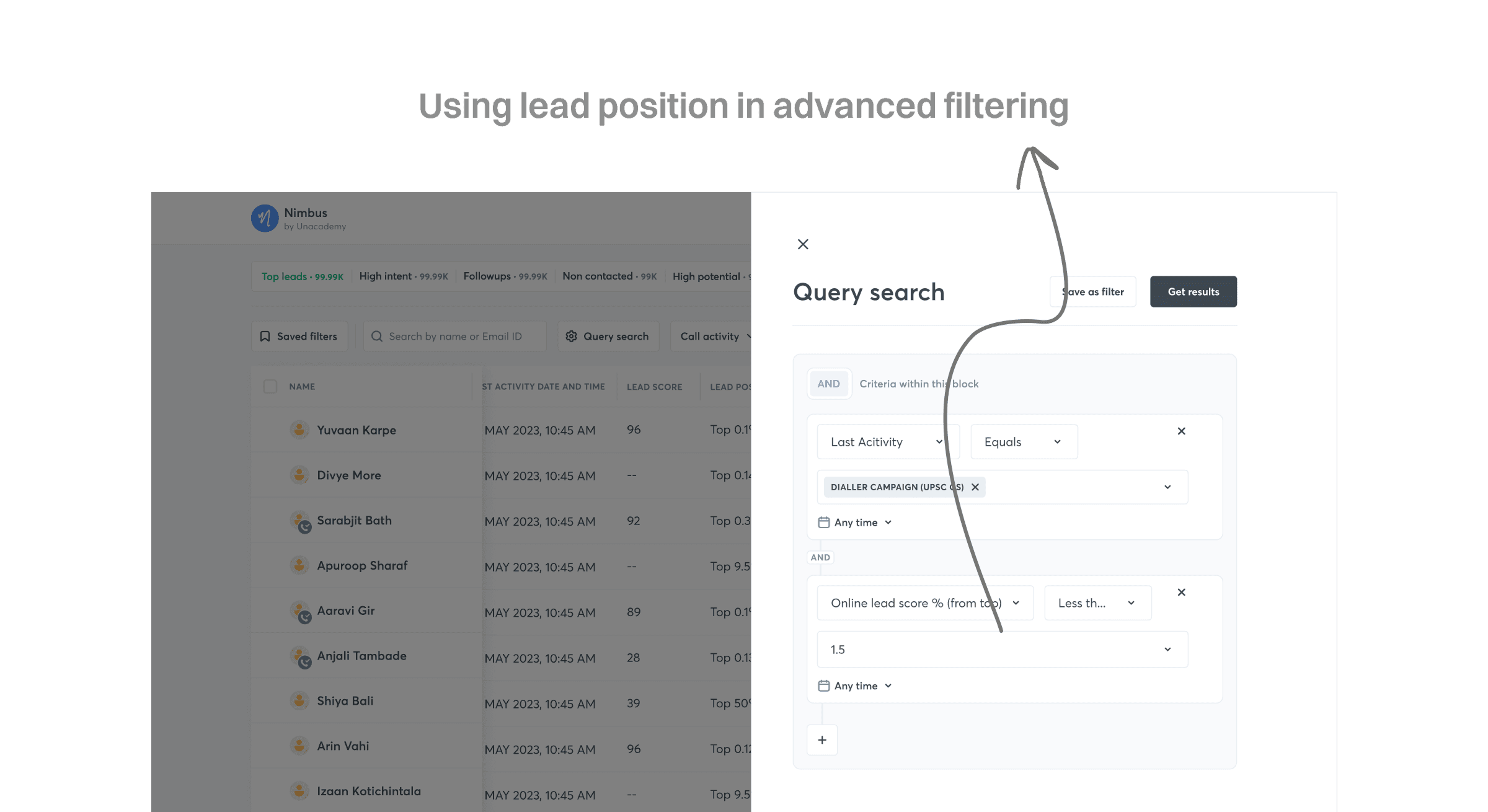
Since lead position was added to the lead list, it also became available as an advanced filter — sales executives can now filter and combine queries using lead position as a parameter, alongside existing filters like last activity.
Impact
- Coverage of high-intent leads increased from 63% to 87%.
- With leads now classified into buckets, BDEs spent less time on unqualified leads — at an average talk time of 3 minutes per lead, each BDE saved roughly 81 minutes a day, redirected to higher-quality leads.
- Lead-to-conversion rate increased by 6% over the previous baseline.