Enabling faster onboarding on Bridge by cutting KYC turnaround by 85%
Rebuilding KYC on Setu's platform as one profile every product reuses, and cutting median completion from 8 days to 1.2.
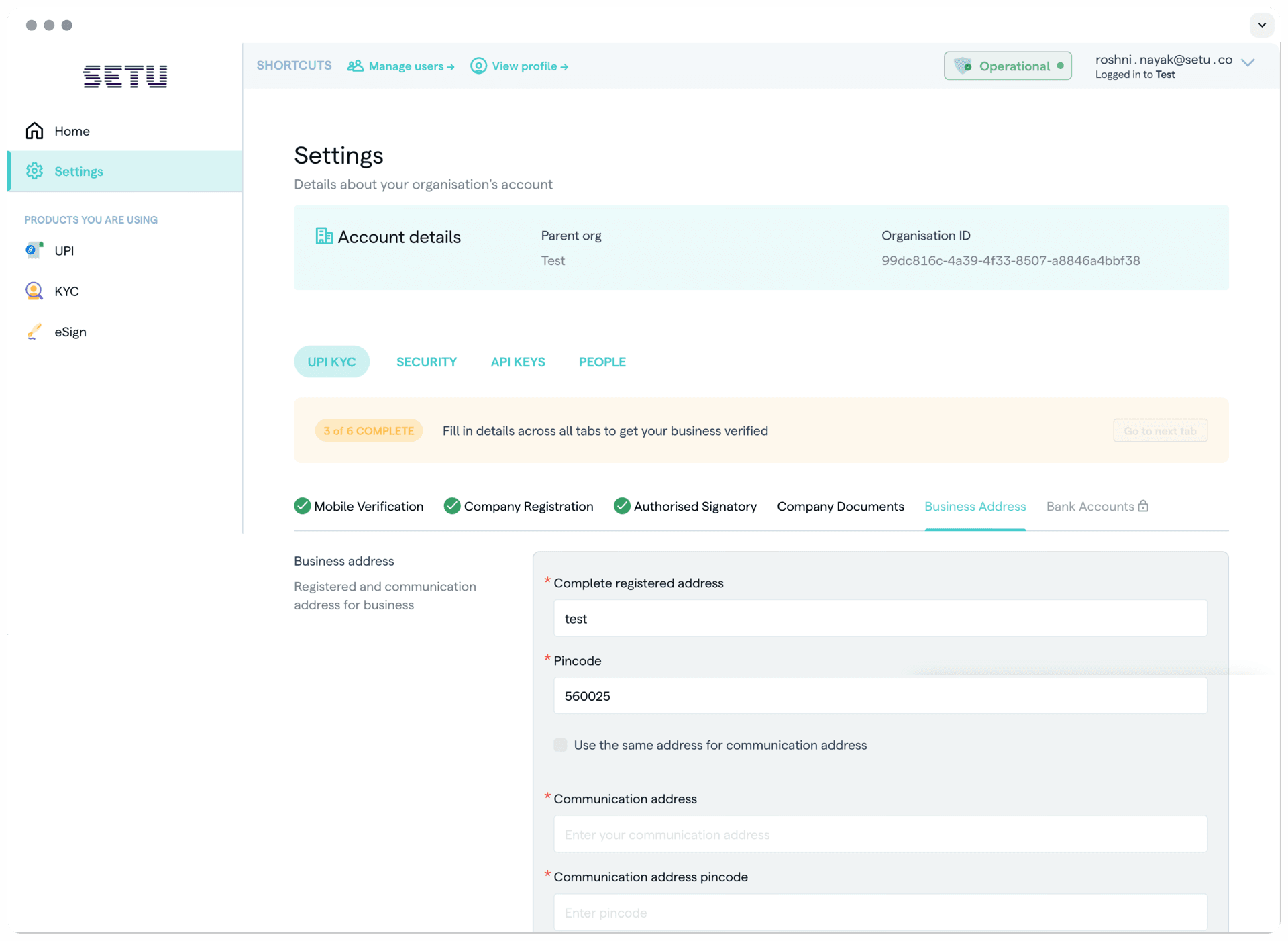
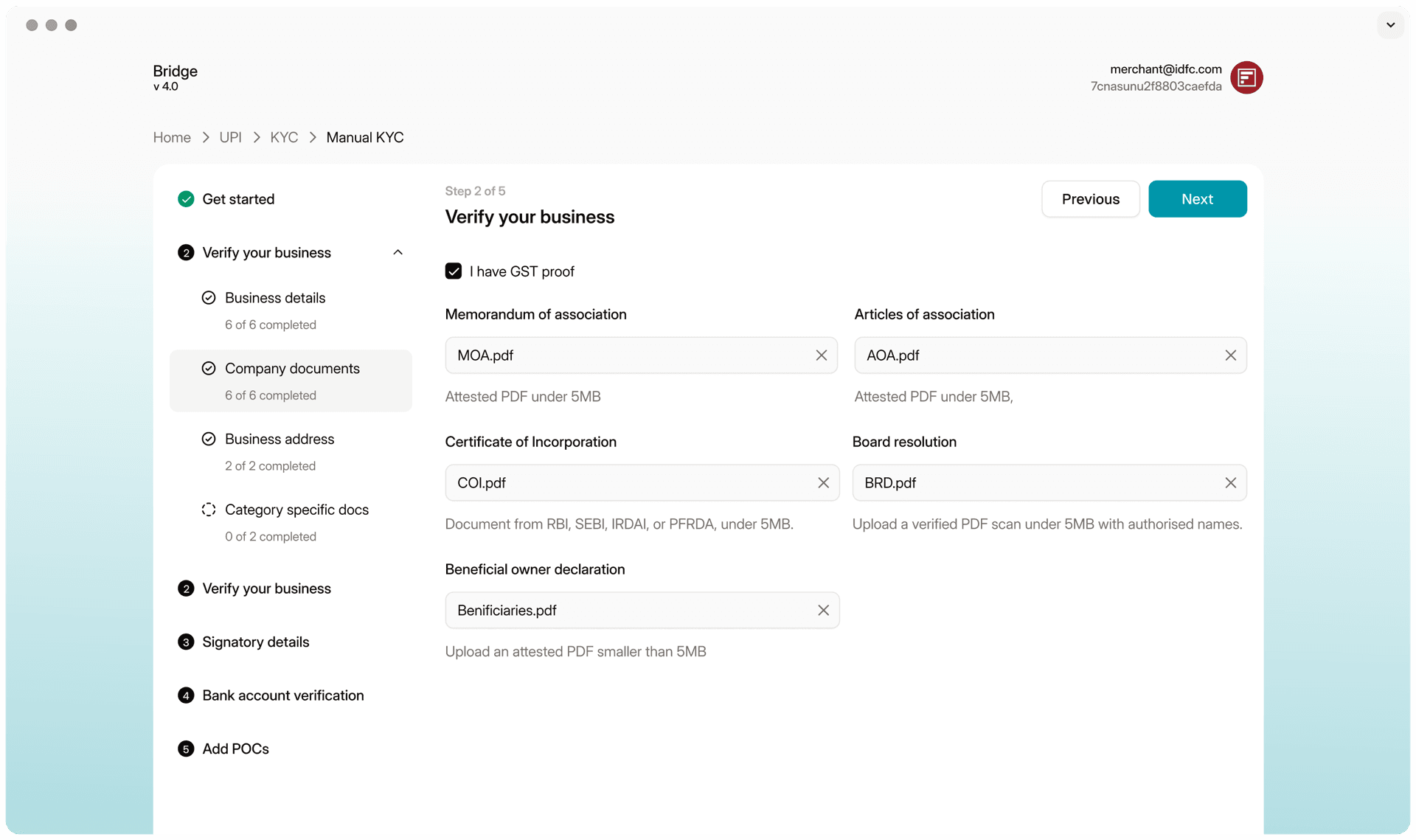
Try the KYC prototype
Walk through the new KYC flow on Bridge, live. Best on a laptop or desktop.
| Year | Company | Role | Timeline |
|---|---|---|---|
| 2025 | Setu by Pine Labs | Lead Product Designer | 3.5 months |
Team: 4 designers for research; I led design execution. Partners: Product, Onboarding, Compliance & Legal, Engineering.
| Result | What it measures |
|---|---|
| 8 → 1.2 days | Median time to complete KYC |
| ~700 → 2,400 | Weekly active users on Bridge |
| 1 KYC, 8 products | Verified once, reused everywhere |
TL;DR
Setu's products were built separately over six to seven years, and each one brought its own KYC flow onto Bridge, Setu's self-serve platform. Businesses had to repeat the same KYC for every product, and it became the slowest step before going live.
I led research across every product, then redesigned KYC as a single profile that is verified once and reused across products, with a matching review experience for the compliance team. Median KYC time dropped from 8 days to 1.2 days.
Context
What Setu does
Setu builds APIs that connect businesses to India's financial infrastructure. Its products fall into three groups:
- UPI payments: static and dynamic QR, and recurring payments.
- Bill payments: on the Bharat Bill Payment System (BBPS), serving both billers and bill-payment apps.
- Data and identity: eSign, DigiLocker, and Account Aggregator.
Who uses Bridge
Bridge is where businesses sign up for these products and get them running. They fall into four groups:
- Banks and NBFCs: Ujjivan Small Finance Bank, Mahindra Finance, IIFL Finance and Annapurna Finance collect loan repayments over BBPS, so customers can pay their EMIs from any UPI app.
- Wealth and trading platforms: INDmoney and ETMoney use Setu's Aadhaar eSign to onboard users and finish KYC faster, and Dhan runs its onboarding on Setu.
- Fintech lenders: Fibe, Olyv and Kissht run micro-loans, salary advances and buy-now-pay-later on Setu. Kissht verifies bank accounts with a UPI penny drop instead of asking for IFSC codes.
- Consumer tech and e-commerce: ShareChat and Pickrr build their checkouts on Setu's UPI, down to a single tap.
Banks and NBFCs



Wealth and trading



Fintech lenders


Consumer tech




Every business moves through the same four stages on Bridge: sign up, complete KYC, integrate, and go live. Bridge's job is to make that path as short and painless as possible.
Sign up
Create an account on Bridge
Complete KYC
Verify the business
Integrate
Connect a product's APIs
Go live
Start transacting
The problem
Six years of separate builds
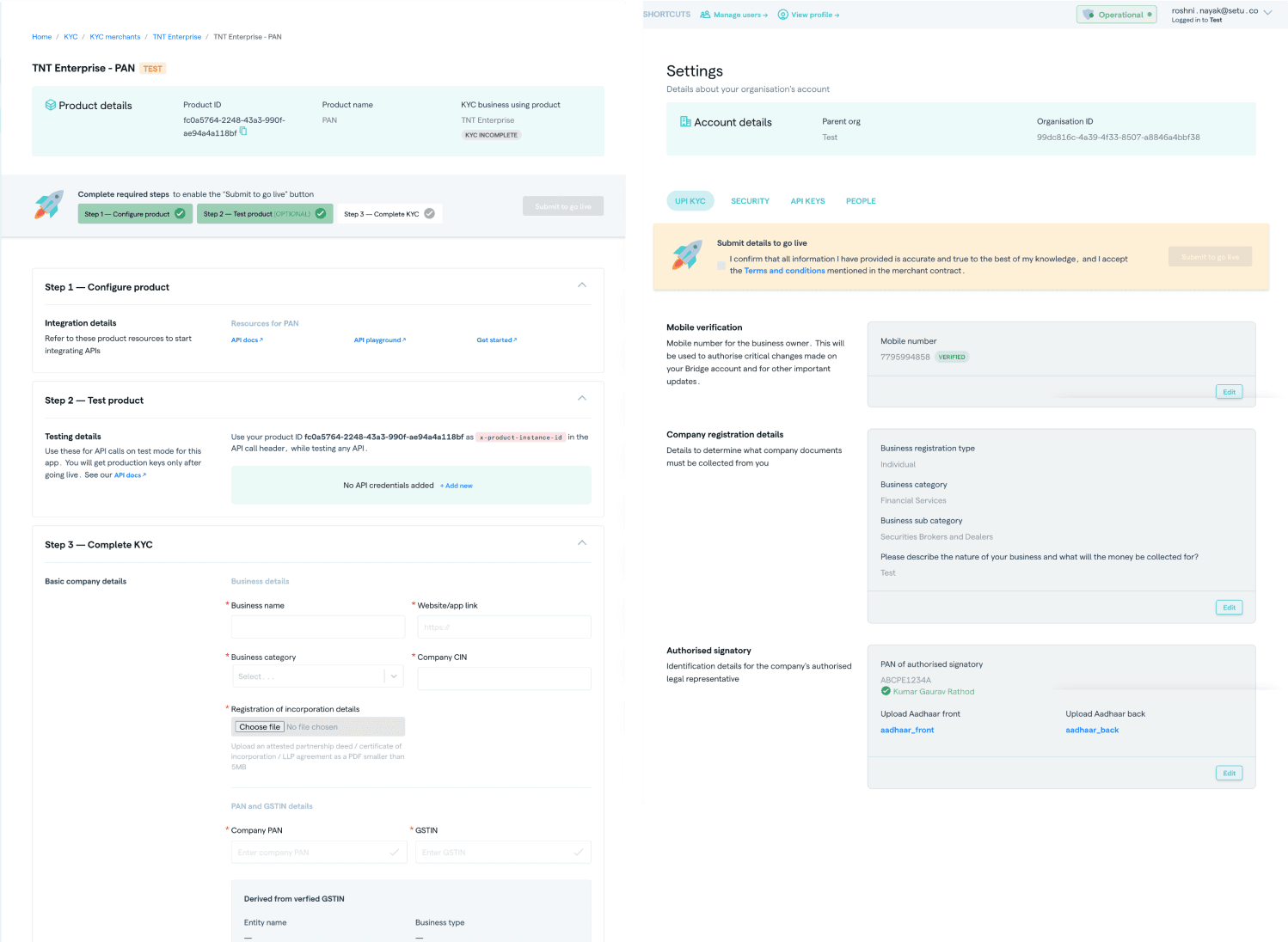
Each Setu product was built by its own team, at its own time, with its own patterns. When these products moved onto Bridge, they kept their differences: different flows, different layouts, and different rules. Bridge looked like one platform but behaved like several.
KYC was locked inside integration
KYC showed the problem most clearly. It sat inside each product's integration flow, so a business could only start KYC after it had integrated. When it wanted a second product, it started KYC again from scratch.
The repetition was significant:
- Repeated fields. When a business added a second product, about 95% of the KYC fields were the same ones it had already filled in.
- A slow start. It took five clicks just to begin onboarding.
- Duplicate proof. Details like the company PAN and GST number were verified automatically, and then businesses were asked to upload self-attested copies of the same documents.
- Repeated reviews. Each product triggered its own compliance review, even for details that had already been approved.
The result was that KYC became the slowest part of going live, with a median of 8 days.
Research
Getting a new team up to speed
The design team was entirely new, and Bridge carried six years of product history. So the research had two jobs: find the problems, and give the team a shared understanding of the platform.
We ran cross-functional workshops for every product. Each workshop included designers, product managers, the onboarding team, and an engineer. Together we captured each product's full journey across all four stages, screen by screen, and marked where businesses got stuck.
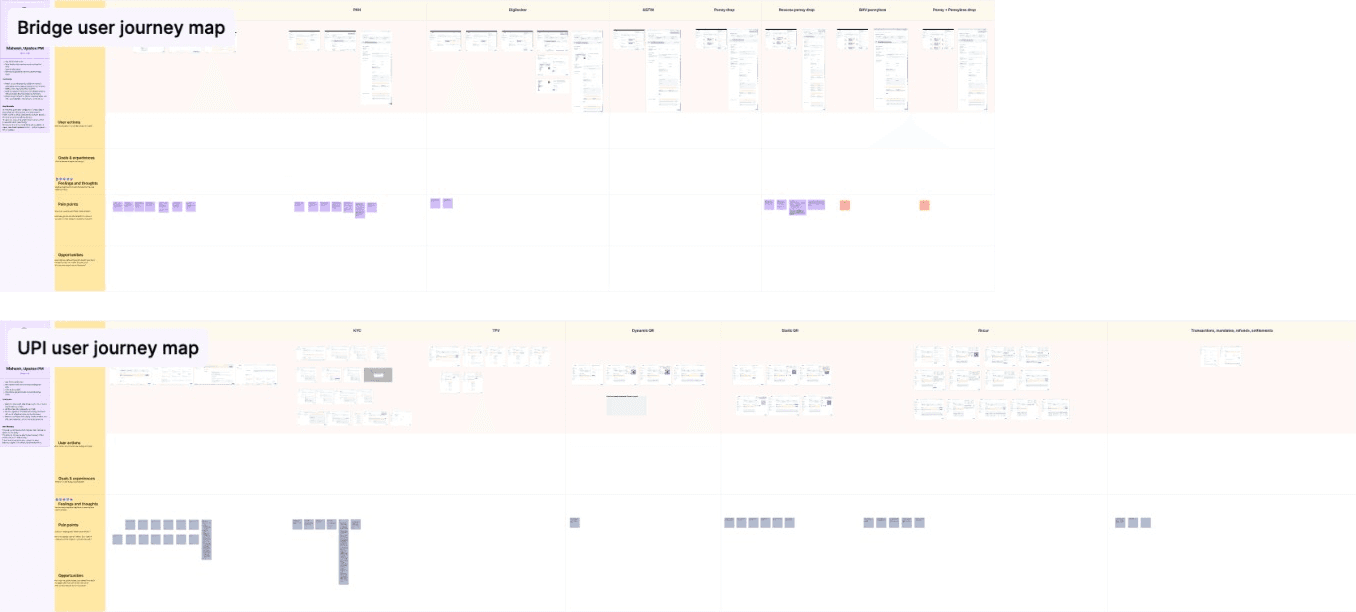
Alongside the workshops, we interviewed users of each product and attached their comments to the exact screens they were describing.
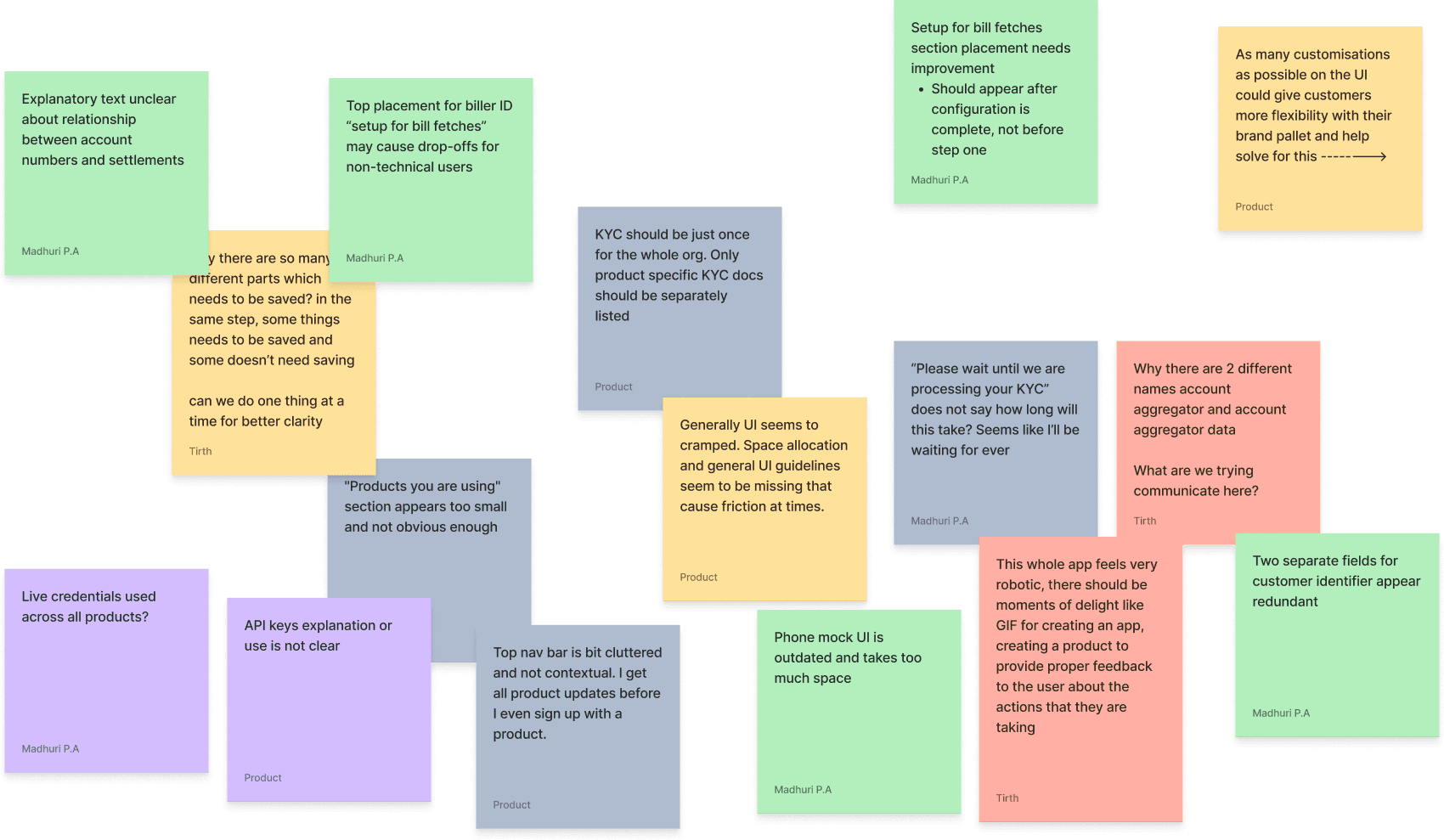
While being positioned as V1, Bridge has evolved into a patchwork of divergent, product-specific needs. This limits scalability, maintainability and clarity for new teams and customers.
From noise to themes
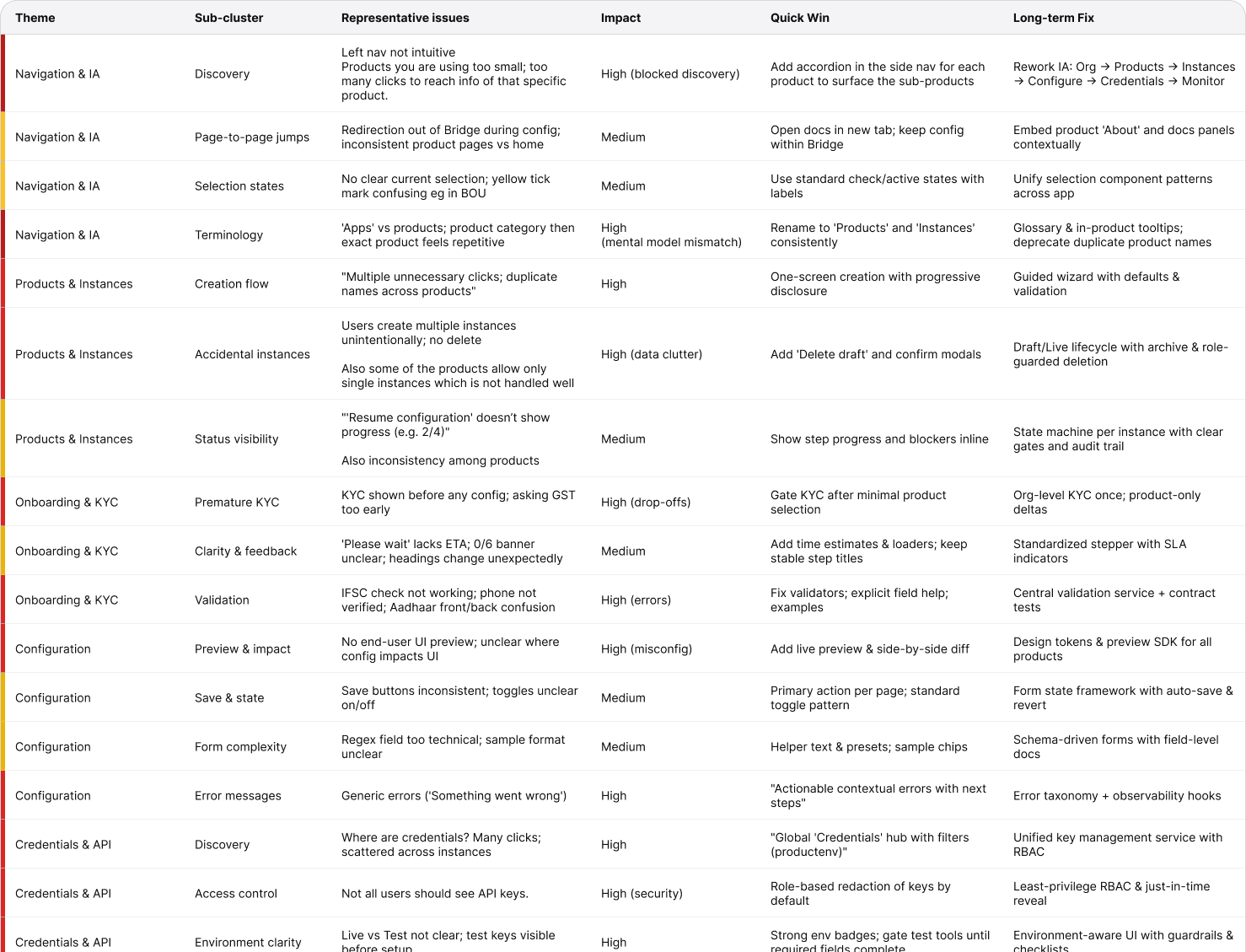
All of this went into one shared spec file that held every product's flow, its context, and its user feedback. It became the team's single source of truth. Grouping the findings in an affinity map revealed four recurring themes, and each became a workstream:
- KYC standardization
- Support on the platform
- Navigation
- Login and sign-up
Why KYC first
KYC was the largest and riskiest workstream. It needed deep backend changes, it carried the most regulatory weight, and it was the biggest single cause of delay before going live. Fixing it would help businesses the most, and it would make the other three workstreams easier to build on.
Then, building on it
- Login and sign-up
- Navigation
- Support on the platform
First
KYC standardization
- Biggest cause of delay
- Deepest backend change
- Most regulatory weight
The solution
KYC belongs to the business, not the product
A business's identity doesn't change depending on which product it uses. That idea drove everything else.
Instead of a separate KYC for each product, each business now has one central KYC profile. The profile is tied to the business's PAN, with one profile per legal entity. When company details change, such as a new company type or new directors, the profile gets a new version, and the old one is kept for audit.
Product and engineering shaped the data model. My work was making it understandable and usable for the businesses filling it in and the teams reviewing it.
Moving KYC out of integration
KYC became its own stage, separate from integration. Businesses no longer had to integrate a product before starting compliance. The two could now happen independently, and product-specific setup stayed with each product.
Before
A second product meant integrating again, and doing KYC again.
After
KYC is done once and reused, and it runs alongside integration.
Forms that assemble themselves
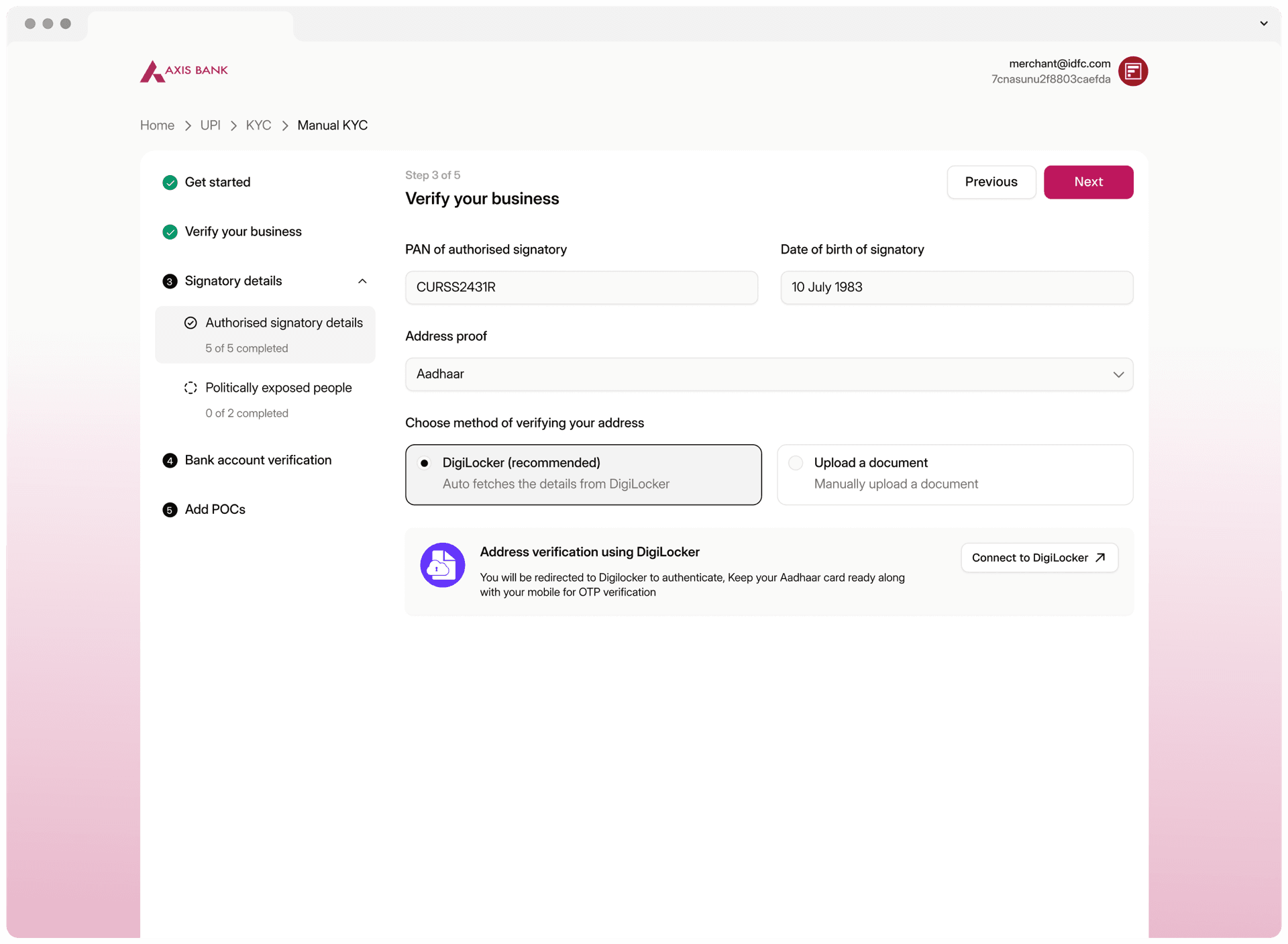
One KYC now had to serve many products, each with its own regulatory needs. So each product defines what it requires, and the form is built in real time from those requirements. Details that are already verified are filled in automatically, and the business only sees what's still missing.
Every new check is saved back to the profile, so each additional product asks for less than the one before it.
| Asked for | UPI | RPD | KYC, eSign | AA | Insights | BBPS |
|---|---|---|---|---|---|---|
| Identity | ||||||
| Business PANvalidated against the registration type | Required | Required | Required | Required | Required | Required |
| Company | ||||||
| GSTlight: the number only | Required | Required | Required | Required | Lighter version | Lighter version |
| CIN | Required | Required | Required | Not needed | Not needed | Not needed |
| Incorporation documentslight: the certificate only | Required | Required | Lighter version | Not needed | Not needed | Not needed |
| Regulator registrationRBI, SEBI, PFRDA or IRDAI | Not needed | Not needed | Not needed | Required | Not needed | Not needed |
| Business | ||||||
| Trading name | Required | Required | Required | Required | Required | Required |
| Category or description | Required | Required | Required | Required | Required | Required |
| Where it accepts payments | Required | Required | Required | Required | Not needed | Not needed |
| Business address | Required | Not needed | Not needed | Not needed | Required | Required |
| Turnover and business model | Required | Not needed | Not needed | Not needed | Not needed | Not needed |
| Category-specific documentsoptional | Lighter version | Not needed | Not needed | Not needed | Not needed | Not needed |
| Signatory | ||||||
| Signatory PAN | Required | Required | Required | Not needed | Not needed | Not needed |
| Proof of addressvia DigiLocker or upload | Required | Required | Required | Not needed | Not needed | Not needed |
| Politically exposed person check | Required | Not needed | Not needed | Not needed | Not needed | Not needed |
| Bank | ||||||
| Bank accountnumber and IFSC | Required | Not needed | Not needed | Not needed | Not needed | Not needed |
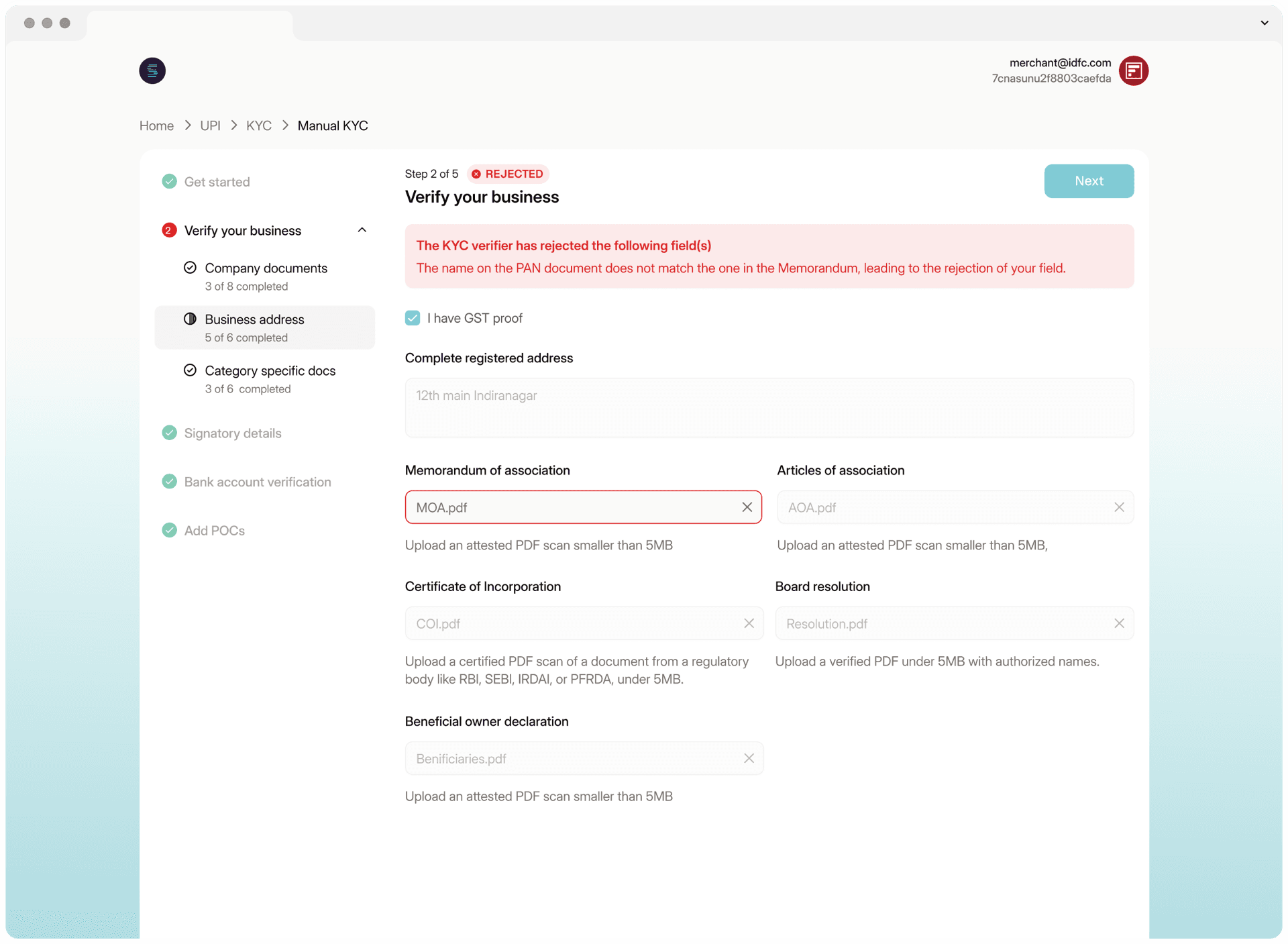
No more stopping at every step
Previously, each sub-step of KYC had to be saved and sent before a business could continue. The new flow is continuous. If a business leaves partway through, its progress is kept, and it can pick up where it left off.
Building on new foundations
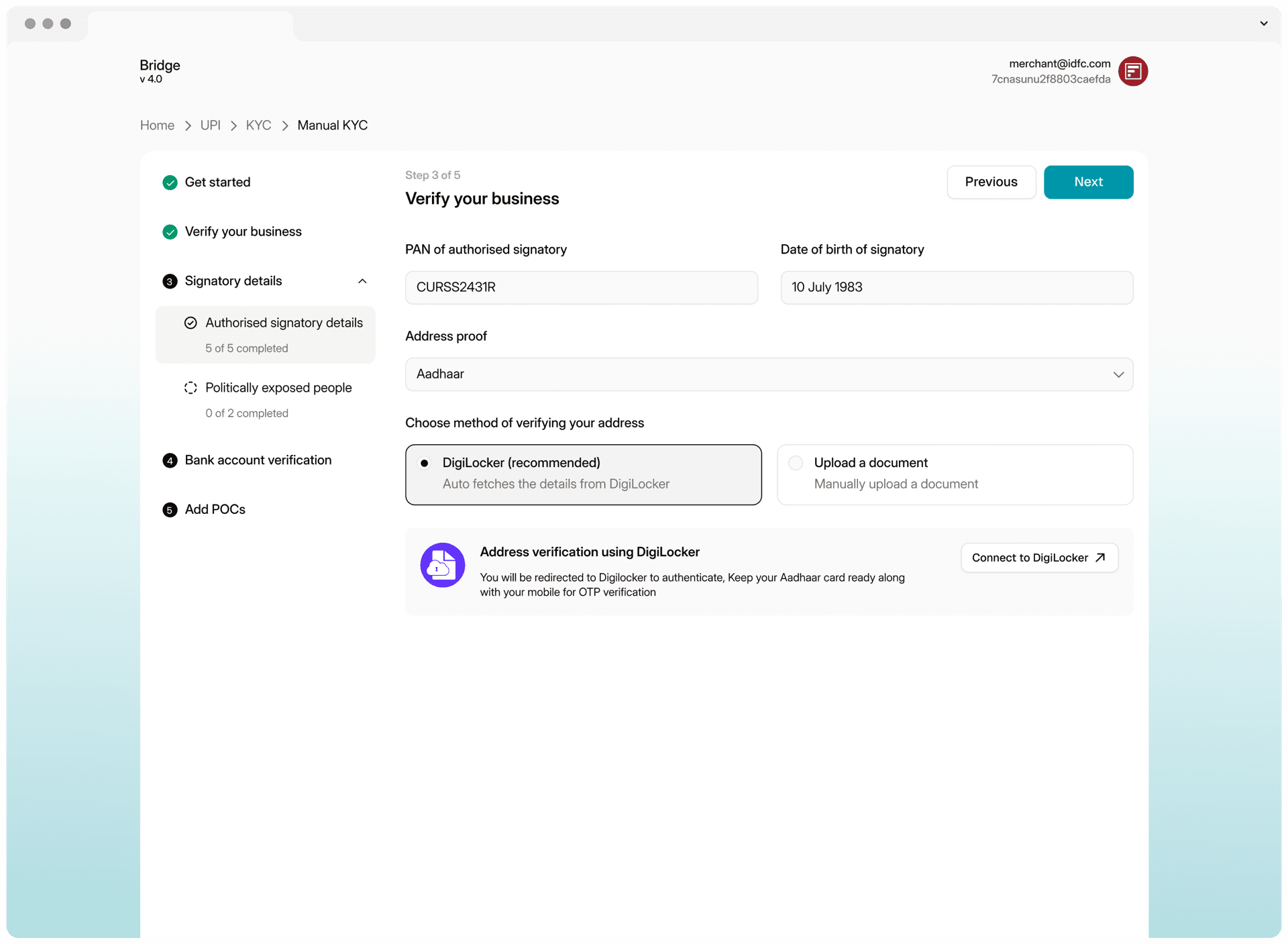
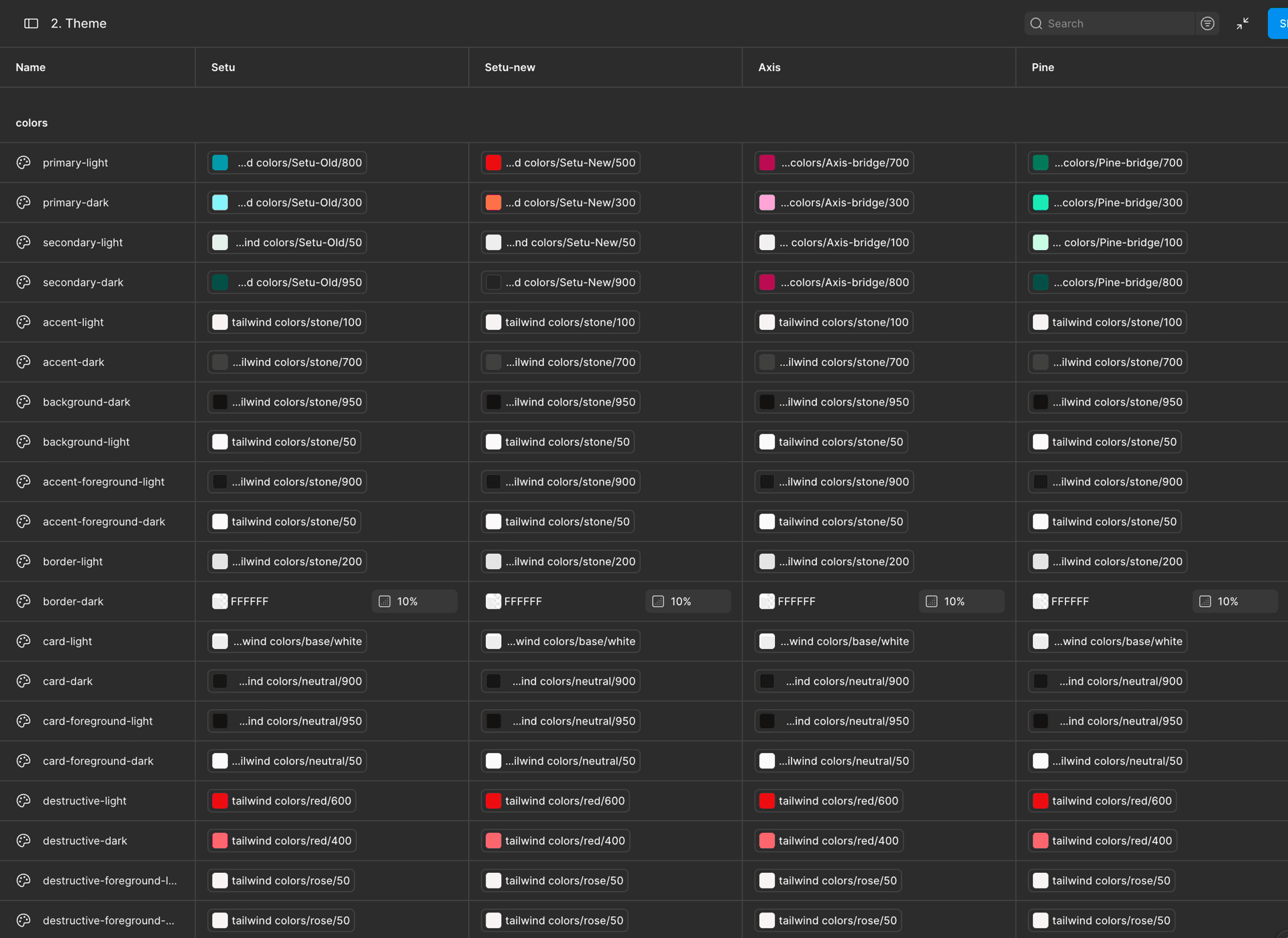
The redesign was also a chance to modernize the interface. I designed the new KYC flow with shadcn/ui components while frontend engineers migrated the component library in parallel. Keeping design and development in step meant the new experience shipped on the new foundation, rather than adding more old UI.
Admin Bridge and AI review
Designing both sides
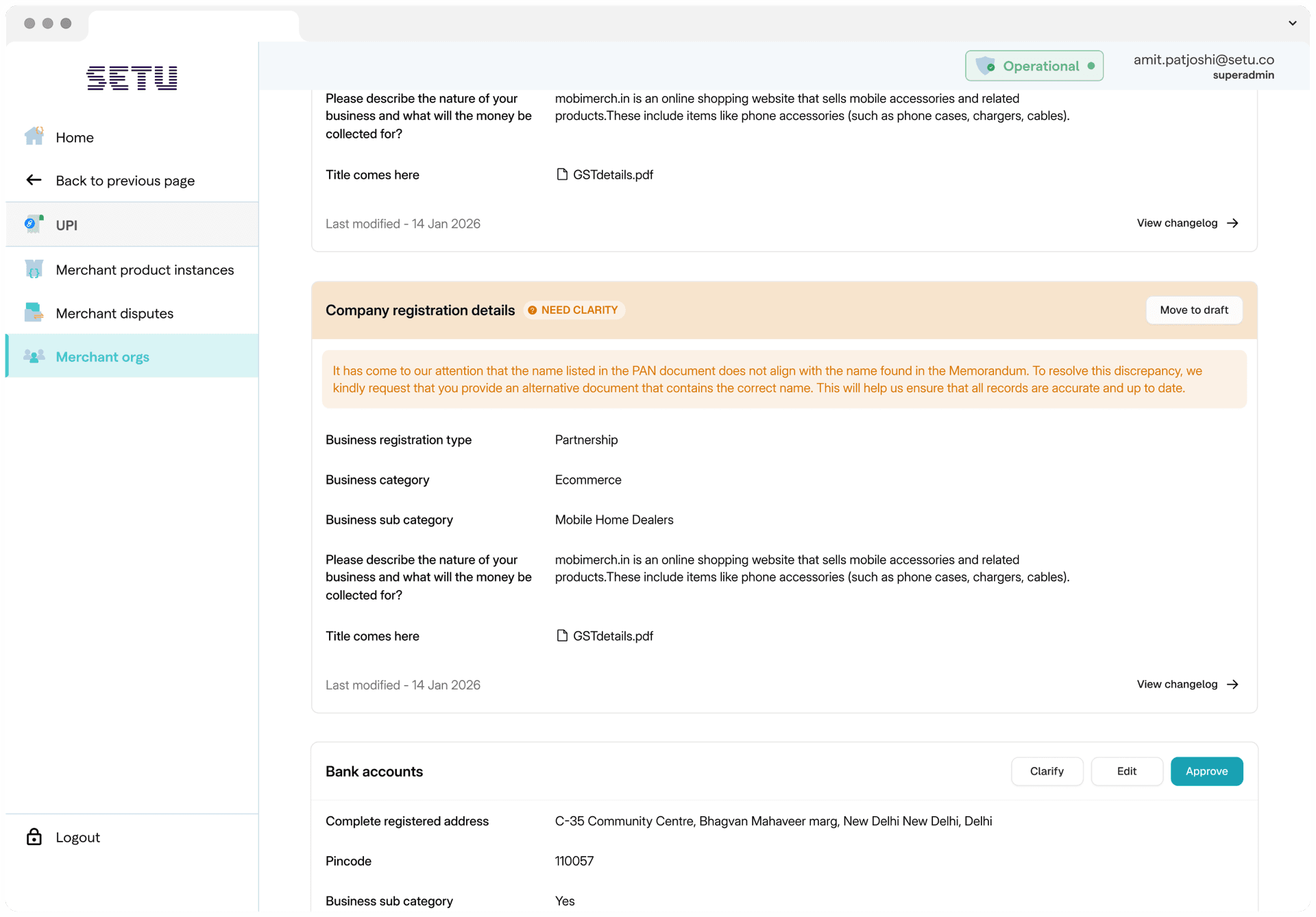
KYC isn't finished when a business submits it. Onboarding and compliance teams review it in Admin Bridge, Setu's internal tool. For several payment products, regulation requires a maker-checker review: one person reviews the KYC, and a second approves it.
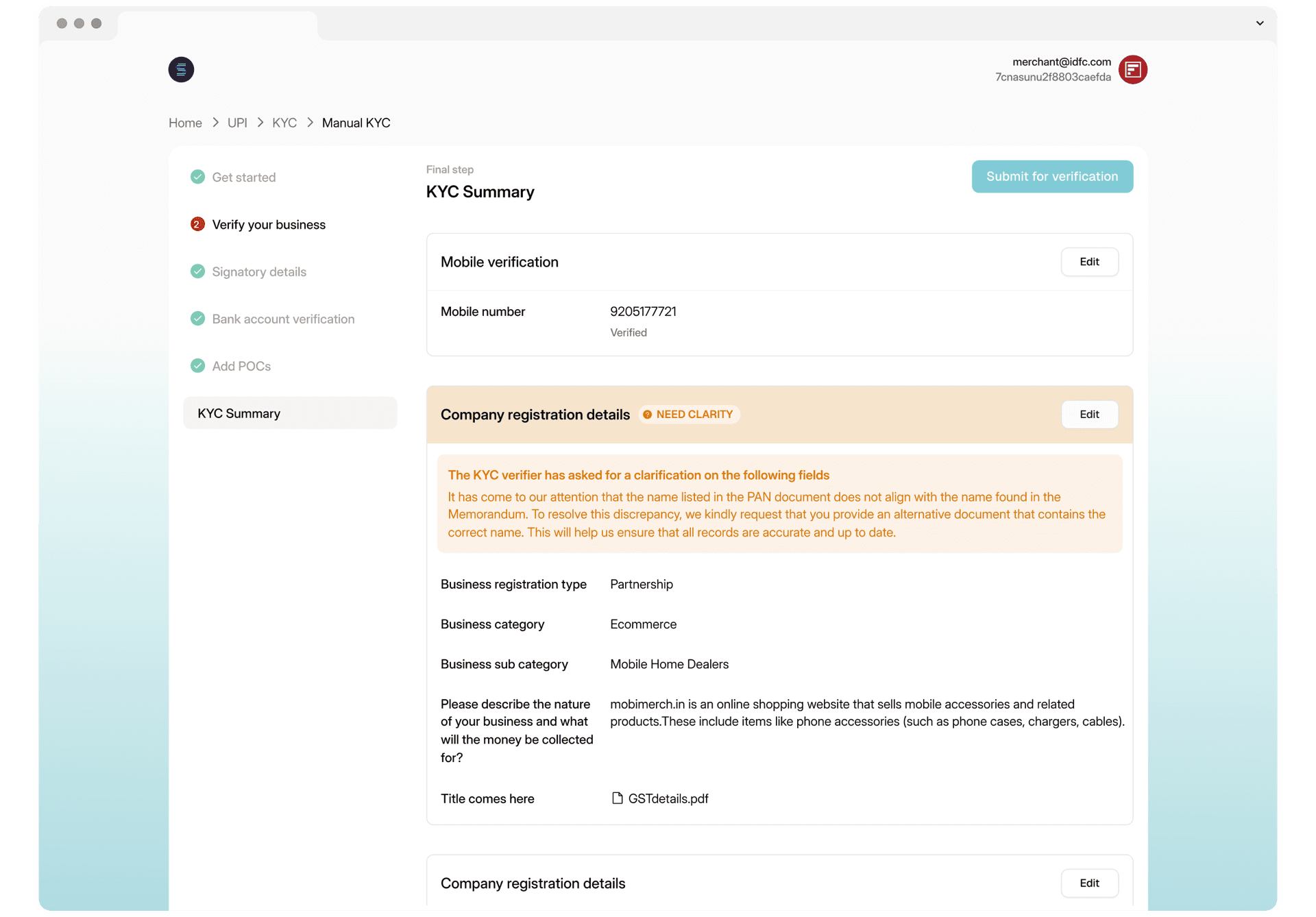
Before, clarifications between these teams and businesses happened outside the product and added days to the process. I designed two-way communication between Admin Bridge and Bridge. When compliance needs a confirmation or an update on a product, the request appears on the business's side of Bridge, and the business can act on it right there.
Reviewing once, not every time
Sharing one KYC across products raised real regulatory questions. We worked with the Compliance and Legal teams from the start to decide when a KYC could be reused without another review, and when it couldn't:
- If a KYC is fully prefilled and unchanged, it doesn't need another review.
- If a business edits its details or uses a different PAN, the KYC goes through review again.
- UPI always requires a full review, as payment regulations mandate.
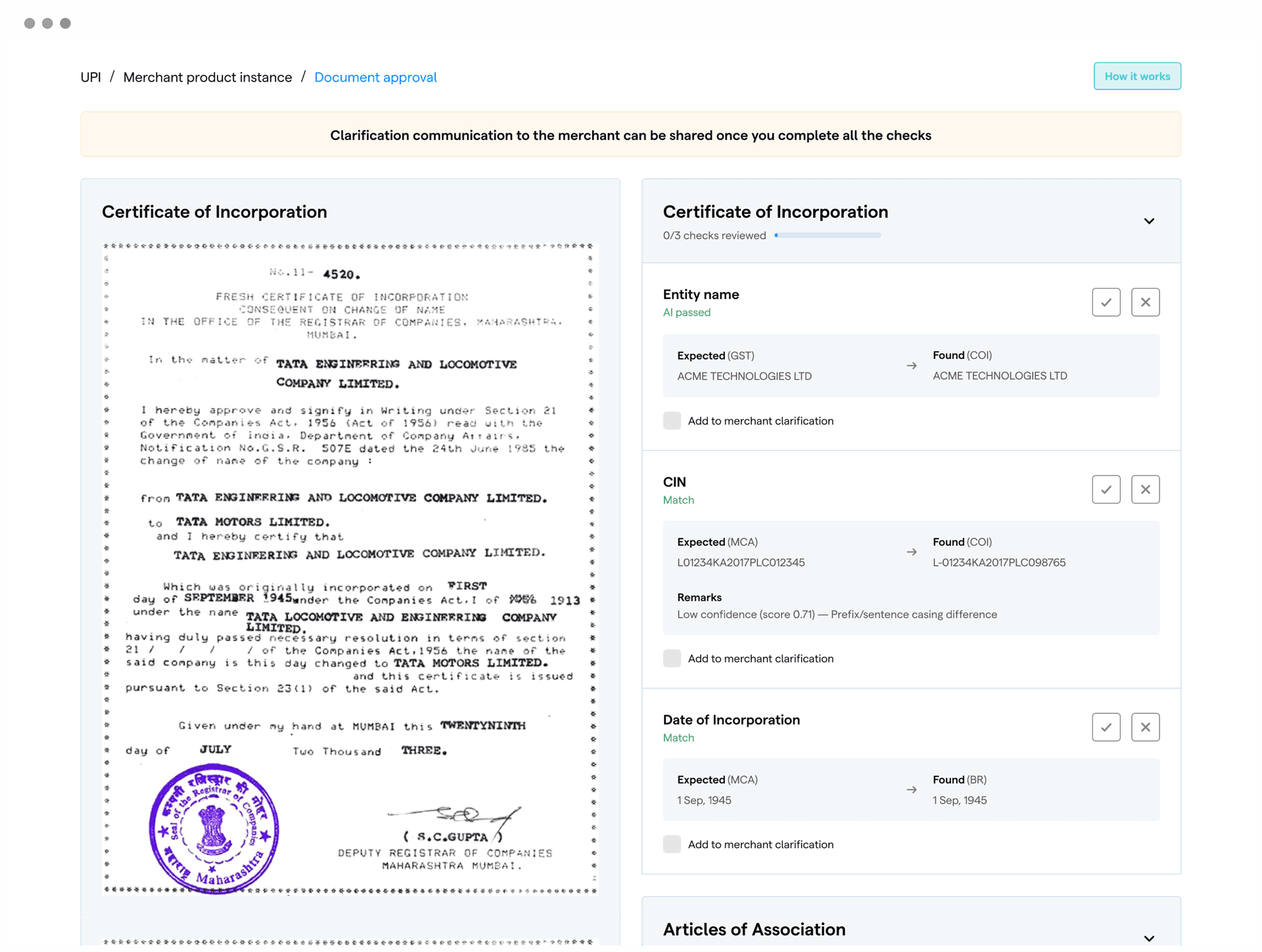
Faster reviews with AI document verification
Approving a KYC meant reviewers had to read documents like board resolutions and AOP deeds by hand, checking them against what the business had submitted.
AI-based document verification does the first layer of that review. It reads the documents, spots errors, and compares their contents with the business's details. When an admin opens a KYC, the AI's findings are already shown beside the document, so the admin starts from a summary rather than from scratch.
The admin still makes the decision. The AI speeds up the clear cases, and complex or subjective ones go to the operations team for manual review. Each application records which checks were automated and where a person stepped in, keeping a clear audit trail. Its accuracy and false-rejection rates are monitored, and edge cases flagged by the team are fed back to improve it.
Impact
6.7× faster
Median time to complete KYC
- Before
- 8 days
- After
- 1.2 days
From starting KYC to completing it, median across businesses.
The goal was to bring onboarding down from days to the same day. The median time to complete KYC fell from 8 days to 1.2 days.
Weekly active users on Bridge grew from about 700 to about 2,400, more than three times as many. The low number before had shown how much of Setu's work with businesses still happened outside the platform, and much of it still does. But with the new flows in place, the onboarding and operations teams could move businesses onto Bridge, starting with small and medium merchants.
3.4×
Weekly active users on Bridge
- Before
- ~700
- After
- ~2,400
Approximate weekly active users, before and after the redesign.
The rest of the roadmap
All four workstreams are now live.
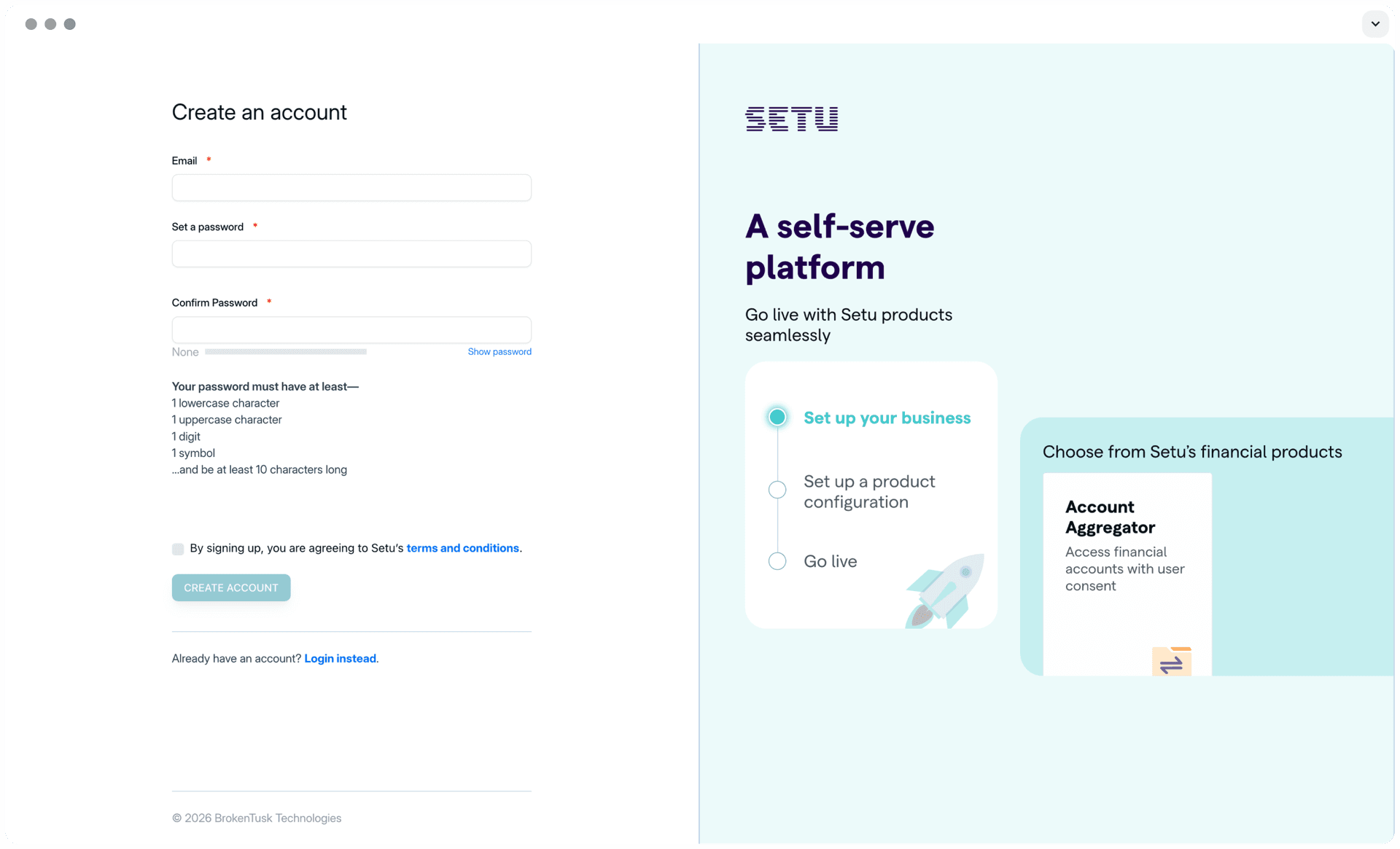
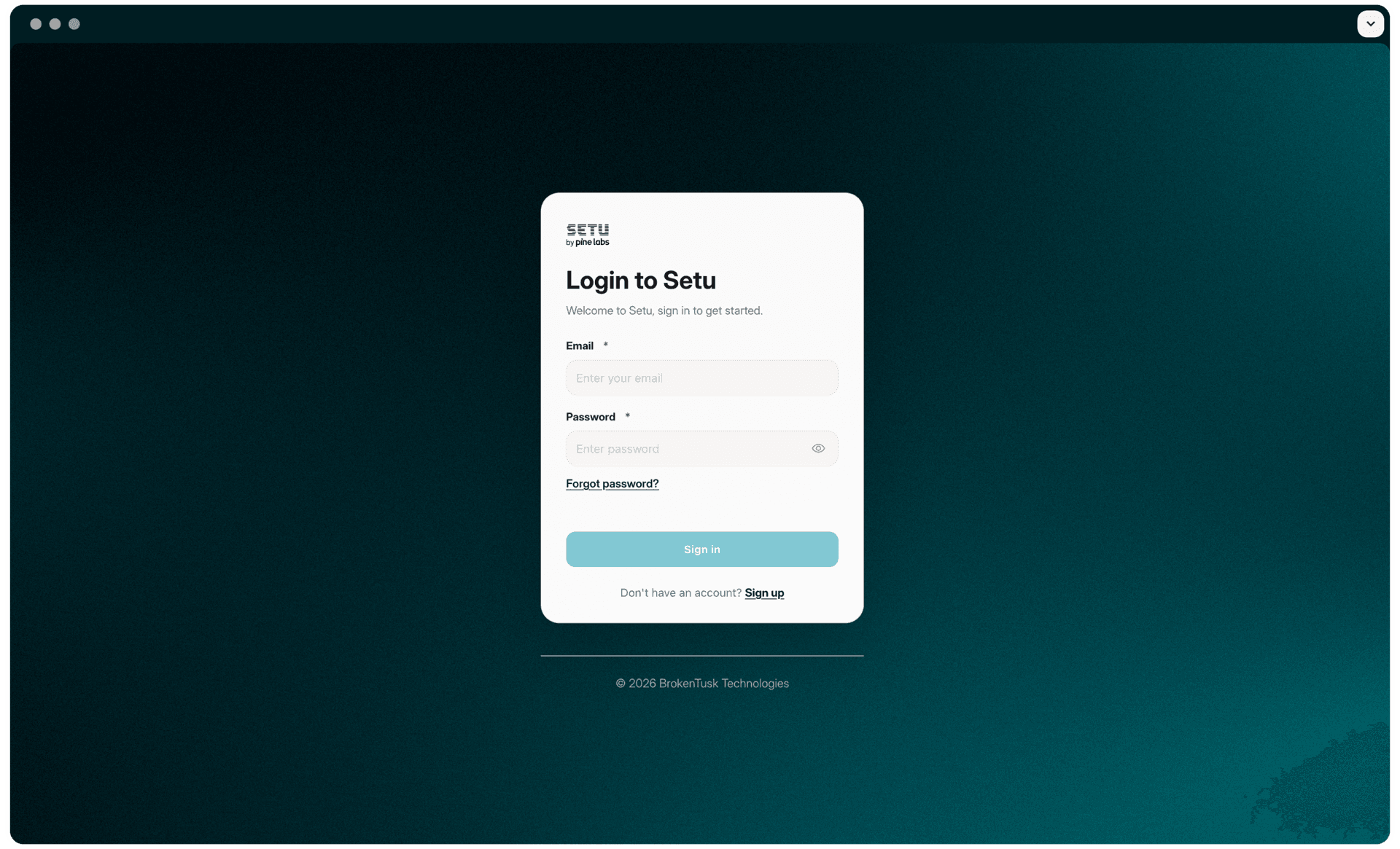
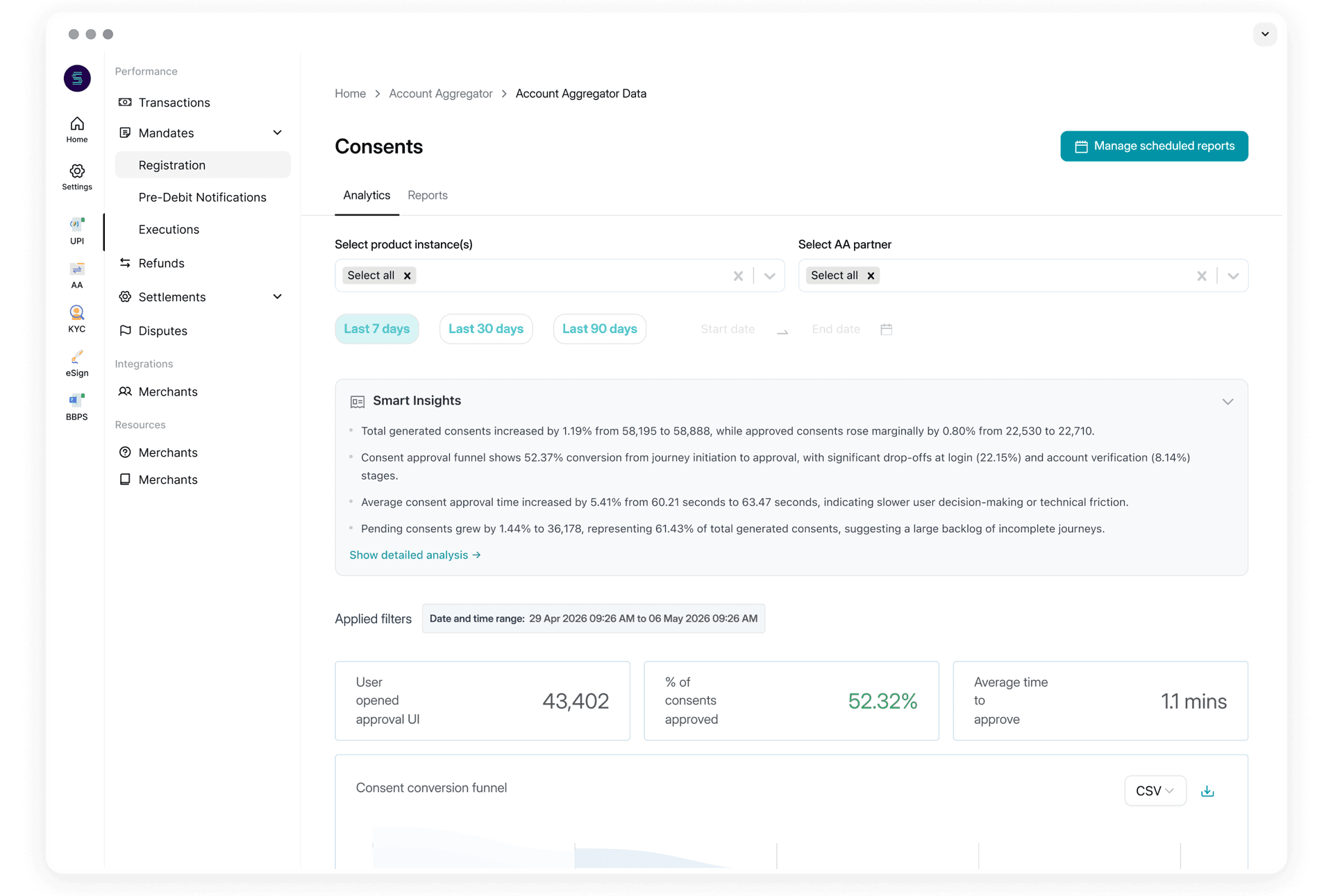
- Login and sign-up: new sign-ups on Bridge rose by 32%.
- Navigation: the old navigation made it hard for businesses to find Setu's other products. With every product now in one rail, switching between them takes 1 second instead of 5.5, 82% less time.
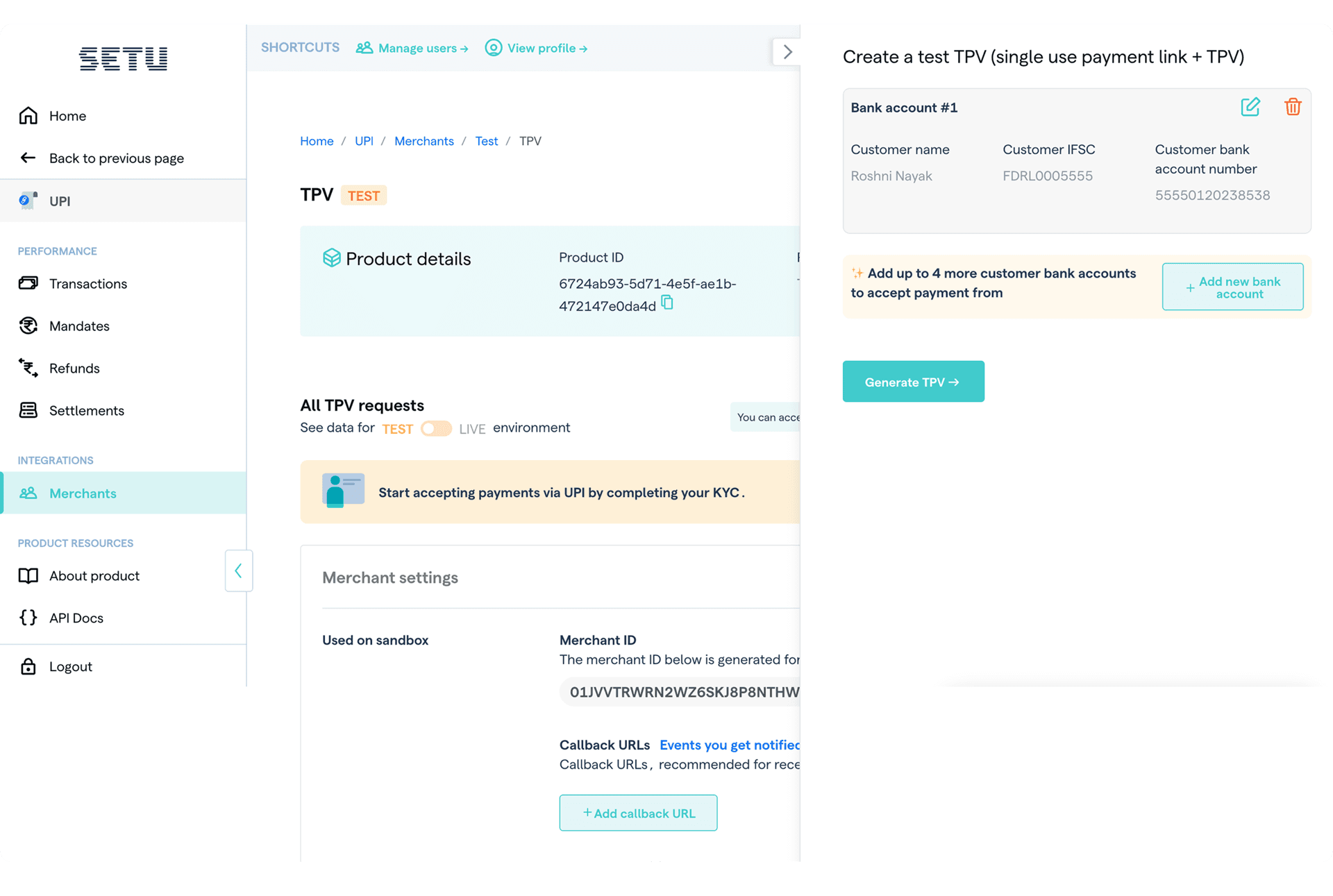
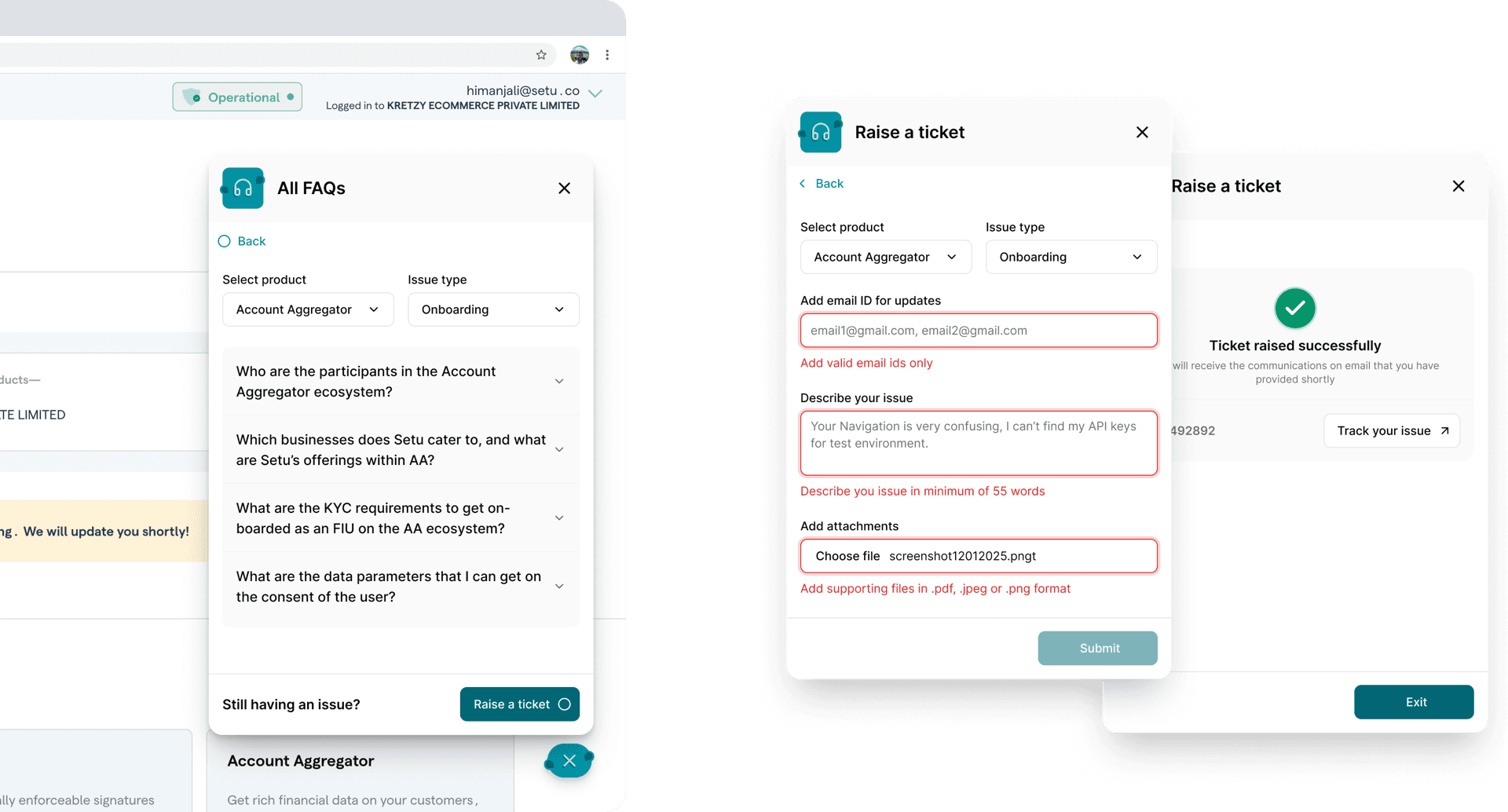
- Support on the platform: businesses now get their questions answered inside Bridge, which cut operations costs by 12%.
Reflection
The research did more than find problems. Mapping every product's journey together turned a brand-new team into people who understood six years of the platform, and that shared context made every later decision faster.
Bringing Compliance and Legal in from the start changed the project. Rules about when a KYC could be reused shaped the design itself, rather than showing up as late corrections.
Some problems standardization doesn't solve. Businesses that operate as several legal entities still complete KYC for each one. And every KYC still ends with a person: RBI doesn't yet allow AI to make KYC decisions on its own, so AI document verification can prepare the review but not make the call.
What I'd do differently is move that check earlier. The AI checks a document only after it's submitted, so a business learns that it won't pass only when a reviewer sends back a clarification. Running the model as the document is uploaded would flag one that's likely to be rejected and say what to change, while the business is still on the form. Fixing it then is easier, and fewer rejections would reach the review queue at all.
Credits
Design: Roshni · Design research: Roshni, Madhuri, Tirth, Akash · Product: Himanjali · Engineering: Pulkit, Kruthik, Suraj and team · Compliance, Legal & Onboarding teams