Community for Educators
Community for Educators aims to solve two-way communication between educators and learners — extending an existing Android community feature to the web.
In general day-to-day scenarios, educators use various third-party tools like WhatsApp or Telegram to communicate with learners. To solve this dependency, we designed an in-house feature called Community for both educators and learners on Android. This project is the extension of that community feature to the web, for educators.
| Year | Category | Duration | Platform |
|---|---|---|---|
| 2023 | Professional | 16 Weeks | Web |
Problem statement
The main problems with using third-party tools for communication between educators and learners were that it became difficult to share media outside the platform to contain piracy, learners were vulnerable as their contacts became available to everyone else in the group (in most of the platforms), and it became difficult to limit the communication to just what was necessary within the purview of learning.
Feature introduction
Community already existed as an Android-only feature — educators could post updates, share files, and reply to learners directly from their phone.
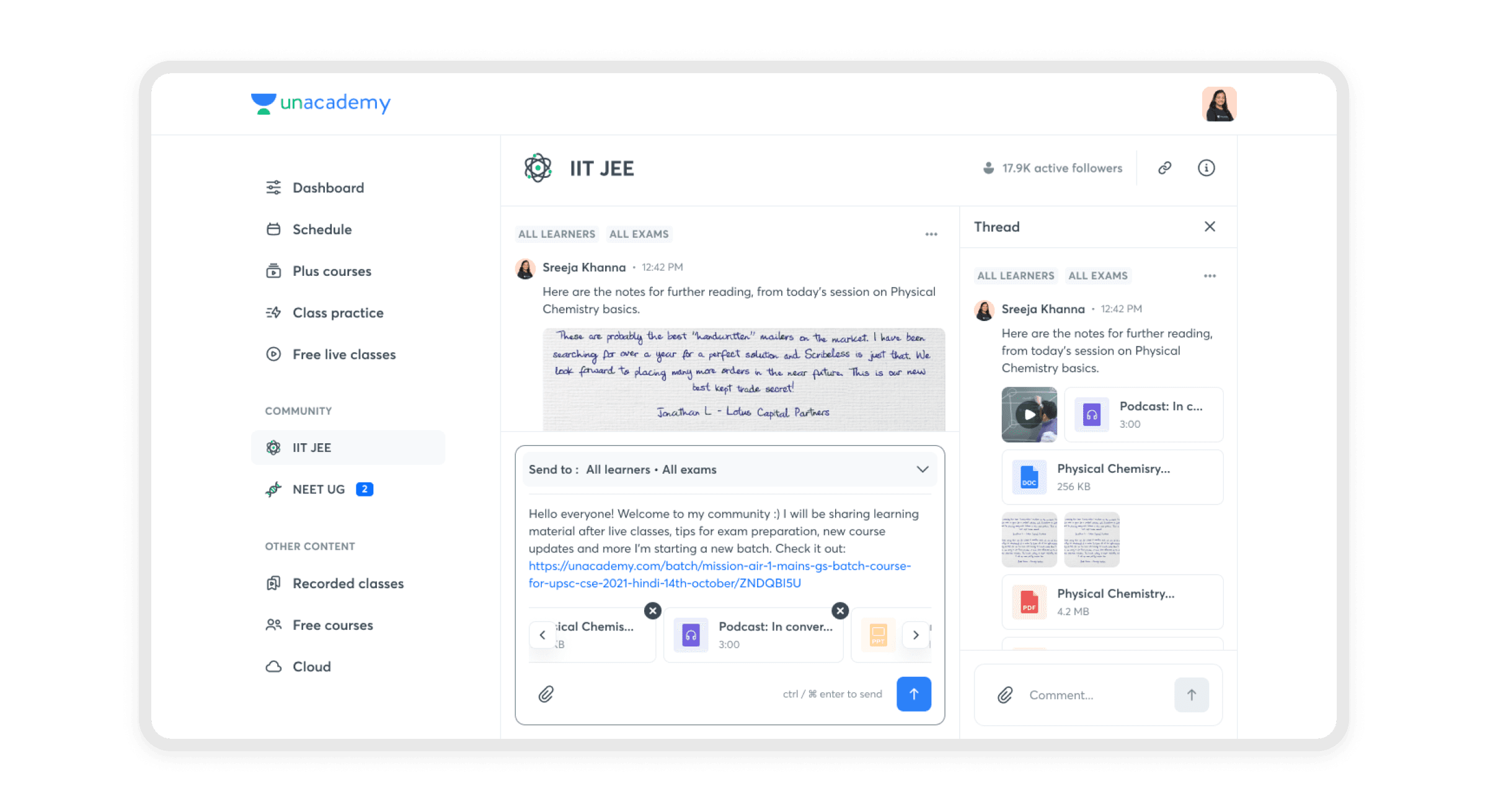
Extending it to web meant educators could now manage the same conversations from a desktop, without losing any of the context or history built up on mobile.
Navigation changes
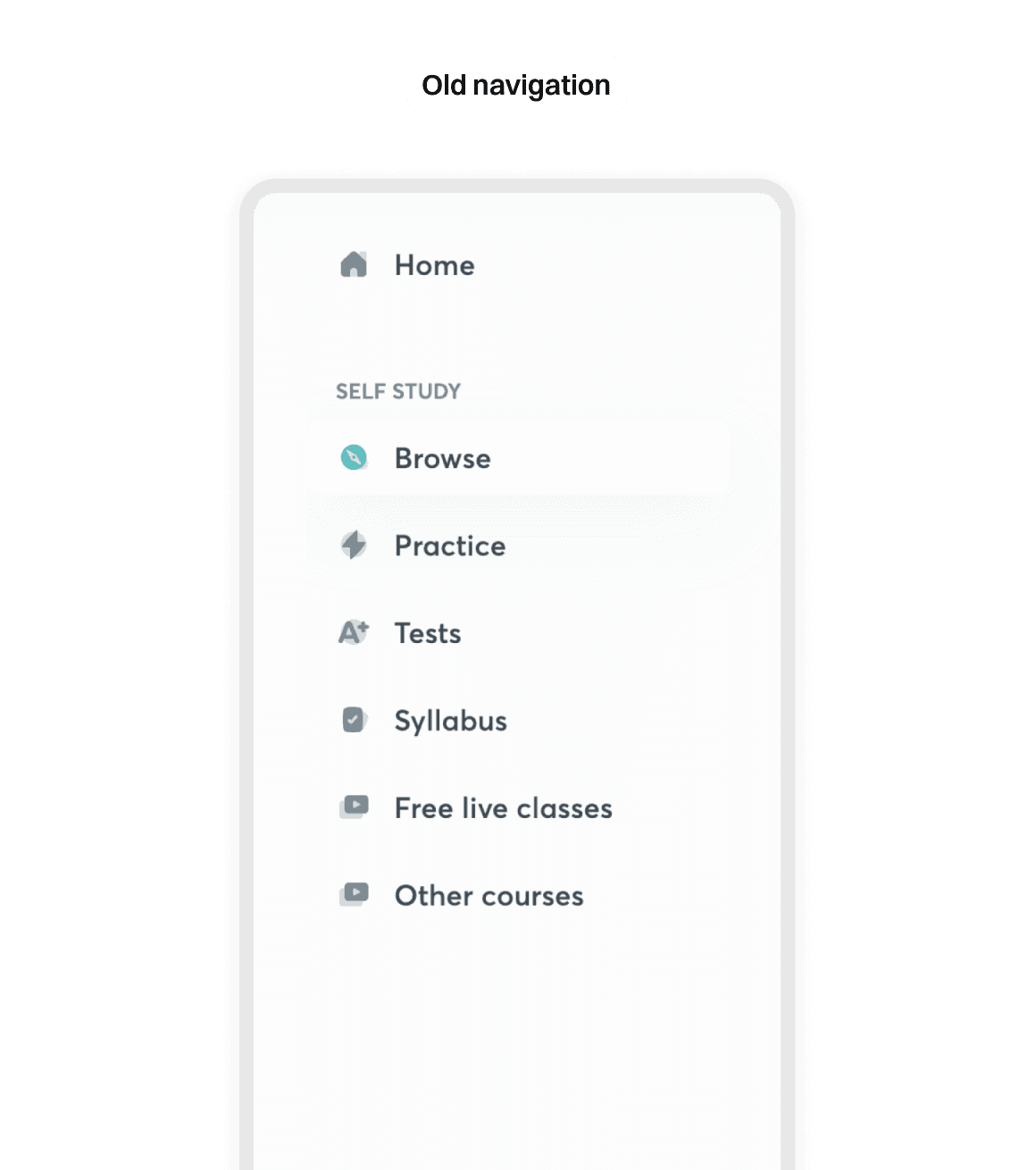
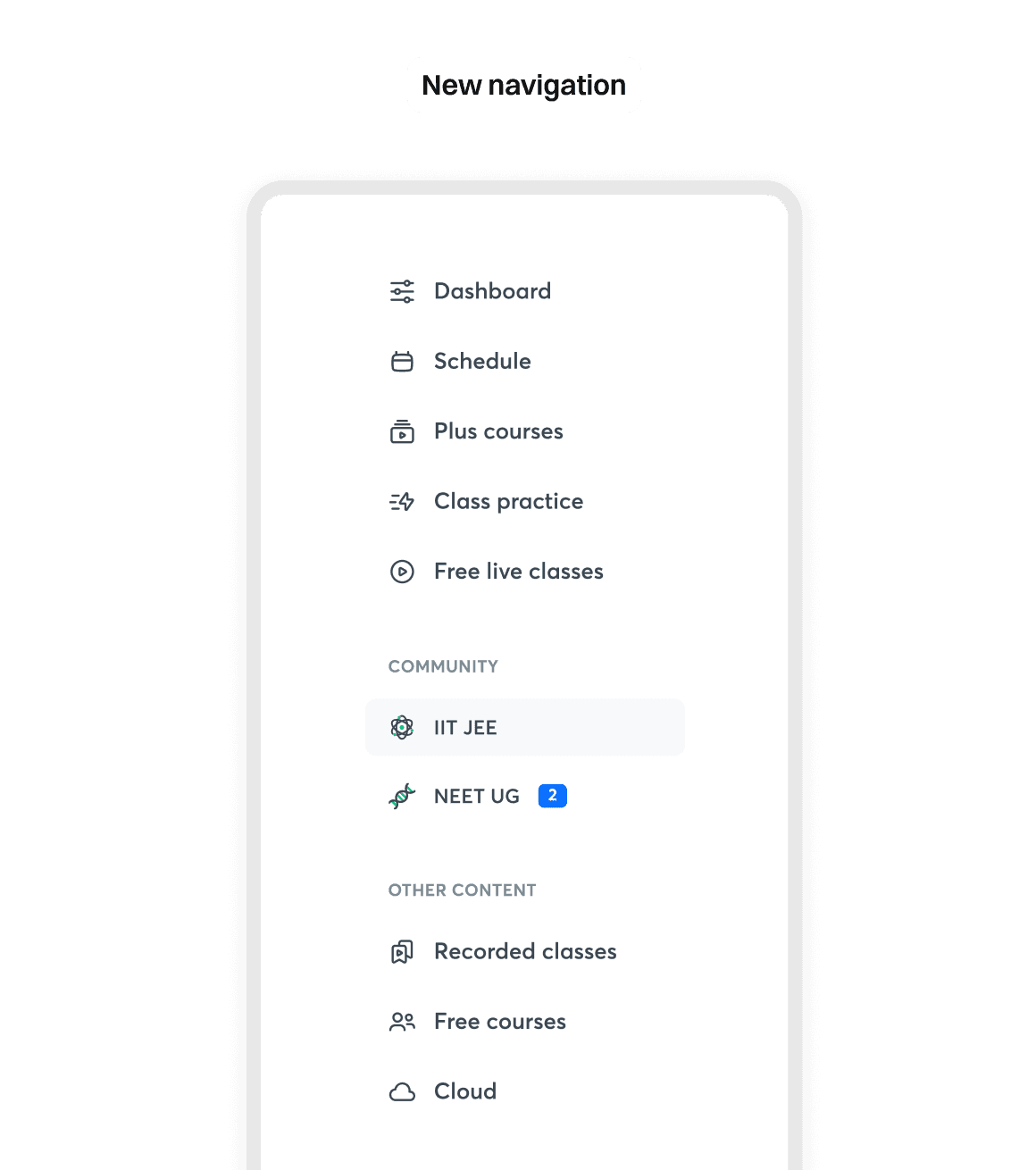
To make Community discoverable on web, it was added as its own section in the educator dashboard's navigation, grouped under a new "Community" heading alongside the educator's individual goals (like IIT JEE and NEET UG).
Composing a message
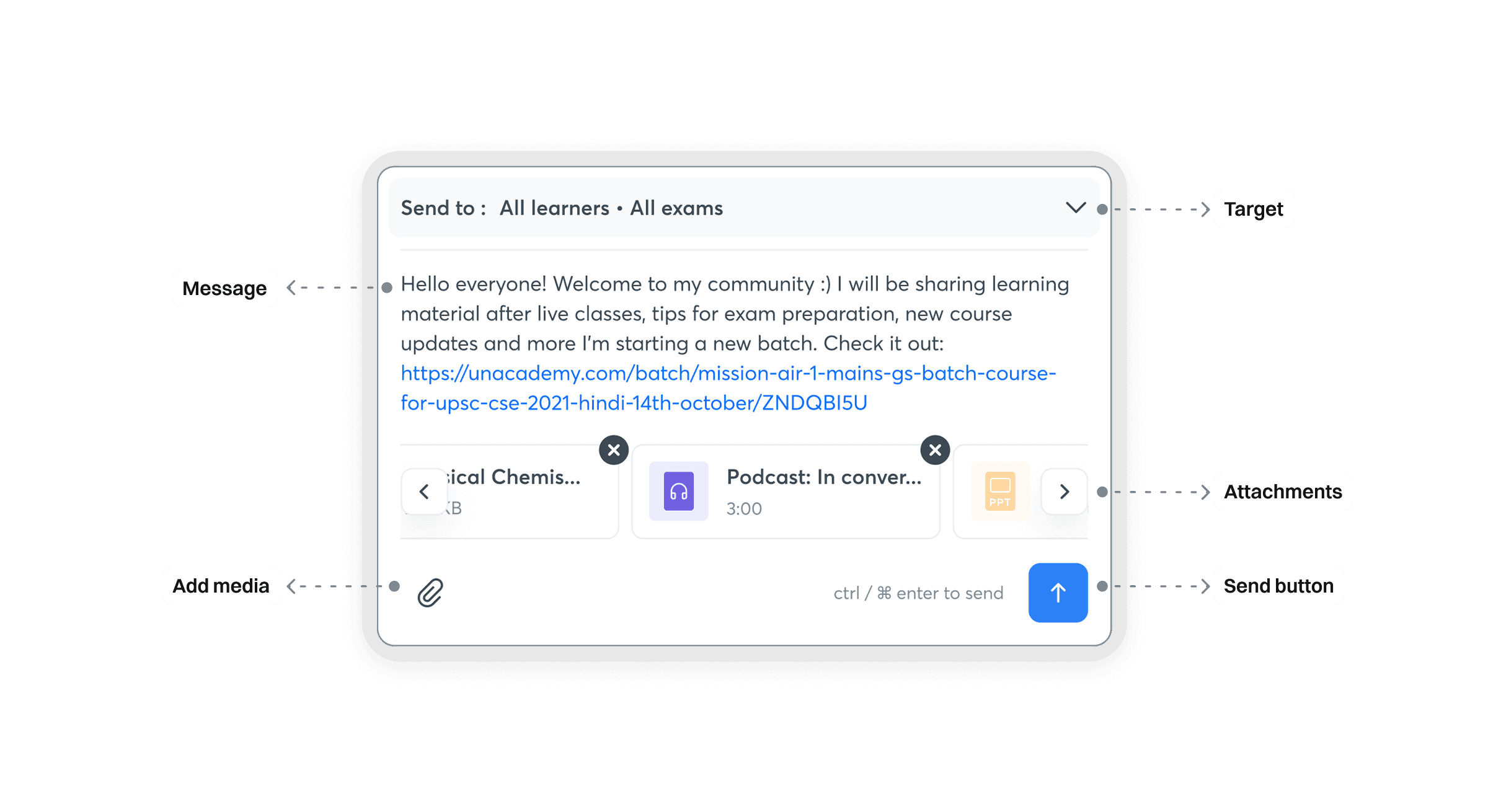
The composer was designed around four core pieces: who the message is targeted to, the message itself, any attachments, and the send action — kept close together so an educator could draft and share updates in a single, uninterrupted flow.
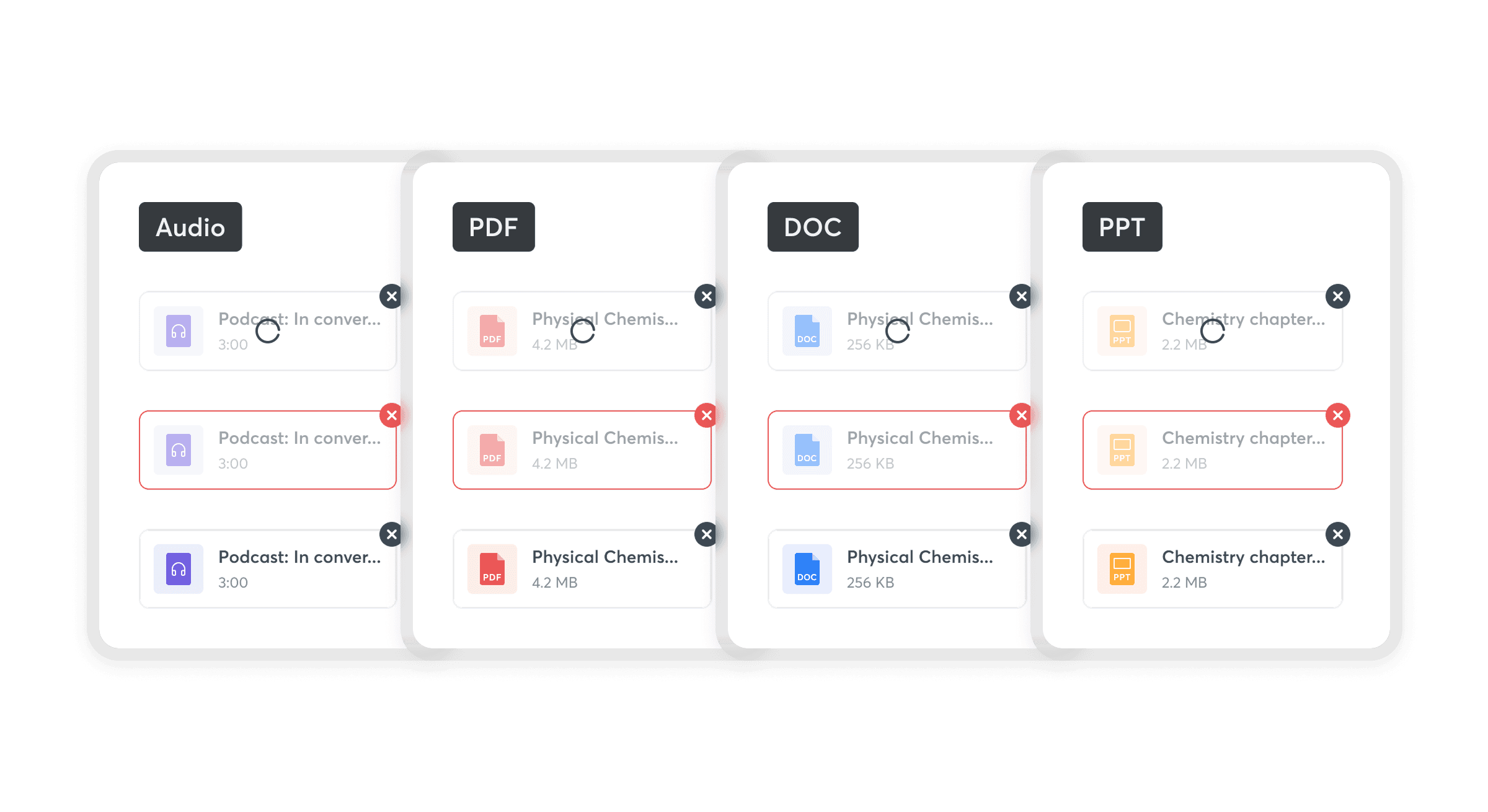
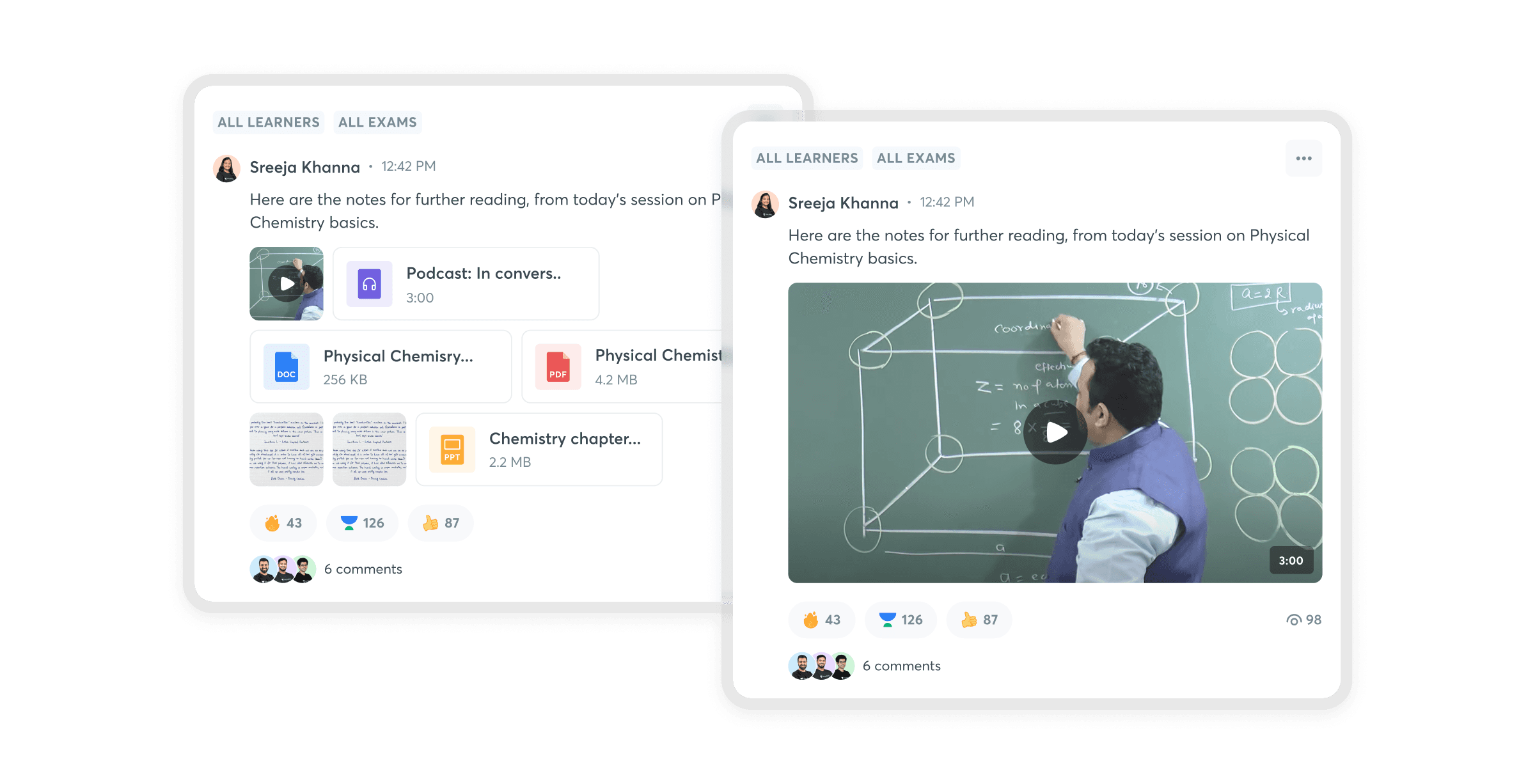
Educators could attach a mix of file types in a single post — audio, PDF, DOC, and PPT — each rendered as its own recognizable card so learners could tell at a glance what they were opening before downloading it.
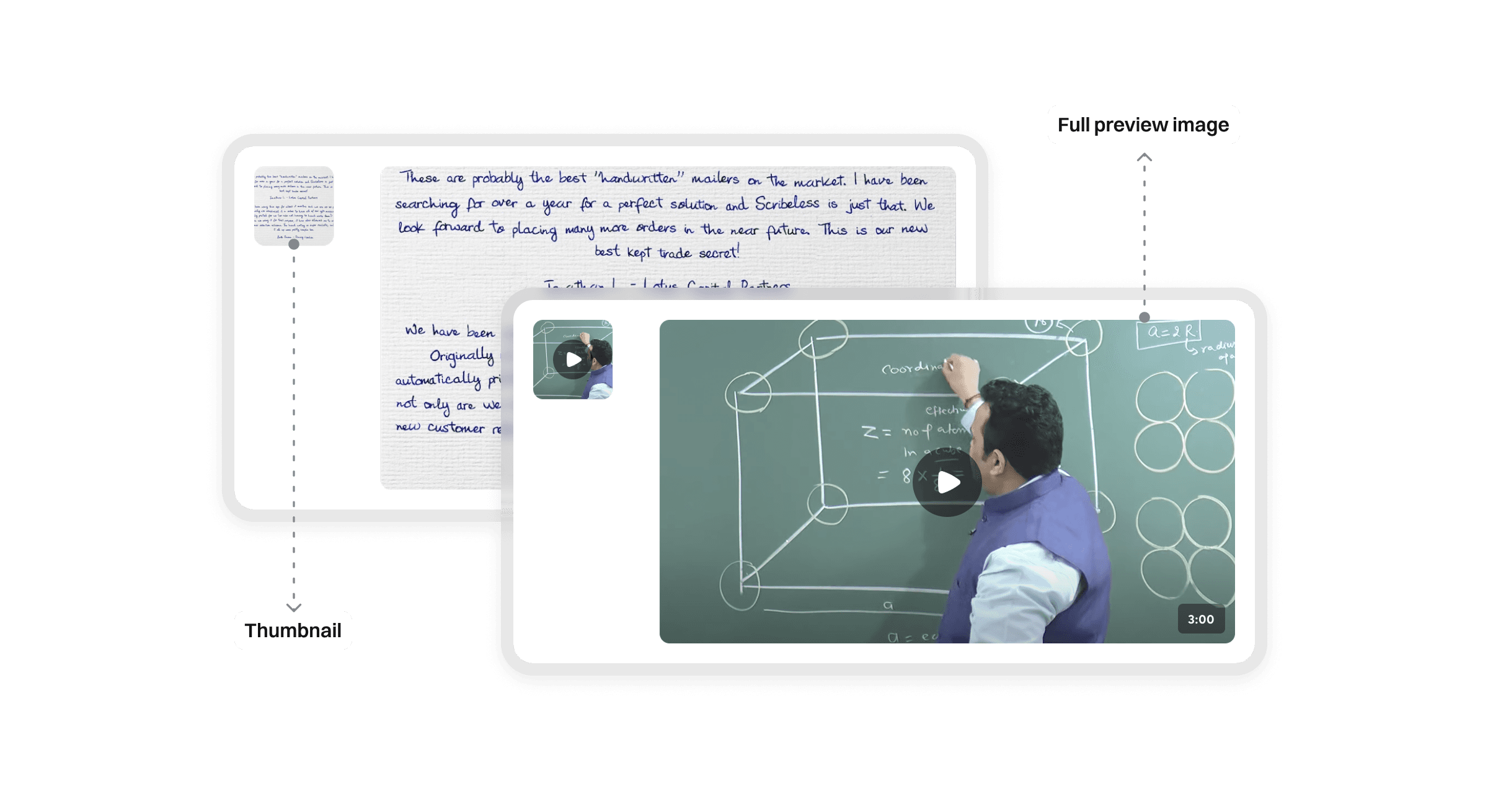
For video attachments specifically, we distinguished between a compact thumbnail shown inline in the composer and the full preview image rendered once the post was published — so what an educator saw while drafting matched what learners would actually see in their feed.
The feed
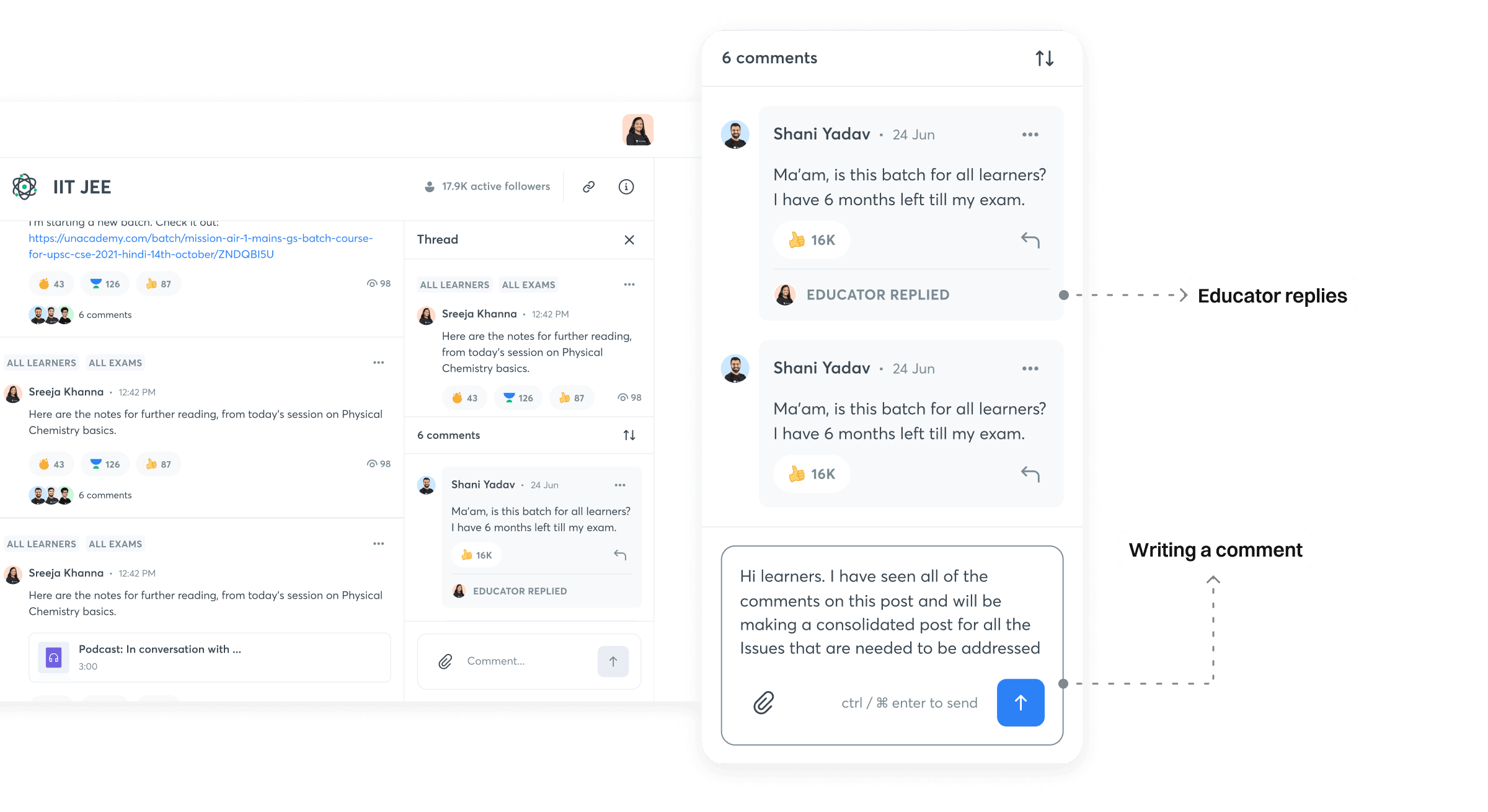
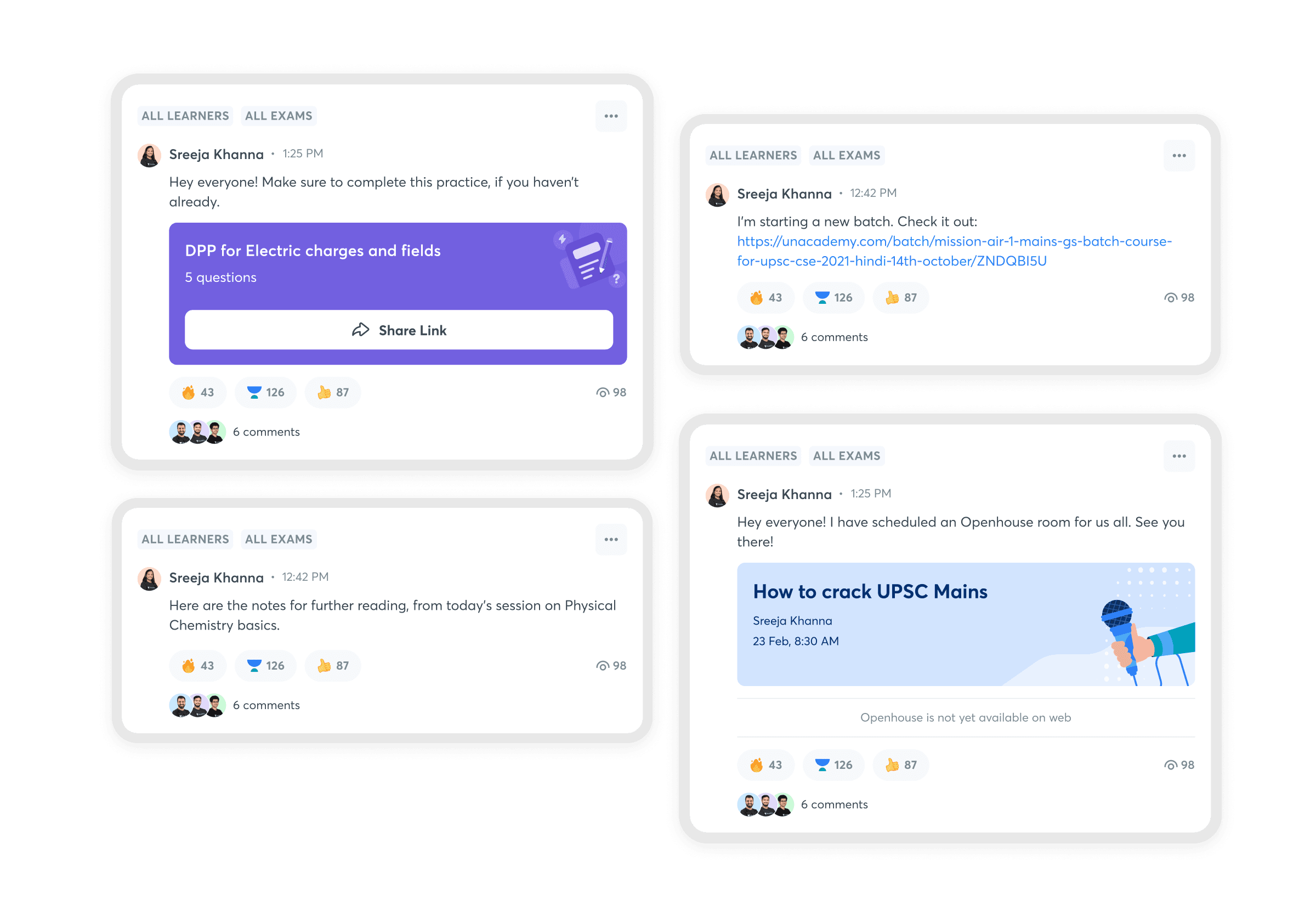
Published posts carry reactions, view counts, and threaded comments, so an educator can gauge at a glance how a piece of content landed before deciding whether it needs a follow-up.
Beyond sharing files, the same composer supported richer post types — sharing a practice quiz (DPP) with a direct link, promoting a new batch, or inviting learners to a scheduled Openhouse session.
Targeting the right audience
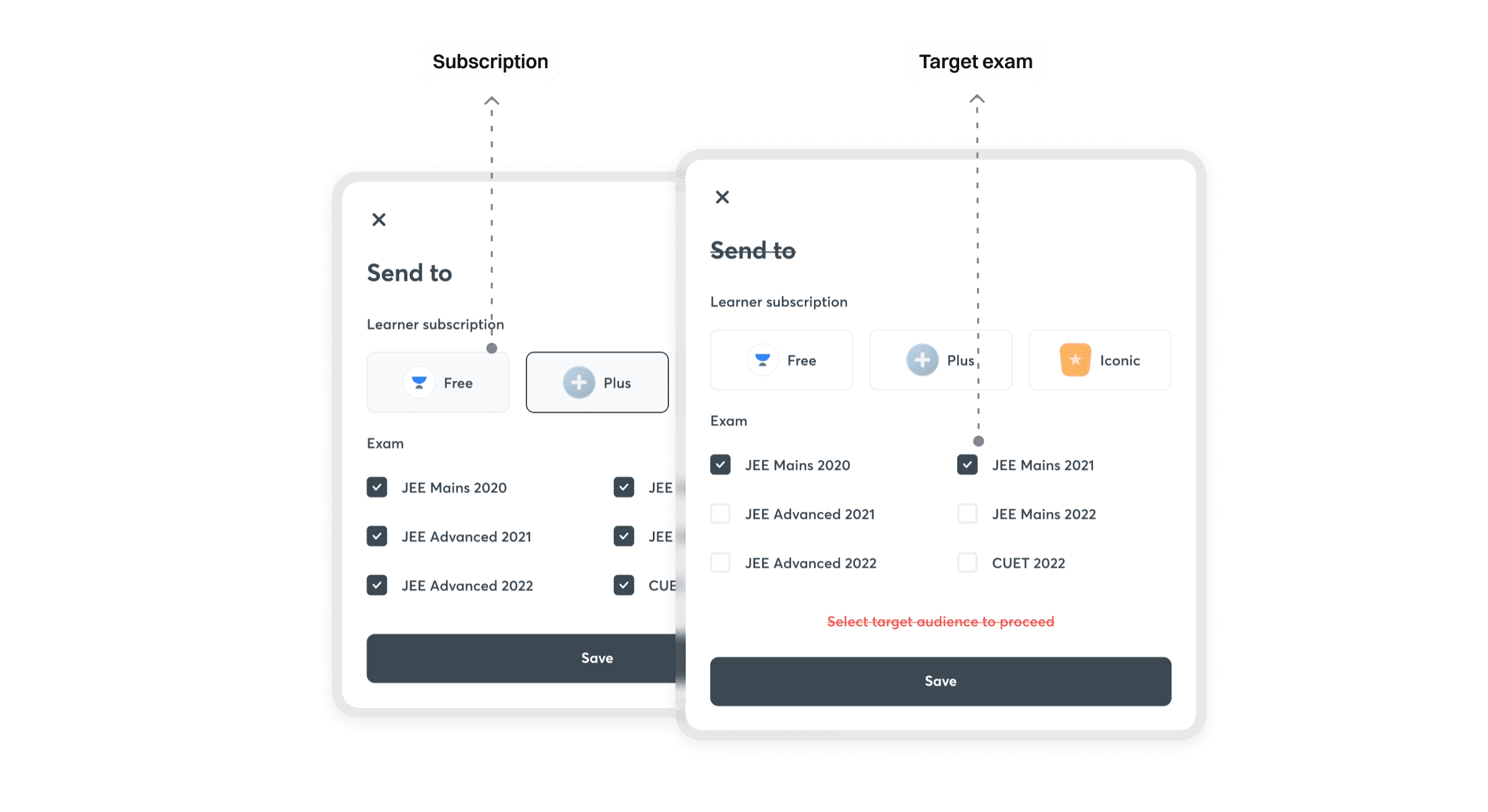
Not every update is relevant to every learner. Before sending, educators could scope a post by learner subscription tier (Free, Plus, Iconic) and by specific exam, so a batch announcement only reached the learners it was actually meant for.
Comments and replies
Learners could comment directly on a post, and replies from the educator were visually flagged so learners could immediately spot an authoritative answer in a thread full of peer discussion.